Achieving professional results in your workshop begins with machine calibration. In this guide, I will walk you through the essential process of tuning your equipment to ensure high-quality output.
Learning how to set correct focal distance on a CO2 laser remains the most critical skill for any operator. Precise adjustments allow you to achieve clean, sharp cuts every single time.
I will share my personal experience and professional techniques to help you master this fundamental aspect of maintenance. By following these steps, you will significantly reduce material waste and improve the overall efficiency of your projects.
Key Takeaways
- Mastering beam alignment improves cut quality and edge finish.
- Proper calibration prevents unnecessary damage to your lens.
- Consistent settings lead to predictable results across different materials.
- Regular maintenance checks save time during production runs.
- Small adjustments yield massive improvements in machine performance.
Understanding the Importance of Focal Distance
The secret to clean, precise laser cuts lies entirely in how you manage the focal point of your beam. When I operate my machine, I view the laser beam not just as a light source, but as a precise tool that requires exact positioning to function correctly. The focal point represents the narrowest part of the beam, where energy density is at its absolute peak.
If this point is not perfectly aligned with your material, you will notice immediate drops in performance. Optimizing CO2 laser focal length is the most effective way to ensure that your machine operates at its full potential.
Why Focal Point Accuracy Matters for Cutting Quality
When the beam is out of focus, the energy spreads over a larger surface area rather than concentrating on a single point. This leads to a wider kerf, which is the width of the material removed during the cut. A wider kerf often results in sloppy edges and a loss of fine detail in your designs.
“Precision is not an accident; it is the result of careful calibration and a deep understanding of your tools.” — Anonymous
Even a deviation of just one millimeter can cause significant power loss at the material surface. By maintaining the correct CO2 laser focal distance, you ensure that the laser energy is used for cutting rather than wasted on surface heating. This consistency is what separates professional-grade work from amateur attempts.
The Relationship Between Lens Geometry and Beam Intensity
The lens in your laser head is designed to converge the parallel light rays into a single, intense point. The curvature of this lens dictates the focal length and the shape of the beam cone. If you fail at optimizing CO2 laser focal length, you risk creating scorched edges or incomplete cuts because the intensity is too low to penetrate the material.
I always remind users that the lens geometry determines how quickly the beam converges and diverges. A shorter focal length provides a tighter spot but has a shallower depth of field. Understanding this relationship allows you to adjust your CO2 laser focal distance based on the thickness and type of material you are processing.
Essential Tools for Precise Calibration
When I first started working with CO2 lasers, I quickly learned that precise focal distance CO2 laser calibration is impossible without the right gear. Relying on visual estimation often leads to inconsistent cuts and wasted material. By keeping a dedicated toolkit, I ensure that every project starts with the perfect beam intensity.
Using Acrylic Focal Gauges and Spacers
Acrylic focal gauges are perhaps the most efficient tools for daily operations. These simple, laser-cut blocks provide a physical reference point between the nozzle and the material surface. I find them indispensable for quick setups because they eliminate the need for manual measurement every time I switch materials.
Digital Calipers and Their Role in Measurement
While gauges are great for speed, I always keep a set of digital calipers nearby for absolute accuracy. Digital calipers allow me to verify the exact distance from the lens assembly to the workpiece. This precise focal distance CO2 laser verification is vital when working with high-tolerance projects where even a millimeter of error ruins the final result.
The Value of Ramp Tests for Determining Focal Length
When I install a new lens, I perform a ramp test to find the true focal point. This method involves cutting a diagonal line into a piece of scrap material while the laser head moves along the Z-axis. The point where the cut is thinnest represents the optimal focal length of that specific lens.
| Tool Name | Primary Use | Accuracy Level | Ease of Use |
|---|---|---|---|
| Acrylic Gauge | Quick daily setup | Moderate | High |
| Digital Calipers | Verification | Very High | Moderate |
| Ramp Test | Lens calibration | Highest | Low |
By combining these tools, I maintain a precise focal distance CO2 laser workflow that guarantees professional results. Investing time in these calibration methods prevents common errors and extends the life of my optics.
How to Set Correct Focal Distance on a CO2 Laser
Achieving precision in laser engraving begins long before you fire the beam. When you learn how to set correct focal distance on a CO2 laser, you quickly realize that the physical environment plays a massive role in your final output. A stable, well-prepared workspace is the primary requirement for consistent results.
Preparing the Laser Bed and Material Surface
The first step involves ensuring your laser bed is perfectly level. If the bed is tilted, your material will sit at an angle, causing the focal point to shift across the surface. This leads to uneven cutting depths and poor edge quality.
Always verify that your material is completely flat against the honeycomb or slat bed. If your substrate is warped, use magnets or specialized hold-down pins to secure it. A flat surface ensures that the distance between the lens and the material remains constant throughout the entire job.
Aligning the Laser Head for Vertical Accuracy
Once your material is secure, you must ensure the laser head is perfectly vertical. If the head is tilted, the beam will enter the material at an angle rather than straight down. This creates slanted edges on your cuts, which is a common frustration when setting focal point CO2 laser cutting projects.
Check the mounting brackets of your laser head to ensure they are tight and free of wobble. You can use a small square tool against the gantry to confirm that the head is perpendicular to the bed. Small adjustments here save hours of troubleshooting later.
Verifying the Beam Path Before Final Adjustment
Before you commit to your final focus settings, perform a quick beam path verification. This step is vital for both safety and performance. Ensure that the laser beam hits the center of the nozzle opening without clipping the sides.
If the beam strikes the nozzle, it can cause overheating and damage to your lens. By confirming the beam path is clear, you guarantee that the energy is focused exactly where it needs to be. Proper alignment is the key to maintaining the longevity of your optics and the quality of your work.
Step-by-Step Manual Focusing Techniques
When you take control of your laser’s focal point, you unlock a new level of cutting precision. While automated systems are convenient, mastering manual CO2 laser focusing techniques ensures you can handle unique materials with confidence. I believe that developing this tactile skill is the best way to understand how your machine interacts with various substrates.
Adjusting the Z-Axis Height Manually
To begin, you must physically move the laser head or the work bed to the correct distance from the lens. Most machines feature a manual Z-axis control that allows for incremental height adjustments. I recommend moving the bed slowly until the nozzle tip is at the manufacturer’s specified distance from your material surface.
Precision is key during this phase. Even a slight deviation can result in a wider kerf or incomplete cuts. Always double-check your measurement with a physical gauge to ensure the distance is consistent across the entire work area.
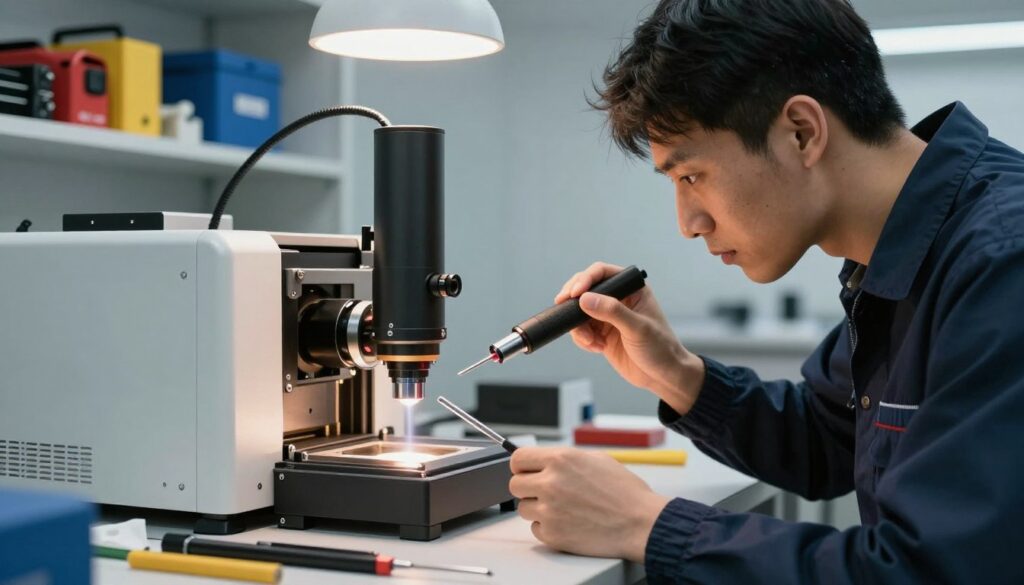
Using the Paper Test Method for Beam Spot Analysis
The paper test is a reliable way to verify that you are adjusting CO2 laser focal point settings correctly. Place a piece of thermal paper or standard cardstock directly under the laser nozzle. Fire a very short, low-power pulse to create a tiny mark on the surface.
If the beam is perfectly focused, you will see a crisp, circular dot. If the mark appears blurry or elongated, your focus is off. I find that this visual feedback is the most effective way to confirm that the beam energy is concentrated into the smallest possible point.
Fine-Tuning the Focus for Different Material Thicknesses
Different materials require specific focal adjustments to achieve clean edges. When working with thin veneers, you want the focal point to sit exactly on the surface of the wood. However, for thick acrylic sheets, I often shift the focus slightly deeper into the material to ensure the beam maintains intensity through the entire cut.
Always keep a log of your successful settings for various thicknesses. By documenting these adjustments, you create a personal reference guide that makes future projects much faster. Remember that consistent results depend on your ability to adapt these techniques to the specific demands of your project.
Utilizing Automated Focusing Systems
I find that integrating automated sensors into my laser setup significantly reduces the time spent on manual adjustments. These systems are designed to streamline the production process by removing the guesswork from finding the perfect focal point. While they offer great convenience, understanding their underlying mechanics is essential for maintaining high-quality results.
How Auto-Focus Sensors Function on Modern CO2 Lasers
Most modern CO2 lasers utilize a physical probe or an electronic sensor to detect the surface of the material. When the cycle begins, the laser head moves to the designated area, and the probe descends until it makes contact with the workpiece. The machine then calculates the distance and automatically adjusts the Z-axis to the optimal focal position.
This process ensures that the beam intensity remains consistent across the entire surface. By relying on these sensors, I can achieve repeatable accuracy without needing to measure every single piece of material by hand. It is a highly efficient way to handle high-volume production tasks.
Calibrating the Auto-Focus Offset
Even with advanced sensors, you must calibrate the auto-focus offset to ensure the machine knows exactly where the focal point lies relative to the nozzle tip. Different nozzle types or lens configurations can shift the focal plane, leading to poor cut quality if the offset is not correctly defined. I recommend performing a test cut after any change to your lens or nozzle assembly.
To calibrate, you should measure the distance between the sensor trigger point and the actual focal point of the lens. You then input this value into your laser software settings. This precise calibration allows the machine to compensate for the physical differences in your hardware setup.
Limitations of Automated Systems and When to Override Them
Despite their sophistication, automated systems have clear limitations that every operator should recognize. For instance, sensors often struggle to detect transparent or highly reflective materials, as the beam or probe may pass through or bounce off the surface incorrectly. In these cases, the sensor might fail to trigger, potentially causing a collision.
When you encounter materials that confuse the sensor, you must manually override the system. I always switch to manual focusing when working with acrylic or glass to ensure the laser head is positioned safely. Relying on your own judgment is a vital skill when technology reaches its functional limits.
| Feature | Manual Focusing | Automated Focusing |
|---|---|---|
| Speed | Slow and methodical | Fast and efficient |
| Accuracy | High (User dependent) | High (Calibration dependent) |
| Material Compatibility | Universal | Limited by surface type |
| Ease of Use | Requires experience | User-friendly |
Troubleshooting Common Focusing Issues
Even with a perfectly calibrated machine, you may occasionally face performance issues that demand immediate attention. Mastering CO2 laser focal distance troubleshooting is essential for any operator who wants to maintain consistent production quality. When your output begins to falter, a systematic approach helps you restore peak performance quickly.
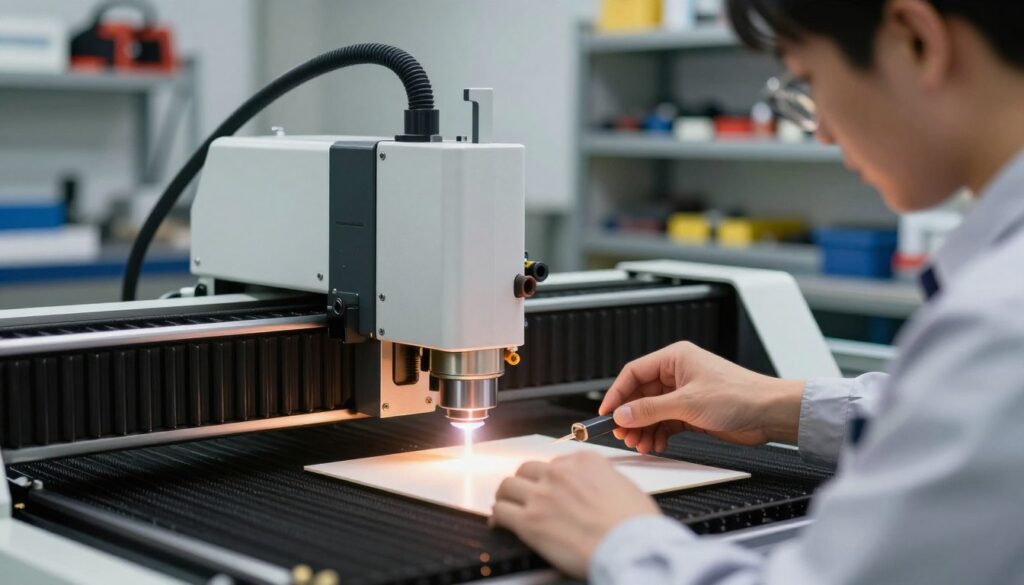
Identifying Signs of an Out-of-Focus Beam
The most common indicator of an incorrect focal point is a wider-than-normal kerf line. If your cuts appear jagged or show excessive charring on the edges, your beam is likely hitting the material outside of its optimal convergence point. Precision is everything, and even a slight deviation can result in poor edge quality.
You might also notice that the laser fails to penetrate the material entirely at standard power settings. When the beam is not focused, the energy density drops significantly, forcing you to increase power or decrease speed unnecessarily. Always check your CO2 laser focal distance if you observe these visual cues during a test cut.
Addressing Inconsistent Cutting Depth Across the Work Area
If you find that your laser cuts perfectly in one corner but fails in another, the issue is usually related to bed leveling. An uneven work surface means the distance between the nozzle and the material changes as the head moves across the gantry. This variance prevents the beam from maintaining a constant focal point across the entire sheet.
To resolve this, verify that your laser bed is perfectly parallel to the X and Y axes. Using a dial indicator or a simple spacer tool can help you identify high or low spots on the table. Ensuring a level bed is a fundamental step in maintaining consistent depth across your projects.
Correcting Lens Contamination and Its Impact on Focus
Lens contamination is a silent killer of beam quality. Dust, smoke residue, and debris can scatter the laser beam before it even reaches the material surface. This scattering ruins the focal point accuracy and can lead to permanent damage to your optics if left uncleaned.
I recommend inspecting your lens before every session to ensure it remains crystal clear. If you notice a drop in cutting efficiency, gently clean the lens with high-quality optical wipes and a specialized cleaning solution. Keeping your optics pristine is the best way to avoid recurring focal issues.
| Issue | Primary Symptom | Recommended Action |
|---|---|---|
| Out-of-Focus Beam | Wide, charred kerf | Re-run focal height test |
| Uneven Bed | Inconsistent depth | Level the work table |
| Dirty Lens | Low power/scattering | Clean optics carefully |
Best Practices for Maintaining Optimal Focal Depth
I have found that the longevity of my laser equipment depends heavily on how I manage my maintenance routines. Consistent performance is not just about the initial setup, but about the diligent care I provide to the machine over time. By prioritizing these habits, I ensure that my CO2 laser focal depth calibration remains accurate for every project.
Routine Maintenance Schedules for Focusing Lenses
My lenses are the heart of the cutting process, and they require regular cleaning to prevent dust and debris from causing heat buildup. I make it a point to inspect the lens surface before every major production run. If I notice any smudges or residue, I use high-quality lens tissue and a specialized cleaning solution to restore clarity.
Neglecting this step can lead to permanent damage or cracked optics, which ruins the beam quality. I keep a strict schedule to wipe down the optics weekly, even if the machine appears clean. This proactive approach prevents the accumulation of smoke particles that can degrade my CO2 laser focal depth calibration over time.
Documenting Focal Settings for Various Materials
I have learned that keeping a detailed logbook of my material settings is a massive time-saver. Whenever I find the perfect focus for a specific thickness of acrylic or wood, I record the exact Z-axis height and power settings. This documentation allows me to jump straight into production without wasting material on repetitive testing.
“Quality is never an accident; it is always the result of high intention, sincere effort, intelligent direction and skillful execution.”
Safety Protocols During Laser Calibration
Safety must always be my top priority when I am performing any adjustments. I never attempt to calibrate the beam path while the laser is active or the safety interlocks are bypassed. I always wear appropriate laser safety glasses that are rated for the specific wavelength of my machine.
Furthermore, I ensure that the work area is clear of flammable materials before I begin the CO2 laser focal depth calibration process. By following these essential safety protocols, I protect both my equipment and my own well-being. Maintaining a disciplined environment is the most effective way to ensure long-term success in my workshop.
Conclusion
Achieving the perfect focal distance remains the most effective way to elevate the quality of your laser cutting projects. I find that consistent application of these manual and automated techniques leads to professional-grade results on every job.
Regular maintenance and careful documentation serve as the foundation for a long-lasting and high-performing laser system. I encourage you to keep a detailed log of your settings for various materials to streamline your future workflow.
My goal is to empower you to take full control of your machine. You now possess the knowledge to push the boundaries of your creative work and produce intricate designs with confidence.
What project will you tackle next with your newly calibrated setup? Share your progress with the community to inspire others who are refining their own laser cutting skills.