Achieving professional results with your machine requires more than just a steady hand. I have found that maintaining a perfectly calibrated optical path is the single most important factor for success. When your beam travels precisely through the center of every lens, you ensure maximum cutting power and consistent engraving quality across your entire workspace.
Neglecting this maintenance can lead to poor edge quality and premature wear of your expensive tube. By learning how to align mirrors on a K40 CO2 laser engraver, you protect your investment and improve your workflow efficiency. I want to share my best practices to help you master this essential skill.
Following these tips for aligning mirrors on a K40 laser engraver will save you hours of frustration. Proper calibration ensures that your beam remains focused and powerful from the first inch to the last. Let us dive into the professional techniques that guarantee reliable performance every time you power up your device.
Key Takeaways
- Proper optical alignment is vital for consistent cutting depth and precision.
- Regular maintenance significantly extends the lifespan of your machine’s tube.
- Always verify that the beam hits the center of each component in the path.
- Small adjustments lead to major improvements in overall engraving quality.
- Mastering these steps allows for professional results across the entire work area.
Understanding the Importance of Mirror Alignment
I have found that consistent engraving quality depends entirely on how well your mirrors are calibrated. When I first started using my machine, I underestimated how much a tiny shift in the beam could ruin a project. Proper K40 CO2 laser engraver mirror alignment is the most critical maintenance task for any hobbyist or professional user.
If the mirrors are not perfectly aligned, the laser beam will not travel through the center of the lens assembly. This leads to distorted engravings, uneven burn depths, and failed cuts on your materials. By following best practices for mirror alignment on K40 CO2 engraving machine setups, you ensure that your laser operates at peak efficiency every time.
Why Beam Path Accuracy Matters for Engraving Quality
The laser beam must remain parallel to the gantry rails throughout its entire travel distance. If the beam hits the mirrors at an angle, it will lose focus as the laser head moves across the workspace. This results in inconsistent power delivery, where one side of your material might be cut deeply while the other side remains barely marked.
Precision is the difference between a crisp, professional design and a blurry, unusable mess. When the beam path is accurate, the laser maintains a consistent spot size across the entire bed. This stability allows for fine detail work that would otherwise be impossible to achieve.
Signs That Your K40 Laser Needs Realignment
You should pay close attention to how your machine behaves during daily operation. One of the most common indicators of misalignment is a beam that fails to hit the center of the lens assembly. If you notice that your cuts are deeper on one side of the bed than the other, your mirrors likely need adjustment.
Another warning sign is a distorted or oval-shaped burn mark on your test material. A perfectly aligned laser should produce a clean, circular dot. If your test fires look like streaks or irregular shapes, it is time to stop and recalibrate your system to prevent further issues.
Essential Tools and Safety Precautions
I always recommend gathering your supplies and reviewing safety protocols before starting any K40 CO2 laser engraver mirror alignment. Proper preparation is the foundation of a successful calibration process. By organizing your workspace beforehand, you minimize the risk of errors and ensure a smooth workflow.
Required Equipment for the Calibration Process
To achieve high precision, you need a few specific items on your workbench. I rely on high-quality masking tape to track the beam path, as it provides a clear visual mark when the laser hits the target. You should also keep thermal paper handy, as it is excellent for verifying the intensity and shape of the beam during the K40 CO2 laser engraver mirror alignment.
In addition to these consumables, ensure you have a set of precision hex keys or screwdrivers. These tools allow you to make the minute adjustments necessary for the mirror mounts. Having a clean, well-lit area will help you see the beam marks clearly on your tape.
Safety Protocols for Working with CO2 Laser Systems
Safety is paramount when working with high-voltage CO2 laser systems. You must wear appropriate laser safety glasses at all times to protect your eyes from accidental reflections. Never bypass the safety interlocks on your machine, as these are designed to prevent the laser from firing while the lid is open.
Always remember that the K40 CO2 laser engraver mirror alignment involves working near electrical components. I suggest keeping your hands clear of the power supply area to avoid any risk of shock. By following these strict safety protocols, you protect both your health and your equipment from accidental damage.
Preparing Your K40 CO2 Laser Engraver for Calibration
Before you begin the delicate process of aligning mirrors on a K40 laser cutter, you must ensure your machine is in peak condition. A stable and clean foundation is essential for achieving consistent results. Skipping these preliminary steps often leads to wasted time and frustration during the actual calibration phase.
Cleaning Your Optics Before Starting
I always start by inspecting the mirrors and the focus lens for dust or residue. Even a small amount of debris can scatter the laser beam, making it impossible to achieve a clean cut. You should use a high-quality lens cleaning solution and a soft microfiber cloth to gently wipe the surfaces.
Never use abrasive materials, as these can easily scratch the delicate coatings on your optics. Ensure that every mirror is completely dry before you power on the system. A clean optical path is the most important factor when you are aligning mirrors on a K40 laser cutter for the first time.
Checking the Laser Tube and Gantry Stability
Once the optics are pristine, I turn my attention to the mechanical integrity of the machine. I verify that the laser tube is securely mounted in its brackets without any movement. If the tube shifts during operation, your beam path will never remain consistent.
Next, I check the gantry for any signs of mechanical play or wobbling. You should ensure that the belts are properly tensioned and that the carriage moves smoothly along the rails. Tightening loose components now will save you from having to repeat the entire alignment process later.
How to Align Mirrors on a K40 CO2 Laser Engraver: The First Mirror
If you want to master the precise laser mirror alignment process, you must start at the source. The first mirror acts as the gateway for your laser beam, directing it from the tube toward the rest of the optical path. Successfully aligning mirrors on a K40 laser cutter requires patience and a methodical approach to ensure the beam remains consistent.
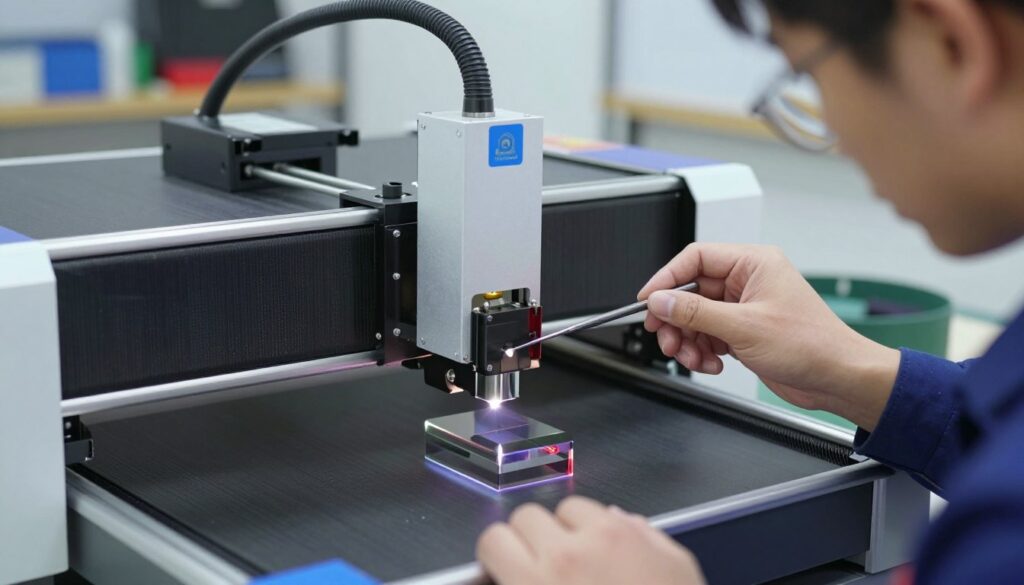
Locating the First Mirror Near the Laser Tube
The first mirror is mounted directly at the exit of the laser tube. You will find it housed in a small, adjustable block that sits behind the gantry. It is essential to verify that this mirror is clean and free of debris before you begin any adjustments.
Because this mirror is the first point of contact, any error here will be magnified as the beam travels across the machine. I recommend checking that the mount is securely fastened to the frame. A loose mount will cause the beam to drift, making the entire precise laser mirror alignment process impossible to complete accurately.
Adjusting the Beam to Hit the Center of the Second Mirror
Once you have confirmed the first mirror is stable, you must ensure the beam strikes the center of the second mirror. This step is vital for maintaining power and cutting quality across the entire work area. If the beam hits the edge of the mirror, you will lose significant energy and potentially damage your optics.
Techniques for Using Thermal Paper or Masking Tape
To visualize the beam path, I rely on simple, effective tools. Using masking tape or thermal paper is the industry standard for aligning mirrors on a K40 laser cutter. Follow these steps to verify your alignment:
- Apply a small piece of masking tape over the aperture of the second mirror mount.
- Pulse the laser briefly to create a burn mark on the tape.
- Observe the position of the mark relative to the center of the mirror.
- Adjust the screws on the first mirror mount until the burn mark is perfectly centered.
Always remember to use the lowest power setting possible when pulsing the laser. This prevents the tape from catching fire and keeps your workspace safe. By perfecting this initial stage, you create a solid foundation for the rest of your calibration work.
Calibrating the Second Mirror and Beam Path
Achieving a precise laser mirror alignment process requires careful attention to the second mirror and the gantry movement. Once the initial beam path is established, I must verify that the laser stays centered as the gantry moves across the machine. This step is vital for ensuring that your engravings remain uniform regardless of where they are placed on the bed.
Moving the Gantry to Test Beam Consistency
I begin by moving the gantry manually to the furthest point away from the laser source. It is essential to observe where the beam strikes the target at this extreme position. If the beam has drifted significantly from the center, the alignment is not yet accurate enough for high-quality work.
I repeat this test by moving the gantry back to the home position. By comparing the two spots, I can determine if the beam path is parallel to the gantry rails. Consistency across the entire range of motion is the primary goal of this phase.
Fine-Tuning the Second Mirror Mounts
When the beam fails to hit the center, I adjust the screws on the second mirror mount. I make very small, incremental turns to shift the angle of the mirror. Patience is key here, as even a tiny adjustment can cause a large shift in the beam’s position at the end of the gantry.
Ensuring the Beam Stays Centered Across the Y-Axis
To complete the mirror calibration for K40 CO2 engraving machine, I verify the beam position at multiple points along the Y-axis. I ensure the laser hits the exact same spot on the target regardless of the gantry’s location. This level of precision prevents power loss and ensures the beam enters the third mirror assembly at the correct angle.
| Alignment Issue | Potential Cause | Recommended Action |
|---|---|---|
| Beam drifts at far end | Mirror angle offset | Adjust mount screws |
| Beam is fuzzy/oval | Dirty optics | Clean mirror surface |
| Beam misses target | Mount loose | Tighten hardware |
Finalizing the Third Mirror and Laser Head Alignment
Precision at the final stage is what separates a mediocre engraving from a professional-grade result. I find that completing the mirror calibration for K40 CO2 engraving machine setups requires patience and a steady hand. By ensuring the beam enters the lens assembly perfectly, I guarantee that my machine delivers consistent power across the entire work area.
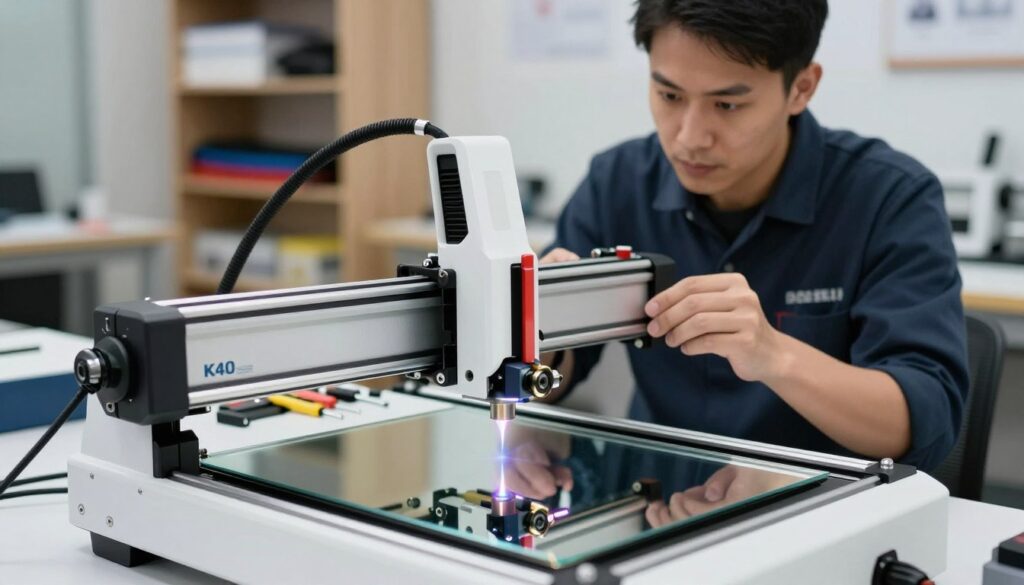
Positioning the Laser Head for Final Calibration
To begin this phase, I move the laser head to the four corners of the gantry. This movement helps me identify if the beam remains centered as the head travels across the workspace. If the beam drifts away from the center of the third mirror, I know that my previous adjustments need a slight tweak.
I always ensure the gantry is locked in place before making any adjustments. This step-by-step mirror alignment guide for K40 laser cutter emphasizes that stability is key to success. By testing the beam at different positions, I confirm that the alignment is uniform throughout the machine’s range.
Adjusting the Third Mirror to Enter the Lens Assembly
Once the beam hits the third mirror consistently, I focus on directing it down through the lens. I use a small piece of thermal paper or masking tape over the lens opening to visualize the impact point. It is crucial that the beam strikes the center of the lens assembly to avoid clipping the sides of the nozzle.
If the beam is off-center, I carefully adjust the screws on the third mirror mount. I make very small turns, as even a tiny movement significantly shifts the beam path. This careful approach is a hallmark of a reliable step-by-step mirror alignment guide for K40 laser cutter.
Verifying Verticality and Beam Perpendicularity
Finally, I must verify that the beam is perfectly vertical. A beam that enters the lens at an angle will result in a slanted cut, which ruins the quality of the engraving. I check this by firing a short pulse and observing the shape of the burn mark on my test material.
A perfectly perpendicular beam creates a perfectly round dot. If the mark appears oval or elongated, I know the beam is hitting the lens at an angle. Adjusting the mirror mount until the dot is perfectly circular completes the mirror calibration for K40 CO2 engraving machine process, ensuring my cuts are sharp and clean every time.
Troubleshooting Common Alignment Issues
Troubleshooting mirror alignment on K40 CO2 laser engraver systems often reveals hidden mechanical issues. Even when you follow a comprehensive step-by-step mirror alignment guide for K40 laser cutter, you may find that the beam wanders during operation. This frustration is common, but it usually points to specific mechanical or environmental factors that require your attention.
Dealing with Persistent Beam Drift
Persistent beam drift often occurs because of loose mounting hardware or thermal expansion. If your gantry moves and the beam shifts significantly, check that all screws on your mirror mounts are tight and secure. Vibrations from the stepper motors can loosen these components over time, causing the alignment to fail mid-job.
You should also consider the temperature of your laser tube. If the water cooling system is not functioning correctly, the tube may shift slightly as it heats up. Ensure your cooling loop is stable to prevent this unwanted movement during long engraving sessions.
Addressing Damaged or Dirty Mirror Surfaces
A dirty mirror will scatter the laser beam rather than reflecting it cleanly. If you notice your cuts are inconsistent or the beam appears fuzzy, inspect the surface of each mirror for dust, resin buildup, or pitting. Use a high-quality lens cleaner and a soft microfiber cloth to gently remove any debris.
If you see permanent scratches or burnt spots on the reflective coating, cleaning will not solve the problem. These damaged areas disrupt the beam path and reduce the power reaching your material. In such cases, replacing the optics is the only way to restore full performance.
When to Replace Your Mirror Mounts
Sometimes, the issue lies with the mounts themselves rather than the mirrors. If you find that the adjustment knobs feel loose or do not hold their position after you tighten the locking screws, the threads may be stripped. This mechanical failure makes precise calibration nearly impossible.
Upgrading to more robust, aftermarket mirror mounts can significantly improve your workflow. These components often provide better stability and finer adjustment increments than the stock parts. Investing in quality hardware is a smart move for anyone serious about troubleshooting mirror alignment on K40 CO2 laser engraver setups.
| Symptom | Likely Cause | Recommended Action |
|---|---|---|
| Beam shifts during gantry movement | Loose mounting screws | Tighten all hardware |
| Fuzzy or scattered beam | Dirty or pitted mirror | Clean or replace optics |
| Knobs won’t hold position | Stripped adjustment threads | Replace mirror mounts |
| Inconsistent power output | Thermal instability | Check cooling system |
Conclusion
Achieving consistent results with your K40 CO2 laser engraver requires a commitment to regular maintenance. I find that patience remains the most valuable tool in your workshop when you face complex calibration tasks.
You now possess the knowledge to handle troubleshooting mirror alignment on K40 CO2 laser engraver systems with confidence. Precision in these adjustments directly translates to cleaner cuts and sharper engravings on your projects.
I suggest you keep these tips for aligning mirrors on a K40 laser engraver handy for future reference. Regular checks prevent minor beam drift from becoming a major operational headache. Your machine will reward this diligence with years of reliable service and high-quality output.
Please share your experiences with your laser setup in the community forums. Connecting with other makers helps everyone improve their craft and solve unique technical challenges together. I look forward to seeing the intricate designs you create with your perfectly calibrated machine.