I recently faced a difficult crossroads in my workshop. My reliable engraving setup began showing its age, forcing me to choose between retrofitting my current hardware or investing in a completely different system.
This dilemma is common for many business owners today. Deciding on a diode laser module upgrade vs buying a new machine requires a careful look at your specific production needs and technical comfort level.
I want to share my personal journey to help you navigate this technical evaluation. By analyzing performance gains and long-term costs, I hope to provide a clear roadmap for your next equipment decision.
Key Takeaways
- Assess your current hardware compatibility before committing to any retrofitting project.
- Calculate the total cost of ownership, including potential downtime and labor hours.
- Consider if your business requires the advanced features found in modern, factory-integrated systems.
- Evaluate your technical skill level regarding electrical wiring and software calibration.
- Prioritize long-term scalability when choosing between a simple fix or a full replacement.
Assessing Your Current Laser Machine Performance
I often find that a simple performance audit reveals whether your current laser frame is ready for a high-power upgrade. Before you spend money on new hardware, you should carefully examine the laser machine upgrade benefits available to you. Taking the time to inspect your system ensures that you do not waste resources on a machine that cannot handle modern demands.
Identifying Bottlenecks in Cutting Speed and Power
The most common issue I encounter involves machines that struggle with slow cutting speeds or inconsistent power output. You should test your current setup on various materials to see where the system fails to meet your expectations. Improving diode laser module efficiency often depends on whether your controller can actually support the increased power requirements of a newer head.
If your machine takes multiple passes to cut through thin plywood, you are likely hitting a power bottleneck. I recommend checking your current power supply unit to ensure it provides enough amperage for a more robust module. If the power supply is maxed out, a simple module swap might not yield the results you desire.
Reviewing Mechanical Wear and Frame Stability
A powerful laser is only as good as the frame that holds it. I always inspect the belts, pulleys, and linear rails for signs of excessive wear or loose tension. If your frame wobbles during high-speed movements, it will never produce clean, precise cuts regardless of how much power you add.
You must ensure that your machine remains rigid under the stress of faster acceleration. If the frame is made of thin aluminum or plastic, it may vibrate too much for a high-performance upgrade. Use the following table to evaluate if your current machine is a good candidate for modification.
| Component | Status Check | Action Required |
|---|---|---|
| Linear Rails | Smooth Movement | Clean and Lubricate |
| Drive Belts | Firm Tension | Replace if Frayed |
| Power Supply | Stable Voltage | Upgrade if Low |
| Frame Rigidity | No Wobble | Tighten Fasteners |
Diode Laser Module Upgrade vs Buying a New Machine: The Core Comparison
Making the choice between a diode laser module upgrade vs buying a new machine is a pivotal moment for any hobbyist or small business owner. I have found that the decision often hinges on whether your current frame remains structurally sound and capable of handling higher power outputs. Before committing to a path, you must weigh the immediate financial outlay against the potential for long-term productivity gains.
Cost Analysis of Component Replacement
When performing a diode laser module cost comparison, the initial price tag of a new laser head is usually significantly lower than a complete machine. You can often source high-quality modules from brands like xTool or Ortur for a fraction of the cost of a new system. However, you must account for hidden expenses such as upgraded power supplies, wiring adapters, and potential mounting brackets.
If your existing frame requires extensive repairs, the cost-benefit ratio shifts quickly. Investing in a new machine might be more economical if your current unit suffers from recurring mechanical failures. Below is a breakdown of the typical financial considerations for these laser equipment upgrade options.
| Factor | Module Upgrade | New Machine |
|---|---|---|
| Initial Cost | Low to Moderate | High |
| Installation Time | 1-3 Hours | Minimal |
| Performance Ceiling | Limited by Frame | Optimized |
Feature Parity Between Upgraded Units and Modern Machines
Achieving feature parity is the most challenging aspect of retrofitting. While a new diode laser module can drastically improve your cutting speed and engraving depth, it cannot fix outdated controller boards or slow stepper motors. You might find that your upgraded module is capable of more power than your machine’s firmware can effectively manage.
Modern machines often include integrated air assist, advanced safety sensors, and superior software compatibility out of the box. If your goal is to match the precision and reliability of the latest market offerings, ensure your current chassis supports the necessary cooling and cable management upgrades. Sometimes, the limitations of an older frame simply cannot be overcome, regardless of how powerful the laser module becomes.
Evaluating the Technical Compatibility of Upgrades
Technical compatibility is the most critical hurdle when considering upgrades for laser cutting machines. Before you purchase a new module, you must confirm that your existing controller board can support the increased power demands. Electrical safety is my top priority during this phase to prevent permanent damage to your hardware.
Checking Voltage and Wiring Harness Requirements
Most modern diode laser technology enhancements require a stable 12V or 24V power supply. You should verify the output voltage of your current power brick to ensure it matches the requirements of the new module. Mismatching these voltages can lead to immediate component failure or inconsistent laser output.
Next, inspect your wiring harness carefully. Many older machines use proprietary connectors that may not align with the standard JST or Molex plugs found on newer laser heads. You might need to solder custom adapters or purchase a conversion cable to ensure a secure and reliable connection.
Software and Firmware Considerations for New Modules
Once the hardware is physically connected, you must address the digital side of the integration. Your controller board firmware often needs a specific configuration to recognize the pulse-width modulation (PWM) signals required by high-power modules. If the firmware is outdated, the laser may not fire correctly or could remain stuck at full power.
Ensuring Compatibility with LightBurn and LaserGRBL
Most professional users rely on software like LightBurn or LaserGRBL to manage their projects. These programs are generally flexible, but you must ensure your controller is running a compatible version of GRBL. Proper calibration within these platforms is essential to translate your design files into accurate laser movements.
I recommend checking the manufacturer’s documentation for specific GRBL settings, such as the $30 and $31 parameters. These settings define the maximum spindle speed, which directly correlates to your laser’s power output. Taking the time to configure these values correctly will maximize the benefits of your new diode laser technology enhancements.
Step-by-Step Guide to Installing a High-Power Laser Module
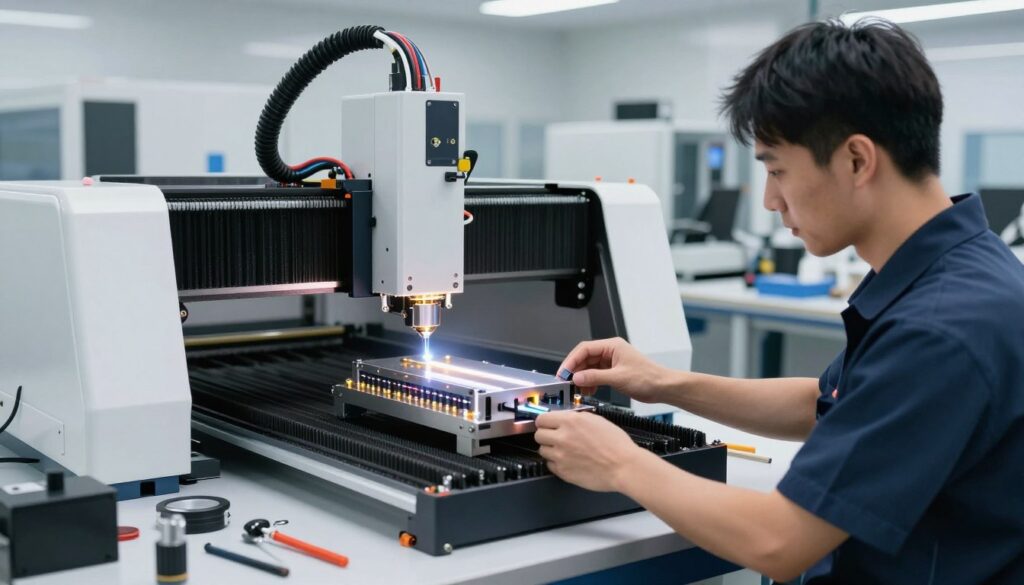
When you decide to pursue the latest laser cutting upgrades, the physical installation process is the most critical phase of your project. Upgrading your hardware is a rewarding way to enhance performance without the expense of a full machine replacement. By following these structured steps, you ensure that your upgrades for laser cutting machines function safely and efficiently.
Preparing the Workspace and Powering Down
Before touching any components, you must create a clean, well-lit environment. Clear your workbench of any flammable materials or debris that could interfere with the installation. Safety is my top priority, so always disconnect the power cable from the wall outlet to prevent accidental activation.
Once the power is cut, wait at least five minutes for the capacitors to discharge completely. This simple step protects both you and the sensitive electronics of your machine. Always verify that the machine is fully powered down before proceeding to the next stage.
Removing the Legacy Laser Head
Begin by carefully unplugging the wiring harness connected to your current laser module. Use a set of precision hex keys to loosen the mounting screws that secure the head to the carriage assembly. Keep these screws in a small container so you do not lose them during the transition.
Gently slide the old module off the mounting plate. If the unit feels stuck, check for hidden set screws or cable ties that might be restricting movement. Handle the legacy head with care, as you may want to keep it as a backup or for lower-power engraving tasks.
Mounting and Calibrating the New Diode Module
Align your new diode module with the existing mounting holes on the carriage. Secure the unit firmly, ensuring that it sits perfectly flush against the plate to prevent vibration during operation. Connect the new wiring harness, making sure that each pin is seated correctly to avoid connection errors.
Adjusting Focus and Beam Alignment
Proper focus is essential for achieving clean cuts and sharp engravings. Use the provided focus gauge or a spacer block to set the distance between the lens and your material surface. Precision at this stage determines the quality of your future projects.
Once the height is set, perform a test fire at low power on a piece of scrap wood. Observe the dot size and shape to ensure the beam is hitting the target accurately. If the beam appears elongated or fuzzy, adjust the lens housing until you achieve a tight, circular point.
| Task Phase | Primary Action | Safety Level |
|---|---|---|
| Preparation | Disconnect Power | Critical |
| Removal | Unscrew Mounts | Moderate |
| Installation | Secure Module | Moderate |
| Calibration | Align Beam | High |
Analyzing the Return on Investment for Laser Equipment
I often find that the most difficult part of managing a workshop is justifying the cost of new equipment. When you look at your laser machine, you must determine if it remains a productive asset or if it has become a financial liability. Understanding the laser machine upgrade benefits is essential for any business owner looking to maximize their profit margins without unnecessary capital strain.
Calculating Long-Term Operational Costs
To make an informed decision, I evaluate the total cost of ownership for my current setup. Older machines often require frequent repairs, replacement parts, and significant downtime that eats into your hourly rate. By performing a diode laser module cost comparison, you can see that the initial investment in a high-quality module is often lower than the cumulative cost of maintaining an aging, inefficient frame.
You should track your maintenance expenses over the last six months to get a clear picture. If your repair costs are trending upward, the financial argument for an upgrade becomes much stronger. Investing in modern components often eliminates the need for constant troubleshooting, allowing you to focus on production rather than repairs.
Projecting Productivity Gains from Higher Wattage
Higher wattage modules do more than just cut faster; they fundamentally change your workflow. When you increase your power output, you can complete complex projects in a fraction of the time, which directly translates to higher daily output. This machine upgrade ROI analysis shows that the time saved on each job acts as a force multiplier for your business revenue.
| Metric | Old Module | New High-Power Module |
|---|---|---|
| Cutting Speed | Baseline | 2x – 3x Faster |
| Maintenance Needs | High | Low |
| Project Turnaround | Slow | Rapid |
Ultimately, the goal is to shorten the time required to finish each project. By upgrading, you are not just buying a new part; you are buying back your time. This efficiency gain is the most reliable way to justify the financial decision to your bottom line.
When It Is Time to Retire Your Old Machine
Even with the best diode laser technology enhancements, there comes a point where your hardware simply cannot keep up with modern demands. I have learned that holding onto a failing machine often costs more in lost time than the price of a new unit. Recognizing when your equipment has reached its limit is a vital skill for any serious operator.

Recognizing Irreparable Frame or Controller Limitations
Sometimes, the structural integrity of a frame becomes compromised beyond repair. If your rails are warped or the gantry exhibits persistent vibration, no amount of software tuning will fix the issue. These mechanical failures prevent you from achieving the high diode laser module efficiency you expect from newer components.
Furthermore, outdated controller boards often lack the processing power to handle modern firmware updates. If your machine uses a proprietary, closed-source controller, you may find yourself locked out of essential features. When the cost of replacing the motherboard and the frame exceeds the value of a new machine, it is time to move on.
The Value of Resale Versus Parting Out
Deciding what to do with your retired machine requires a clear financial strategy. If the unit is still functional, selling it as a complete system to a beginner can help offset the cost of your next purchase. However, if the machine is largely non-functional, you might find more value in parting it out.
Selling individual components like stepper motors, power supplies, and aluminum extrusions often yields a higher return than selling a broken machine. I recommend evaluating the condition of your parts before making a final decision. The following table provides a quick guide to help you decide the best path forward for your equipment.
| Condition | Recommended Action | Efficiency Potential |
|---|---|---|
| Minor Wear | Upgrade Module | High |
| Frame Warped | Part Out | Low |
| Controller Obsolete | Retire/Sell | Moderate |
| Fully Functional | Resale | High |
Essential Safety Protocols for Laser Modifications
I cannot stress enough that safety is the most critical component when performing any laser equipment upgrade options. While exploring the latest laser cutting upgrades, you must prioritize the integrity of your machine’s safety systems. A high-power module changes the operational profile of your device, making rigorous testing a non-negotiable step in my workflow.
Testing Interlocks and Emergency Stop Functionality
Before you run your first project, you must confirm that the machine’s safety triggers respond instantly. I always perform a dry run to ensure that the emergency stop button cuts power to the laser module immediately without hesitation.
You should follow these steps to verify your system:
- Trigger the E-stop: Ensure the laser beam terminates instantly when the button is pressed.
- Check Interlock Switches: Open the enclosure or door while the machine is running to see if the laser shuts off automatically.
- Reset Protocol: Confirm that the machine requires a manual reset before it can resume operation after a safety trigger.
Verifying Laser Shielding and Eye Protection Standards
Higher wattage modules often emit different wavelengths or higher intensity light that your original shielding may not be rated to handle. I recommend inspecting your acrylic viewing windows for any signs of degradation or light leakage. If your new module operates at a different frequency, your existing goggles might no longer provide adequate protection.
Always verify your safety gear against these standards:
- Optical Density (OD): Ensure your glasses are rated for the specific wavelength of your new diode.
- Shielding Material: Check that your enclosure panels are made of laser-safe acrylic that blocks the specific light spectrum of your upgrade.
- Certification: Only use eye protection that meets ANSI Z136 standards for laser safety.
Never assume that your old safety equipment is sufficient for a more powerful laser. Taking the time to validate these components protects your vision and ensures your workspace remains a secure environment for all your creative projects.
Conclusion
Deciding between a diode laser module upgrade and purchasing a brand-new machine requires a clear look at your long-term goals. I encourage you to weigh the technical limitations of your current frame against the potential output of modern hardware like the xTool or Ortur laser systems.
A thorough machine upgrade ROI analysis provides the clarity needed to justify your spending. You should evaluate whether the time saved on production justifies the cost of new components versus the expense of a complete system replacement.
My guide highlights the importance of balancing safety, performance, and budget. You now possess the knowledge to determine if your existing setup can handle the power of a modern diode laser module.
I suggest reviewing your current project volume to see if a machine upgrade ROI analysis supports your business growth. If your frame remains stable and your controller supports the firmware, a simple swap might be the smartest path forward.
You hold the power to transform your creative output with these technical insights. Please share your experiences with your laser modifications to help others in the community make informed decisions about their equipment.
FAQ
How do I conduct a professional diode laser module cost comparison when deciding between an upgrade and a new unit?
FAQ
How do I conduct a professional diode laser module cost comparison when deciding between an upgrade and a new unit?
When I perform a diode laser module cost comparison, I look at the price of a standalone high-power head—such as an xTool D1 Pro 20W module—relative to the cost of a complete Ortur Laser Master 3 system. My machine upgrade ROI analysis typically shows that if my current frame, rails, and motors are in peak condition, spending 0 to 0 on a module is far more economical than spending
FAQ
How do I conduct a professional diode laser module cost comparison when deciding between an upgrade and a new unit?
When I perform a diode laser module cost comparison, I look at the price of a standalone high-power head—such as an xTool D1 Pro 20W module—relative to the cost of a complete Ortur Laser Master 3 system. My machine upgrade ROI analysis typically shows that if my current frame, rails, and motors are in peak condition, spending $500 to $800 on a module is far more economical than spending $1,200+ on a new machine with similar power specifications.
What are the primary laser machine upgrade benefits for a high-volume business?
The most significant laser machine upgrade benefits involve a massive increase in diode laser module efficiency. By retrofitting my existing setup with a more powerful Sculpfun S30 Ultra module, I can achieve faster engraving speeds and cut through thicker hardwoods in a single pass. This reduces my production time per piece, allowing me to scale my output without the footprint of an entirely new workstation.
Are the latest laser equipment upgrade options compatible with my existing software?
Most upgrades for laser cutting machines are designed with industry standards in mind. In my experience, as long as your controller supports PWM (Pulse Width Modulation), these modules work perfectly with LightBurn and LaserGRBL. I always verify the pinout of my Creality or Atomstack motherboard before installation to ensure the latest laser cutting upgrades communicate correctly with my software suite.
How have diode laser technology enhancements changed the decision to upgrade vs. buy new?
Recent diode laser technology enhancements, specifically beam-combining technology, have narrowed the gap between hobbyist and industrial gear. Because I can now find 40W and even 60W diode modules, the diode laser module upgrade vs buying a new machine debate has shifted. I no longer feel forced to buy a new CO2 system when a simple module swap on my current frame can provide the power I need for heavy-duty cutting.
When should I stop looking at laser equipment upgrade options and just buy a new machine?
I decide to retire a machine when I recognize irreparable frame instability or when the cost of replacing the motherboard, power supply, and laser head exceeds 70% of a new unit’s price. If my current hardware lacks modern safety features like enclosed housings or fire detection found on an xTool S1, I find it safer and more professional to invest in a new machine rather than attempting complex upgrades for laser cutting machines on an obsolete base.
,200+ on a new machine with similar power specifications.
What are the primary laser machine upgrade benefits for a high-volume business?
The most significant laser machine upgrade benefits involve a massive increase in diode laser module efficiency. By retrofitting my existing setup with a more powerful Sculpfun S30 Ultra module, I can achieve faster engraving speeds and cut through thicker hardwoods in a single pass. This reduces my production time per piece, allowing me to scale my output without the footprint of an entirely new workstation.
Are the latest laser equipment upgrade options compatible with my existing software?
Most upgrades for laser cutting machines are designed with industry standards in mind. In my experience, as long as your controller supports PWM (Pulse Width Modulation), these modules work perfectly with LightBurn and LaserGRBL. I always verify the pinout of my Creality or Atomstack motherboard before installation to ensure the latest laser cutting upgrades communicate correctly with my software suite.
How have diode laser technology enhancements changed the decision to upgrade vs. buy new?
Recent diode laser technology enhancements, specifically beam-combining technology, have narrowed the gap between hobbyist and industrial gear. Because I can now find 40W and even 60W diode modules, the diode laser module upgrade vs buying a new machine debate has shifted. I no longer feel forced to buy a new CO2 system when a simple module swap on my current frame can provide the power I need for heavy-duty cutting.
When should I stop looking at laser equipment upgrade options and just buy a new machine?
I decide to retire a machine when I recognize irreparable frame instability or when the cost of replacing the motherboard, power supply, and laser head exceeds 70% of a new unit’s price. If my current hardware lacks modern safety features like enclosed housings or fire detection found on an xTool S1, I find it safer and more professional to invest in a new machine rather than attempting complex upgrades for laser cutting machines on an obsolete base.