Achieving professional results with your machine starts long before you hit the start button. In this guide, I will walk you through the essential process of ensuring your equipment is perfectly balanced. Mastering how to square a portable desktop laser engraver frame is the most critical step for any hobbyist looking to improve their output quality.
When your machine lacks proper geometry, your projects suffer from distorted cuts and skewed designs. I have developed a systematic approach that simplifies this task for everyone. By following these steps, you will learn the secrets of precise laser engraver frame alignment that keeps your work looking sharp and accurate every single time.
Consistency is the hallmark of a skilled maker. Taking the time to calibrate your hardware now will save you hours of frustration later. Let’s dive into the specific techniques that will transform your workshop efficiency and elevate your creative output.
Key Takeaways
- Proper geometry prevents distorted cuts and skewed engravings.
- Calibration is the most important step for professional-grade results.
- A systematic approach ensures long-term machine reliability.
- Precision alignment saves time and reduces material waste.
- Regular maintenance keeps your equipment performing at its peak.
Understanding the Importance of Frame Alignment
I have found that the foundation of every high-quality engraving project lies in the physical alignment of the frame. When you prioritize laser engraver frame squaring, you ensure that the laser module moves across the X and Y axes with absolute precision. Without this, your machine struggles to maintain a consistent focal point across the entire workspace.
Why Geometry Matters in Laser Engraving
The geometry of your machine dictates how the laser interacts with your material. If the frame is not perfectly rectangular, the stepper motors face uneven mechanical strain as they fight against binding rails. This friction not only degrades the quality of your work but can also shorten the lifespan of your hardware components.
Maintaining a square laser engraver bed is essential for complex tasks that require high repeatability. When the axes are perpendicular, the laser beam remains focused at the correct distance from the surface at every coordinate. This consistency is what separates a professional-grade output from a flawed, distorted project.
Identifying Signs of an Out-of-Square Frame
You can often spot misalignment by observing the behavior of your machine during a test run. If you notice that your square laser engraver bed produces shapes with slanted sides or non-parallel lines, your frame likely requires immediate attention. These visual cues are the most common indicators that you need to focus on aligning desktop laser engraver frame mechanics.
The following table highlights the performance differences between a properly calibrated machine and one that is out of square.
| Feature | Aligned Frame | Misaligned Frame |
|---|---|---|
| Line Geometry | Perfectly Parallel | Noticeable Skew |
| Stepper Motor Load | Balanced and Smooth | High Friction/Binding |
| Engraving Accuracy | High Precision | Distorted Dimensions |
| Focal Consistency | Uniform Depth | Variable Burn Quality |
By aligning desktop laser engraver frame components correctly, you eliminate these common errors. Taking the time to verify your geometry now will save you from frustration during future creative sessions.
Essential Tools for How to Square a Portable Desktop Laser Engraver Frame
My experience has taught me that successful laser engraver frame leveling depends entirely on the quality of your toolkit. Before you begin the calibration process, you must ensure your workbench is stocked with the correct precision instruments. Having the right gear ready allows you to perform accurate laser engraver frame squaring without unnecessary frustration or delays.
Precision Measuring Instruments
When you look for square laser engraver frame tips, you will find that accuracy is non-negotiable. I always rely on a high-quality machinist square to verify that my frame corners are set at exact 90-degree angles. A digital caliper is equally vital for measuring the diagonal distances across the frame to ensure they are perfectly equal.
Mechanical Adjustment Tools
To adjust laser engraver frame alignment effectively, you need tools that provide both grip and control. Most portable desktop units utilize small, delicate fasteners that require specific handling to prevent damage. I recommend investing in a dedicated set of high-strength steel tools to maintain the integrity of your machine.
Selecting the Right Hex Keys and Wrenches
Choosing the correct hex keys is critical because using the wrong size often leads to stripped bolt heads. I prefer using ball-end hex keys, as they allow for easier access when working at slight angles within the frame structure. Always ensure your wrenches fit snugly into the fastener heads to avoid slipping during the tightening process.
Using Digital Calipers and Machinist Squares
Digital calipers provide the precision needed to detect even the smallest deviations in your frame geometry. By measuring the distance between parallel rails, you can identify exactly where the frame needs adjustment. Using a machinist square against the corner joints confirms that your adjustments have successfully achieved a true right angle.
| Tool Name | Primary Function | Precision Level |
|---|---|---|
| Machinist Square | Verifying 90-degree corners | High |
| Digital Calipers | Measuring diagonal distances | Very High |
| Ball-End Hex Keys | Adjusting frame fasteners | Medium |
| Precision Ruler | Quick reference checks | Standard |
Preparing Your Workspace and Laser Engraver
Proper preparation of your workspace is the essential first step before you calibrate a portable laser engraver frame. I find that taking the time to organize your area prevents errors and ensures that your final results are professional. When you focus on the environment, you create the perfect conditions for aligning a portable laser engraver frame with high accuracy.
Creating a Stable Surface
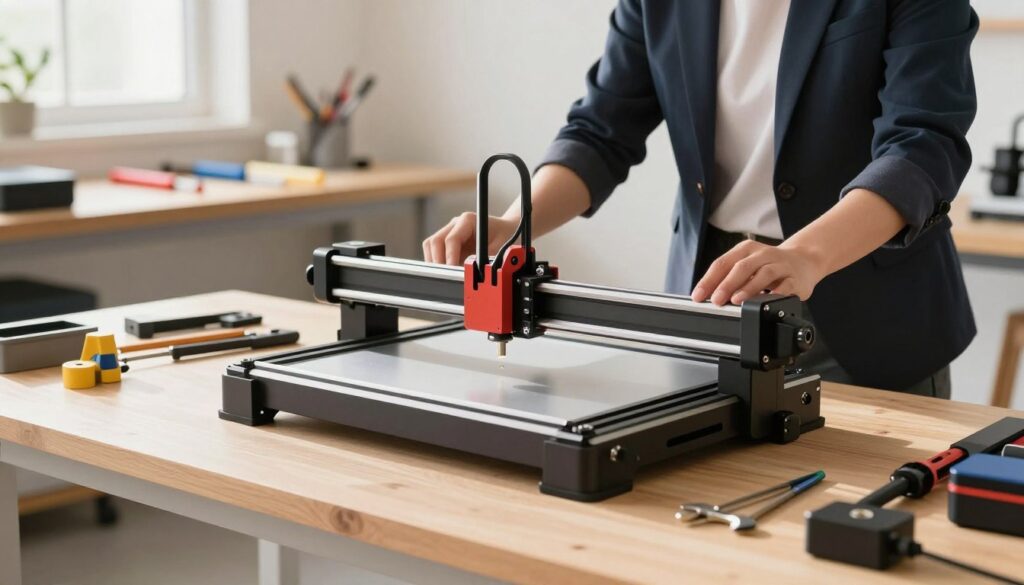
To achieve successful laser engraver frame leveling, you must work on a surface that is both rigid and perfectly flat. Any wobble in your workbench will translate directly into skewed measurements, making it impossible to achieve a square frame.
I recommend using a heavy-duty table or a dedicated workbench that does not flex under pressure. If your surface is uneven, use shims to stabilize the legs until the frame sits firmly without any movement.
Safety Protocols Before Calibration
Safety is my top priority whenever I perform maintenance on precision machinery. Before you begin the mechanical adjustments, you must ensure the device is in a safe state to prevent accidental activation.
- Clear the workspace of all flammable materials.
- Ensure you have adequate ventilation in your room.
- Wear appropriate eye protection if you plan to test the laser later.
Disconnecting Power Sources
You must disconnect all power sources before you start aligning a desktop laser engraver frame. Removing the power cable eliminates the risk of the laser firing unexpectedly while your hands are near the optical path.
I always unplug the USB cable as well to ensure no stray signals from the computer can trigger the controller. This simple step provides peace of mind while you focus on the mechanical alignment.
Securing the Laser Module
The laser module is a delicate component that requires careful handling during the calibration process. You should ensure the module is locked firmly into its carriage to prevent it from shifting while you measure the frame diagonals.
If the module is loose, your measurements will be inconsistent and unreliable. By tightening the mounting screws and verifying the module’s position, you protect the sensitive optical assembly from potential damage during the adjustment phase.
Step-by-Step Squaring Procedure
I will guide you through the precise mechanical adjustments required to aligning portable laser engraver frame components. This process demands patience, as even a minor shift can impact your final output quality.
Loosening the Frame Fasteners
Before making any changes, you must loosen the bolts connecting the frame rails. Do not remove them entirely; simply back them off enough to allow for slight movement.
This freedom of movement is essential for shifting the frame into a true square position. If the fasteners remain too tight, the metal will resist your adjustments and return to its original, incorrect shape.
Measuring the Diagonals
To effectively square laser engraver bed geometry, you must measure the distance between opposite corners. Use a high-quality digital caliper or a precision steel tape measure for this task.

Calculating the Difference Between Corners
Measure from the top-left corner to the bottom-right, then compare it to the measurement from the top-right to the bottom-left. If these two numbers do not match, your frame is currently out of square.
Subtract the smaller value from the larger one to determine the total deviation. This number tells you exactly how much you need to shift the frame to achieve perfect alignment.
Adjusting the Frame Rails
Once you know the deviation, you can begin to adjust laser engraver frame alignment by gently pushing or pulling the rails. Move the frame in small increments to avoid overshooting your target.
Applying Tension Evenly Across the Gantry
As you tighten the fasteners, ensure you apply pressure evenly across the gantry. I recommend tightening the bolts in a cross-pattern, similar to how you would secure a car wheel.
This balanced tension prevents the frame from warping during the tightening process. Keeping the structure rigid is vital for long-term accuracy.
Verifying Alignment with Test Patterns
After the mechanical adjustments are complete, you must calibrate portable laser engraver frame settings by running a physical test. This confirms that your manual measurements translated into a square output.
Running a Square Cut Test
Load a piece of scrap material and engrave a large square or a series of intersecting lines. Use your calipers to measure the diagonals of the cut square on the material.
Fine-Tuning Based on Test Results
If the cut square shows any remaining discrepancy, repeat the adjustment process with smaller, more precise movements. Consistency is key when performing these final tweaks to ensure your machine operates at its peak potential.
Conclusion
Mastering your machine geometry transforms your creative output. By following these steps, you have successfully calibrated your machine to ensure long-term accuracy and reliability in your workshop.
Maintaining precise laser engraver frame alignment is an ongoing process. You should check your settings periodically after heavy use or transport to keep your machine in top condition.
I hope these square laser engraver frame tips help you produce flawless projects. Consistent attention to detail allows you to maximize the performance of your portable desktop laser engraver for years to come.
Your commitment to quality hardware setup sets the foundation for every design you create. Apply these square laser engraver frame tips to your workflow to achieve professional results. Consistent focus on precise laser engraver frame alignment guarantees that your equipment remains a reliable partner in your creative process.