Have you ever felt the frustration of watching a beautiful project ruined by excessive charring? I often hear creators ask, why is my diode laser burning too dark on wood during their initial testing phases. It is a common hurdle that many hobbyists face when they first start working with timber surfaces.
Achieving clean, crisp results requires a delicate balance between machine power and material density. When you notice diode laser engraving wood too dark, it usually signals that your current speed or intensity settings are not optimized for the specific grain you are using. I have spent significant time troubleshooting these exact issues to ensure consistent output.
In this guide, I will walk you through the essential steps to refine your setup. By adjusting your parameters, you can prevent unwanted scorching and elevate the quality of your craftsmanship. Let us explore how to master your equipment for better results.
Key Takeaways
- Identify the relationship between power settings and material density.
- Learn how to adjust speed to prevent surface scorching.
- Understand the impact of focus height on engraving clarity.
- Discover how to test different grain types for better precision.
- Implement professional techniques to achieve cleaner, more detailed results.
Understanding Why Is My Diode Laser Burning Too Dark on Wood
If you are asking yourself why is my diode laser burning too dark on wood, you are certainly not alone in this common frustration. Many creators encounter this issue when they first begin experimenting with different timber types. Achieving a clean, professional finish requires a solid grasp of how your machine interacts with organic materials.
The Relationship Between Laser Power and Material Density
When I look at the process of diode laser burning wood, I see a delicate balance between energy input and material resistance. Every piece of wood has a unique density that dictates how it absorbs concentrated light energy. Softwoods, like pine, often have lower density and can ignite or char much faster than hardwoods like oak or walnut.
Denser materials require more energy to cut, but they can also trap heat more effectively during engraving. If your power settings are too high for the specific density of your board, the laser will essentially cook the wood fibers. This leads to excessive carbonization rather than a clean, precise mark.
Identifying Common Over-Burning Symptoms
Recognizing the signs of an improper burn is the first step toward better results. When I evaluate a dark laser burn on wood, I look for specific visual indicators that suggest my settings need adjustment. These symptoms often point to a lack of airflow or excessive power levels.
Common signs of over-burning include:
- Heavy soot deposits surrounding the engraved area.
- Deep, jagged carbonization that feels rough to the touch.
- Charred or melted edges that lose the original detail of the design.
- Discoloration spreading far beyond the intended laser path.
By identifying these patterns, I can begin troubleshooting diode laser wood burning more effectively. I focus on isolating variables like speed and power to ensure my future projects maintain a crisp, clean aesthetic. Understanding these physical reactions is the key to moving from trial-and-error to consistent, high-quality craftsmanship.
Calibrating Power and Speed Settings for Optimal Results
I have found that the secret to professional engraving lies in mastering the balance between speed and power. When you notice your projects are consistently charred, it is usually a sign that your machine is delivering too much energy to the surface. By taking a methodical approach to your configuration, you can achieve clean, crisp results every time.
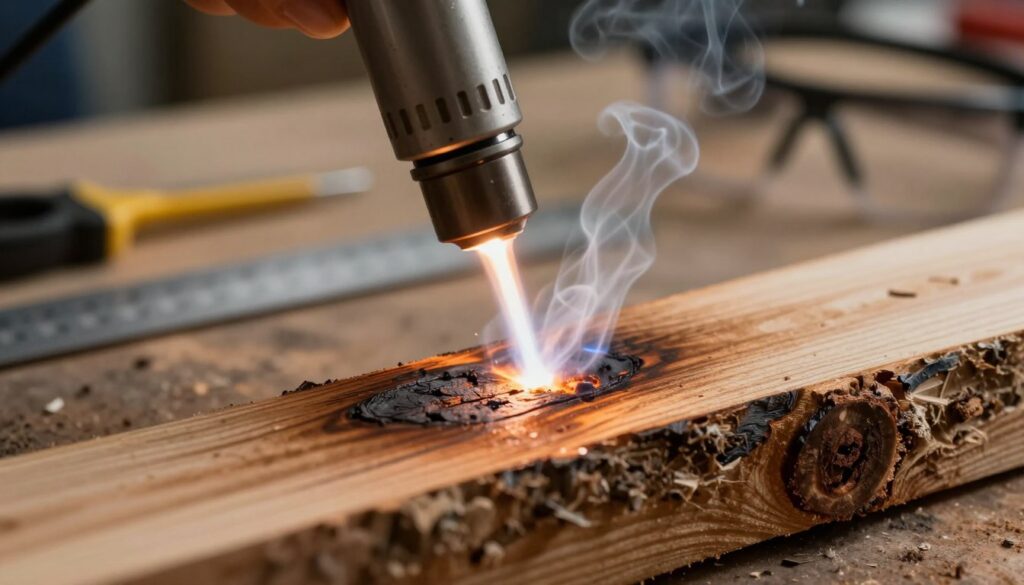
Establishing a Baseline Power Test Grid
To begin troubleshooting diode laser wood burning, I always recommend creating a custom test grid. This grid allows you to visualize how different variables interact on your specific piece of material. You should create a matrix that varies power percentages on one axis and speed settings on the other.
- Set your power increments in 10% steps.
- Adjust your speed in consistent intervals, such as 500mm/min.
- Label each section clearly to track which settings produce the best contrast.
Calculating the Ideal Speed-to-Power Ratio
Finding the right diode laser settings for wood burning is a matter of simple math and observation. If your laser is moving too slowly, the beam dwells on the wood for too long, causing deep, dark burns. Conversely, moving too fast with high power can lead to inconsistent marking.
| Material Type | Power Level | Speed Setting |
|---|---|---|
| Softwood | 20-30% | 1200 mm/min |
| Hardwood | 40-60% | 800 mm/min |
| Plywood | 30-50% | 1000 mm/min |
Adjusting for Different Wood Species
Every wood species reacts uniquely to diode laser power for wood burning. Resinous woods, such as pine, tend to flare up and char more easily than dense hardwoods like maple or walnut. I suggest lowering your power output when working with soft, resinous materials to prevent unwanted surface damage.
Managing Pass Counts for Depth Control
If you need to achieve a specific depth, avoid cranking up the power to a single, high-intensity setting. Instead, I prefer using multiple shallow passes to reach the desired result. This controlled approach prevents the edges of your design from burning and ensures the final piece looks professional and clean.
Adjusting Focus and Air Assist to Prevent Charring
If you struggle with a dark laser burn on wood, the solution might be hiding in your focus and airflow. Achieving a clean engraving often comes down to hardware maintenance and airflow management. These physical factors directly impact the quality of your final project.
The Importance of Precise Focal Length
Maintaining a precise focal length is essential for keeping the beam diameter as small as possible. When your laser is out of focus, the energy spreads over a larger surface area rather than concentrating on a single point. This inefficiency causes the laser to scorch the surrounding wood fibers instead of cleanly vaporizing them.
I always recommend using a focus gauge or a shim provided by the manufacturer to ensure the distance between the lens and the material is perfect. A tight, sharp beam ensures that your power is used effectively. This simple step prevents the heat from lingering too long on the surface, which is a common cause of deep, dark charring.
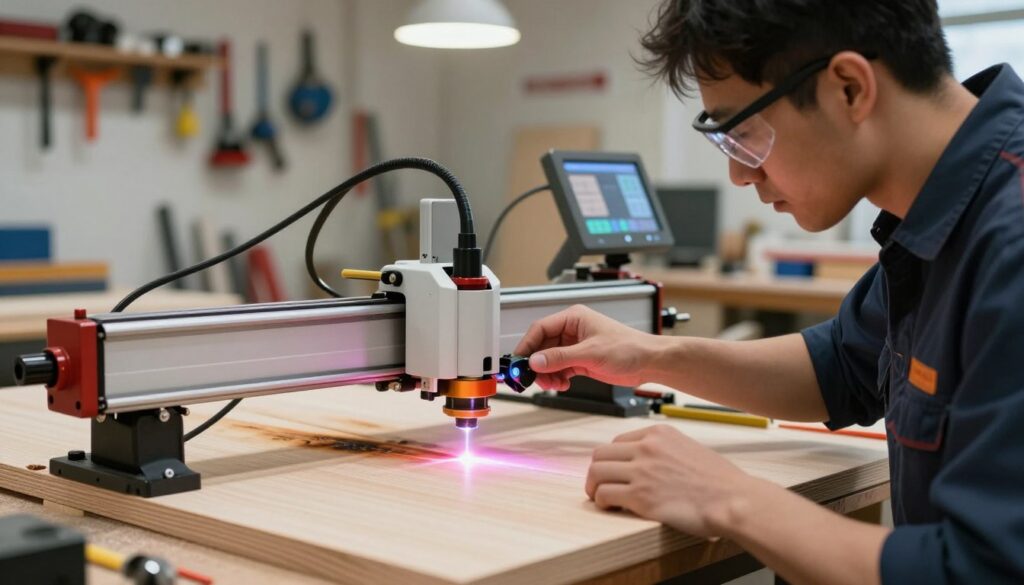
Optimizing Air Assist Pressure to Reduce Smoke Staining
Optimizing air assist pressure helps to clear smoke and debris away from the cutting path. When smoke settles on the wood, it absorbs the laser energy and creates unsightly dark stains. By using the right diode laser settings for wood burning, you can ensure that your air assist is strong enough to blow away these particles instantly.
You should experiment with your air pump settings to find the balance that works for your specific material. A steady stream of air is a vital step to adjust diode laser for lighter wood burn. This process keeps the surface clean and prevents the laser from re-burning the smoke residue.
Cleaning the Lens to Maintain Beam Integrity
A dirty lens can scatter light and cause inconsistent, overly dark marks on your projects. Over time, resin and smoke buildup will accumulate on the glass, which degrades the quality of the beam. I make it a habit to inspect my lens before every session to fix dark laser burn on wood caused by light scattering.
Use a high-quality lens cleaner and a soft microfiber cloth to gently wipe the surface. Keeping the optics pristine ensures that the laser maintains its maximum intensity and precision. Regular maintenance is the most reliable way to ensure your engravings remain crisp and professional.
Material Selection and Pre-Treatment Techniques
If you find your diode laser engraving wood too dark, the secret often lies in how you prepare the surface before the beam even touches the material. Many beginners focus solely on software settings, but the physical characteristics of your wood play a massive role in the final aesthetic.
Choosing the Right Wood Grain and Moisture Content
Wood is a natural, inconsistent material that reacts differently to heat based on its internal structure. I always recommend selecting wood with a tight, uniform grain to ensure the laser interacts consistently across the surface. Woods like birch or maple are excellent choices because they lack the deep, resinous pockets found in softer pines.
Moisture content is another critical factor that often goes overlooked. If your wood has high moisture levels, the laser energy will create steam, leading to uneven, charred results that look messy. Always store your materials in a dry environment to adjust diode laser for lighter wood burn results.
Applying Masking Tape to Protect Surface Finishes
One of the most effective ways to keep your projects looking clean is by using high-quality masking tape. By covering the entire surface area before engraving, you create a physical barrier against smoke staining and soot accumulation.
This simple step prevents the laser from scorching the surrounding wood fibers. Once the job is finished, you can simply peel away the tape to reveal a crisp, clean design underneath. It is a game-changer for anyone struggling with dark, smudged edges.
Using Sealants to Prevent Edge Bleed
When you want to achieve professional-grade results, applying a light sealant before engraving can be very helpful. Sealants help to adjust diode laser for lighter wood burn by preventing the laser from burning deep into the porous fibers of the wood. This technique is particularly useful for preventing edge bleed, which occurs when heat spreads beyond the intended path.
By sealing the surface, you ensure that the laser stays focused on the top layer. This results in a sharp, high-contrast image that does not look like a diode laser engraving wood too dark. Taking these extra steps ensures your final project looks polished and intentional.
Conclusion
Achieving crisp, clean results on wood requires a shift in how you approach your machine settings. I have provided the essential steps to fix dark laser burn on wood by refining your hardware calibration and material preparation habits.
You now possess the knowledge to manage your diode laser power for wood burning with greater precision. Consistent quality comes from testing your specific equipment against the unique density of your chosen lumber.
I encourage you to document your findings in a personal logbook. Tracking your successful speed and power combinations will save you time on future projects. This habit turns trial and error into a reliable system for professional output.
Your journey toward mastering laser art continues with every piece you create. Share your progress with the community to help others learn these techniques. I look forward to seeing the intricate designs you produce using these refined methods.