Maintaining peak performance in your workshop requires consistent care for your machinery. In this guide, I will walk you through the essential steps to maintain your machine’s precision by managing its drive system. Learning how to adjust belt tension on a diode laser cutter is a fundamental skill that prevents mechanical failure and ensures high-quality engraving results.
Proper maintenance acts as the backbone of every successful project. By mastering these simple adjustments, you protect your investment and extend the lifespan of your hardware. I will share my professional insights to help you keep your equipment running smoothly for years to come.
Key Takeaways
- Regular maintenance prevents costly mechanical breakdowns.
- Correct calibration ensures precise engraving and cutting lines.
- Proper drive system care extends the overall lifespan of your machine.
- Small adjustments lead to significant improvements in output quality.
- Professional techniques help you avoid common calibration errors.
Understanding the Importance of Belt Tension
The performance of your diode laser is directly tied to the integrity of its timing belts. These components serve as the backbone of your machine’s motion system, ensuring that every command from the controller translates into accurate movement. When I perform a belt tension adjustment diode laser maintenance routine, I always keep in mind that these parts are the bridge between digital design and physical reality.
The Role of Timing Belts in Laser Precision
Timing belts act as the primary transmission medium for the X and Y axes. They effectively translate the rapid rotation of stepper motors into the smooth, linear travel of the laser head. Precision is everything in laser engraving, and even a slight deviation in belt slack can result in distorted shapes or wavy lines.
Because these belts are responsible for high-speed directional changes, they must remain taut to prevent backlash. Proper belt tension adjustment for laser cutter reliability ensures that your machine maintains its factory-specified accuracy over hundreds of hours of operation.
Consequences of Over-Tensioning and Under-Tensioning
Finding the “sweet spot” for tension is vital for the longevity of your hardware. If you apply too much force, you create excessive friction on the stepper motors and bearings. This unnecessary mechanical stress can lead to premature motor failure or overheating during long engraving sessions.
Conversely, under-tensioning causes the belts to skip teeth or sag, leading to inconsistent movement and poor cut quality. Performing a regular belt tension adjustment for laser cutter maintenance task prevents these issues before they ruin your expensive materials. Ultimately, a balanced approach to belt tension adjustment diode laser care is the best way to protect your investment and ensure consistent, high-quality results.
Signs Your Diode Laser Cutter Needs Belt Adjustment
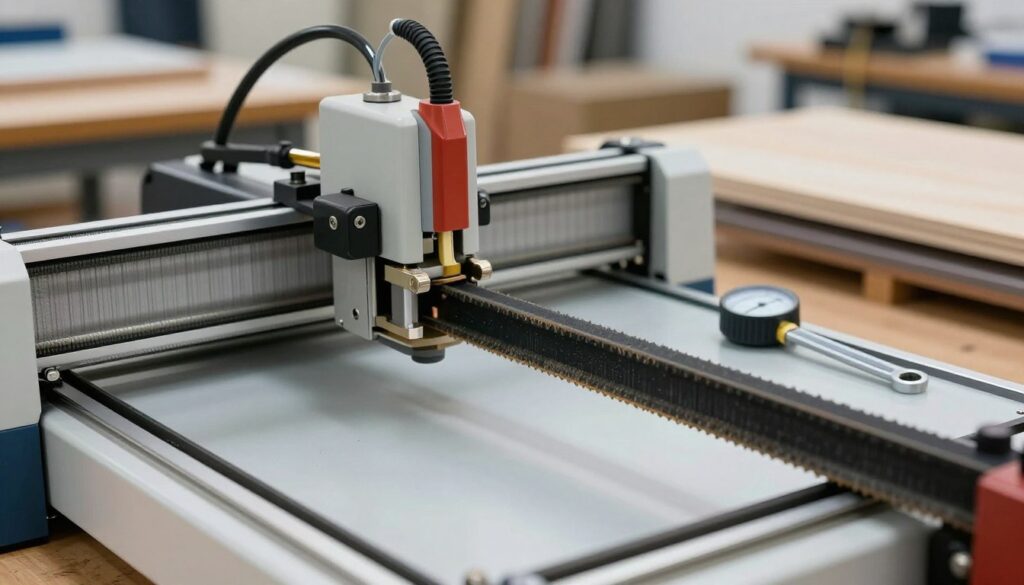
I often find that the most common issues with laser precision stem from neglected drive systems. When you are setting belt tension on a diode laser machine, you must learn to interpret the subtle cues your hardware provides. Ignoring these early warnings can lead to ruined materials and wasted time.
Identifying Ghosting and Layer Shifting
Ghosting appears as a faint, double-image effect on your engravings, while layer shifting occurs when the laser head misses its intended path. These visual artifacts are classic indicators that your drive system has lost its calibration. Performing a proper belt tension adjustment for laser cutter maintenance is usually the most effective way to resolve these alignment errors.
Recognizing Unusual Motor Noise and Vibration
Your ears are just as important as your eyes when diagnosing mechanical fatigue. If you hear grinding, clicking, or high-pitched squealing during operation, the belts may be slipping or rubbing against the frame. Excessive vibration often accompanies these sounds, signaling that the motor is struggling to move the gantry smoothly.
Visual Inspection of Belt Wear and Sagging
I recommend performing a physical check of your belts every few weeks to ensure they remain taut. Look for visible sagging in the belt path, which indicates that the material has stretched over time. By following these diode laser belt tensioning tips, you can catch mechanical wear before it impacts your project quality. Always check for frayed edges or missing teeth, as these are clear signs that a replacement is necessary.
How to Adjust Belt Tension on a Diode Laser Cutter
Achieving the perfect balance in your machine’s movement starts with a clear understanding of how to adjust belt tension on a diode laser cutter. I have found that a methodical approach prevents common mechanical errors and ensures that my engravings remain crisp and accurate over time.
Preparing the Machine for Maintenance
Before I begin any physical adjustments, I always ensure the machine is completely powered down. This simple step prevents accidental motor engagement that could cause injury or damage to the internal components.
I also clear the workspace around the gantry to ensure I have full access to the tensioning brackets. Keeping the area clean helps me spot any debris that might have contributed to the initial tension loss.
Loosening the Tensioner Mounting Screws
The diode laser cutter belt tensioning process begins by identifying the mounting screws on the tensioner brackets. I use the appropriate hex key to loosen these screws just enough to allow the bracket to slide.
It is important not to remove the screws entirely, as this can make reassembly difficult. I prefer to loosen them only until I feel a slight bit of play in the bracket, which provides enough room for adjustment.
Applying Correct Tension to the X-Axis Belt
When setting belt tension on a diode laser machine, I focus on the X-axis first. I apply gentle, uniform pressure to the belt while sliding the tensioner bracket outward.
The belt should feel firm to the touch, similar to a guitar string, but it should still have a tiny amount of flex. I avoid pulling too hard, as excessive force can strain the stepper motor bearings.
Applying Correct Tension to the Y-Axis Belt
Once the X-axis is set, I move to the Y-axis. I ensure that the tension here matches the X-axis to prevent the laser head from binding during complex movements.
I verify the tension by moving the gantry manually across the entire length of the rail. If I feel any resistance or uneven spots, I know that the tension is likely too high or the belt is misaligned.
Securing the Tensioning Mechanism
After I am satisfied with the tension, I carefully tighten the mounting screws while holding the bracket in place. I make sure to tighten them firmly to prevent the bracket from shifting during high-speed operations.
Finally, I perform one last check by moving the laser head by hand. A smooth, fluid motion confirms that the maintenance was successful and the machine is ready for use.
Tools and Safety Precautions for Maintenance
Proper preparation is the foundation of effective laser cutter maintenance and long-term machine health. Before you begin any belt tension adjustment diode laser task, you must ensure your workspace is organized and your tools are ready. Taking these steps prevents unnecessary errors and protects your equipment from accidental damage.
Essential Tools for Diode Laser Maintenance
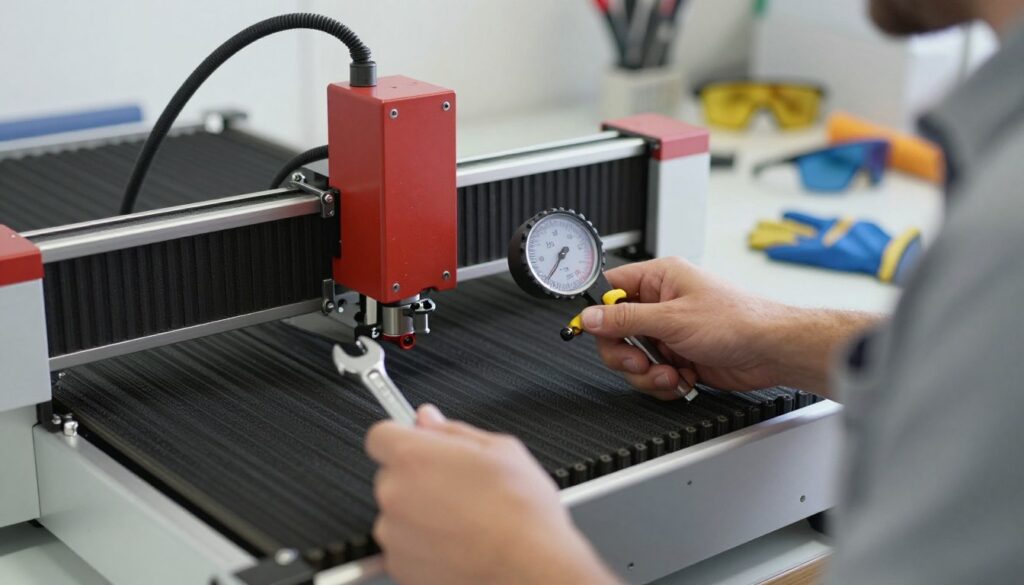
I always recommend keeping a dedicated kit for your machine. You will typically need a set of high-quality metric hex keys to loosen mounting hardware without stripping the heads. A tension gauge is also highly beneficial to ensure you achieve the precise tightness required for smooth operation.
Using the correct tools is vital for successful diode laser maintenance belt tension. If you use improper tools, you risk damaging the motor bearings or the frame of your machine. Always verify that your hex keys fit snugly before applying force.
| Tool Name | Primary Purpose | Maintenance Frequency |
|---|---|---|
| Metric Hex Keys | Adjusting tensioner screws | As needed |
| Tension Gauge | Measuring belt deflection | Monthly |
| Microfiber Cloth | Cleaning rails and belts | Weekly |
Safety Protocols Before Starting Repairs
Safety is my top priority when working on any mechanical system. You must always unplug the power supply before you touch any internal components. This simple step prevents accidental activation of the laser or motors while your hands are inside the machine.
Ensure your workspace is well-lit and free of clutter. Working in a clean environment helps you keep track of small screws and washers that might otherwise get lost. Never rush the process, as patience is key to a safe belt tension adjustment diode laser procedure.
Handling Sensitive Electronic Components
Modern laser cutters contain delicate control boards that are sensitive to static electricity. I suggest touching a grounded metal object before you handle any wiring or circuit boards. This helps discharge static buildup and protects the sensitive electronics from potential failure.
When performing diode laser maintenance belt tension, be careful not to snag any cables or wires near the motor mounts. If you notice any frayed insulation or loose connections, address those issues immediately. Keeping your electronics in good condition ensures your machine remains reliable for years to come.
Testing and Calibrating After Tensioning
Achieving factory-standard performance requires a systematic approach to post-maintenance testing. Once I finish the mechanical adjustments, I move into a critical phase of verification to ensure the machine operates with high precision. This final stage confirms that my efforts have successfully restored the system to its peak state.
Performing a Squareness Test
I begin by verifying that the X and Y axes are perfectly perpendicular. A simple squareness test involves engraving a large square or a set of crosshairs on a piece of scrap material. If the corners do not meet at a perfect 90-degree angle, I know that the diode laser maintenance belt tension is uneven across the frame.
Running a Calibration Pattern
After confirming the geometry, I run a standard calibration pattern to check for consistent engraving depth. This test is vital for identifying any lingering issues with belt slippage or motor synchronization. I look for the following indicators during this process:
- Clean, crisp lines without any ghosting or shadowing.
- Uniform depth across the entire work area.
- Smooth movement during rapid directional changes.
Fine-Tuning for Optimal Engraving Quality
The diode laser cutter belt tensioning process is not complete until I inspect the output for overall quality. If the lines appear jagged or the engraving depth varies, I perform minor adjustments to the tensioners. Precision is the ultimate goal, and taking the time to calibrate ensures that every project meets professional standards.
Conclusion
Consistent performance relies on the mechanical health of your equipment. Maintaining the correct tension in your drive system serves as the most effective way to ensure high-quality results from your diode laser.
I find that calibrating belt tension for laser cutting machine components protects your long-term investment. You avoid the frustration of failed engravings by keeping your hardware in peak condition. My goal is to provide diode laser belt tensioning tips that empower you to perform your own maintenance with confidence and precision.
Regular checks prevent small issues from becoming costly repairs. You gain better control over your projects when you understand the mechanics of your machine. I encourage you to apply these practices during your next shop session to see the difference in your output quality.
Share your experiences with these adjustments in the community forums. Your feedback helps other makers improve their craft. I look forward to seeing the intricate designs you create with a perfectly tuned laser system.