Mastering your craft requires a deep understanding of your equipment. I often see makers struggle with inconsistent results when working with organic hides. Learning how to choose the right laser power and speed settings for leather is the most critical step toward achieving professional, high-quality engravings.
Precision is everything when you work with natural materials. Because every hide reacts differently to heat, you must calibrate your machine carefully. My expert advice will help you master these variables, ensuring your cuts remain clean and your designs look sharp every single time.
By following my guide on how to choose the right laser power and speed settings for leather, you will gain the confidence needed to handle complex projects. Let us refine your workflow and elevate your finished goods to a new level of excellence.
Key Takeaways
- Understand the unique thermal properties of various hide types.
- Balance intensity levels to prevent charring or surface damage.
- Use test grids to find optimal parameters before starting a project.
- Adjust movement rates based on material thickness and density.
- Maintain consistent focus to ensure crisp, detailed results.
Understanding the Relationship Between Power and Speed
When I work with leather, I find that the relationship between laser power and speed is the most critical factor for success. Achieving professional results requires more than just turning on a machine; it demands a nuanced approach to your leather laser engraving settings. By controlling these variables, I can ensure that every project reflects high-quality craftsmanship.
The Physics of Laser Interaction with Organic Materials
Leather is a complex, organic material composed of dense protein fibers. When a laser beam strikes the surface, it converts electrical energy into intense thermal energy. This heat causes the material to vaporize instantly, creating the desired mark or cut.
If the energy density is too high, the fibers can suffer from excessive carbonization. This often leads to unsightly charring or even structural damage to the hide. Understanding this interaction is the first step toward mastering your equipment.
“The secret to great craftsmanship lies in the delicate balance between the intensity of the tool and the patience of the artist.”
Balancing Thermal Energy for Clean Results
To achieve the optimal laser power and speed for leather, I focus on minimizing heat accumulation. If I move the laser head too slowly, the heat builds up in one spot, which ruins the delicate texture of the hide. Conversely, moving too fast might result in an incomplete engraving that lacks depth.
I find that adjusting laser power and speed for leather is an iterative process. I start with conservative settings and gradually increase the power while maintaining a consistent speed. This method allows me to find the “sweet spot” where the laser cleanly vaporizes the material without burning the surrounding edges.
Ultimately, maintaining the integrity of the leather is my top priority. By carefully calibrating these settings, I can produce crisp, clean designs that look professional and stand the test of time.
How to Choose the Right Laser Power and Speed Settings for Leather
Before you start your laser, you must carefully evaluate the specific type of leather you are using. Learning how to choose the right laser power and speed settings for leather is a skill that separates hobbyists from professionals. By taking the time to analyze your material, you ensure consistent, high-quality results every time.
Identifying Your Leather Type and Thickness
Not all hides react the same way to a laser beam. Vegetable-tanned leather is generally the gold standard for engraving because it reacts cleanly to heat. In contrast, chrome-tanned leather often contains chemicals that can produce unpleasant fumes and inconsistent burn marks.
You must also measure the thickness of your material with a set of calipers. A thicker piece of leather requires more energy to cut through, while thin, delicate skins might only need a light touch to achieve a beautiful surface mark.
Determining the Desired Depth of Engraving
Your goal for the project dictates your settings. If you want a subtle, aesthetic mark, you should prioritize high speed and low power to avoid deep charring. For structural cuts or deep embossing, you will need to slow down the movement and increase the intensity of the beam.
The key to successful laser work is understanding that leather is an organic material; it breathes, reacts, and changes under heat. Always prioritize a clean, shallow mark over a deep, scorched one to maintain the integrity of the grain.
Selecting the Appropriate Laser Wattage
When you are selecting the appropriate laser wattage, consider the density of the hide. High-wattage machines can easily overpower thin leather, leading to burnt edges and ruined projects. Finding the ideal laser cutter power and speed for leather is a process of trial and error that starts with conservative settings.
The following table provides a baseline for common leather laser cutting parameters to help you get started safely.
| Leather Type | Thickness (mm) | Power (%) | Speed (mm/s) |
|---|---|---|---|
| Veg-Tan (Light) | 1.5 – 2.0 | 30 – 40 | 200 – 250 |
| Chrome-Tan (Dark) | 1.0 – 1.5 | 20 – 25 | 300 – 350 |
| Suede/Soft | 0.5 – 1.0 | 10 – 15 | 400 – 500 |
Always remember that these values are starting points. You should adjust your settings based on the specific reaction of your leather to ensure the best possible outcome for your unique project.
Step-by-Step Calibration for Optimal Results
Before I start any major project, I always run a series of calibration tests to ensure precision. Relying on guesswork often leads to wasted material and poor quality. By following a structured approach, you can easily identify the ideal leather laser engraving settings for your specific hide.
Creating a Test Matrix on Scrap Material
I recommend starting with a small, representative piece of scrap leather that matches your final project material. You should design a grid in your software that varies power and speed in incremental steps. This method is the most reliable way to discover the best laser settings for leather engraving without risking your primary stock.
Ensure your grid covers a wide range of values to see how the laser reacts to different intensities. For example, you might test power levels from 20% to 80% while adjusting speed from 100 mm/s to 500 mm/s. This wide spread helps you visualize the transition from light surface marking to deep, dark etching.
Analyzing the Results of Your Test Grid
Once the laser finishes the grid, I carefully inspect each square under good lighting. I look for the perfect balance between contrast and surface integrity. Over-burning often occurs when the power is too high or the speed is too slow, resulting in brittle, charred edges.
Conversely, if the mark is too faint, the laser likely moved too quickly or lacked sufficient power. I use a magnifying glass to check if the engraving depth is consistent across the entire test area. This visual inspection provides the data needed to make informed decisions for your final design.
Adjusting Parameters Based on Visual Feedback
After reviewing the grid, I fine-tune my leather engraving machine settings to match the desired aesthetic. If the test shows that a specific combination provides the perfect depth and color, I lock those values into my project file. Small adjustments can make a significant difference in the final look of your leather goods.
If the results are still not quite right, I perform a second, more focused test grid. By narrowing the range of power and speed, I can dial in the exact look I want. Consistency is key when working with organic materials, so always document your successful settings for future reference.
Essential Safety Guidelines for Laser Processing Leather
When working with organic materials like leather, your primary focus must always be the health and safety of your workspace. While finding the optimal laser power and speed for leather is important for quality, protecting your lungs and your equipment is the absolute priority.
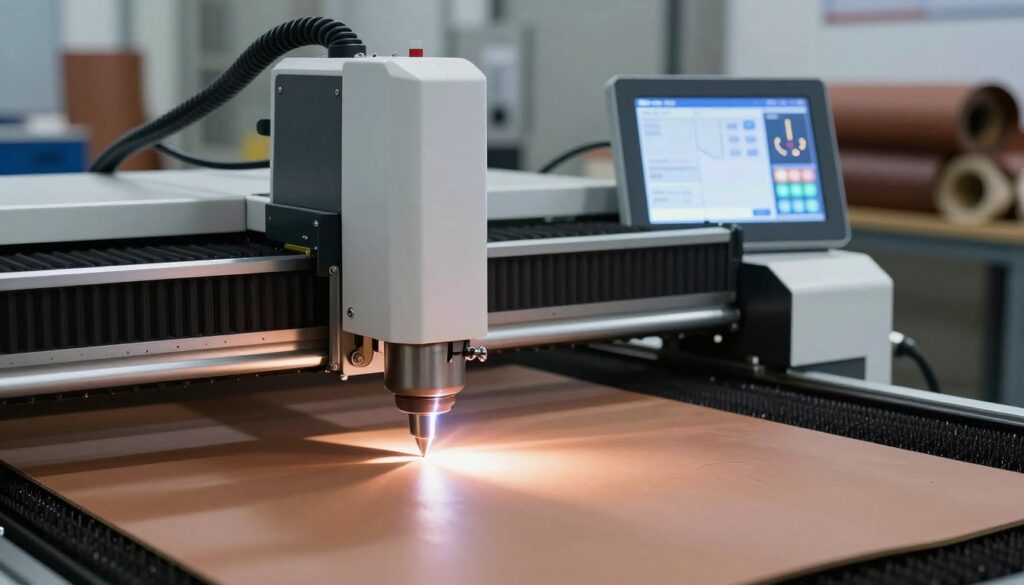
Ventilation Requirements for Toxic Fumes
Leather processing releases smoke and particulate matter that can be harmful if inhaled. You must ensure your laser cutter is connected to a high-quality exhaust system that vents directly outdoors. Proper ventilation is not optional; it is a necessity for maintaining a healthy environment.
If you work in a confined space, consider adding an air filtration unit with activated carbon filters. These systems help scrub the air of volatile organic compounds produced during the engraving process.
Fire Prevention and Monitoring During Operation
Laser engraving involves intense heat, which creates a constant risk of flare-ups. Never leave your machine unattended while it is running, even when you are adjusting laser power and speed for leather for a long job.
Keep a fire extinguisher rated for electrical and chemical fires within arm’s reach at all times. I also recommend keeping a spray bottle of water nearby to quickly extinguish small embers that might appear on the surface of the material.
Material Selection and Avoiding Synthetic Leathers
Following strict leather cutting with laser guidelines means knowing exactly what you are putting into your machine. You must avoid synthetic leathers, such as those containing PVC or vinyl, at all costs.
When these materials are burned, they release chlorine gas, which is highly toxic to you and corrosive to your laser’s internal components. Always verify that your material is genuine, vegetable-tanned leather to ensure both safety and longevity for your hardware.
| Safety Category | Action Required | Frequency |
|---|---|---|
| Ventilation | Check exhaust flow | Before every session |
| Fire Safety | Inspect extinguisher | Monthly |
| Material | Verify material type | Before purchase |
| Maintenance | Clean lens and bed | After every project |
Advanced Techniques for Detailed Engraving
I have found that the secret to stunning leather art lies in fine-tuning the technical parameters of your machine. When you move past basic marking, you unlock the potential for intricate designs that truly stand out. Finding the best laser settings for leather engraving is a journey of experimentation that rewards patience and precision.
Adjusting DPI and Line Interval for Texture
To achieve a rich, tactile feel on your leather projects, you must manipulate the Dots Per Inch (DPI) and the line interval. A higher DPI setting creates a denser engraving, which is perfect for fine details and sharp edges. Carefully adjusting the line interval allows you to control how much space exists between each laser pass, effectively creating unique textures that mimic grain or fabric.
Using Dithering for Photographic Quality
If you want to engrave portraits or complex logos, standard engraving modes often fall short. I recommend using dithering algorithms, which convert grayscale images into patterns of dots that the laser can interpret. This technique creates the illusion of shading and depth, allowing you to achieve photographic quality on even the most challenging leather surfaces.
Managing Heat Accumulation on Delicate Surfaces
One of the most important leather laser engraving tips involves controlling the thermal energy applied to the material. Delicate leathers can easily warp or discolor if they absorb too much heat during a long engraving cycle. I suggest using a lower power setting with multiple passes rather than a single high-power pass to keep the surface temperature manageable. This approach ensures that your final product remains pristine and free from unwanted charring or structural damage.
Troubleshooting Common Leather Laser Issues
I have found that troubleshooting common laser issues is a vital skill for any professional leather worker. Even when you follow best practices, you may encounter unexpected results that require immediate attention. By refining your laser cutter power and speed for leather, you can quickly resolve these technical hurdles and maintain high production standards.
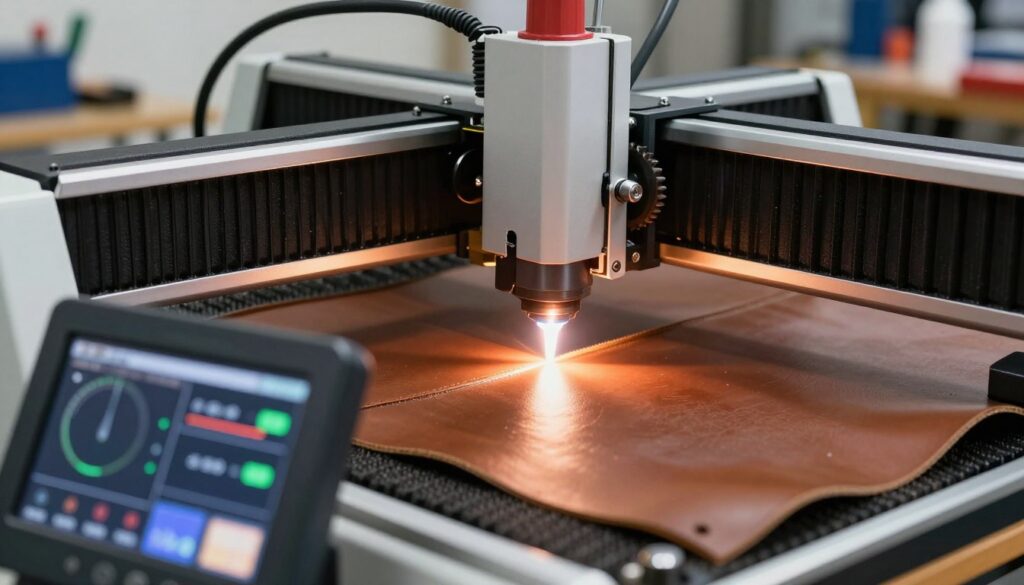
Correcting Over-Burning and Charring
Over-burning often occurs when the laser dwells too long on a single point, causing the material to darken excessively or catch fire. To fix this, I recommend reducing your power settings or increasing the speed of the laser head. You should also ensure that your air assist is functioning correctly to blow away heat and prevent deep charring.
Fixing Incomplete Cuts or Faint Engravings
If your design appears too light or the laser fails to cut through the material, your leather engraving machine settings are likely too conservative. I suggest increasing the power in small increments or slowing down the movement speed to allow more energy to penetrate the surface. Always perform a test on a scrap piece before applying these changes to your final project.
Addressing Surface Discoloration and Residue
Smoke and soot can often leave unsightly marks on the surface of your leather. To prevent this, I find that using a high-quality transfer tape or masking paper is the most effective solution. If discoloration still occurs, you can gently clean the area with a soft cloth and a specialized leather cleaner to restore the natural finish.
| Issue | Primary Cause | Recommended Fix |
|---|---|---|
| Excessive Charring | Too much power | Decrease power / Increase speed |
| Faint Engraving | Insufficient energy | Increase power / Decrease speed |
| Surface Residue | Smoke accumulation | Use masking tape / Improve ventilation |
| Incomplete Cut | Material thickness | Increase passes / Adjust focus |
Best Practices for Post-Processing Leather Projects
I find that the true quality of a leather project is revealed during the final cleanup and finishing steps. While mastering leather laser cutting parameters is essential for a clean cut, the post-processing phase ensures your work looks professional and lasts for years. Proper care after the laser finishes its job will protect the natural grain and enhance the overall aesthetic appeal of your creation.
Cleaning Soot and Smoke Stains
Laser processing often leaves behind a fine layer of soot or smoke residue on the surface of the material. To remove this without damaging the leather, I recommend using a soft, dry microfiber cloth to gently wipe away loose particles. If the residue persists, a slightly damp cloth with a mild, pH-balanced leather cleaner works wonders.
Always test your cleaning solution on a small, hidden scrap piece first to ensure it does not discolor the hide. Following these leather laser engraving tips will help you maintain the integrity of the material while achieving a pristine finish. Avoid harsh chemicals or abrasive scrubbers that could strip the natural oils from the surface.
Applying Leather Conditioners After Laser Work
The intense heat from the laser can sometimes dry out the edges or the surface of the leather. I always apply a high-quality leather conditioner immediately after cleaning to restore essential moisture and suppleness. This step is vital for preventing the material from becoming brittle or cracking over time.
Apply the conditioner in thin, even layers using a soft cloth, working it into the grain with circular motions. Allow the leather to absorb the product fully before buffing it with a clean, dry cloth. This simple maintenance routine keeps your project looking rich and feeling soft to the touch.
Sealing Edges for Professional Durability
When following leather cutting with laser guidelines, you may notice that the edges appear slightly charred or rough. To achieve a professional look, I suggest using an edge paint or a burnishing agent to seal these areas. This not only improves the visual appeal but also prevents fraying and protects the edge from moisture.
For a smooth finish, lightly sand the edges with fine-grit sandpaper before applying your chosen sealant. Once the sealant is dry, you can buff it to a soft sheen for a polished, high-end result. This final touch adds significant value to your handmade goods.
| Process Step | Recommended Tool | Primary Benefit |
|---|---|---|
| Soot Removal | Microfiber Cloth | Restores surface clarity |
| Conditioning | Leather Balm | Prevents cracking |
| Edge Sealing | Burnishing Agent | Increases durability |
| Final Buffing | Soft Wool Cloth | Enhances natural luster |
Conclusion
Achieving professional results on leather requires a deep understanding of how your laser interacts with organic fibers. I believe that consistent practice with your Epilog or Trotec machine transforms simple hides into intricate works of art.
You now possess the knowledge to balance thermal energy and speed for every unique project. My goal is to see you apply these calibration methods to push the boundaries of your creative vision.
Take the time to document your settings for different leather types. This habit builds a personal library of data that saves time on future designs. Your commitment to safety and quality ensures that every piece you produce remains durable and visually stunning.
I invite you to share your latest leather creations with the maker community. Your progress inspires others to refine their own techniques and explore new possibilities in laser engraving. Keep experimenting with your equipment to discover the full potential of your workshop.