Maintaining optical clarity remains vital for your machine’s peak performance. In this guide, I walk you through essential steps for equipment upkeep.
Keeping optics pristine serves as the most effective method for ensuring consistent cutting results. My professional approach minimizes risks while maximizing output quality.
Precision matters when handling delicate components. By following my expert advice, you perform routine maintenance with confidence every single time.
Key Takeaways
- Regular maintenance preserves machine accuracy.
- Optical clarity directly impacts engraving quality.
- Professional techniques reduce the risk of damage.
- Routine care extends the lifespan of your hardware.
- Consistent habits lead to better project outcomes.
Why Regular Lens Maintenance is Critical for Laser Performance
Understanding how light travels through your laser system reveals why even tiny specks of dust matter. When I operate my machine, I rely on a precise beam to achieve clean cuts and sharp engravings. If the optical path is obstructed, the entire process suffers immediately.
Understanding the Optical Path of Diode Lasers
The diode laser generates a beam that must pass through a series of lenses to focus into a tiny, powerful point. This focal point is where all the energy concentrates to vaporize material. If the lens surface is not perfectly clear, the light cannot focus correctly, which ruins your project accuracy.
I view the lens as the gateway for the laser’s power. Any imperfection in this glass acts as a barrier that disrupts the light’s journey. Following lens maintenance best practices ensures that the beam remains tight and powerful from the source to the material.
The Impact of Dust and Residue on Beam Quality
When smoke, resin, or dust settles on the lens, it absorbs the laser energy instead of letting it pass through. This absorption causes the lens to heat up rapidly, which can lead to permanent damage or cracking. Furthermore, these particles scatter the beam, causing it to lose its intensity.
Removing dirt from laser lens surfaces is not just about cleanliness; it is about protecting your hardware. When the beam is scattered, you lose cutting depth and precision. This forces the laser to work harder, which often leads to inconsistent results across your workspace.
Signs That Your Laser Lens Requires Immediate Cleaning
I have learned to watch for specific visual cues that indicate my optics need attention. If you notice that your engravings look blurred or your cutting depth is suddenly inconsistent, it is time to act. These are classic signs that debris is interfering with the beam.
You should also listen to your machine. Sometimes, a dirty lens causes the laser to struggle, resulting in audible changes or uneven burn marks on the material. By prioritizing diode laser lens cleaning, you avoid these frustrating issues. Consistent lens maintenance best practices will keep your machine running smoothly for years to come.
Essential Tools and Preparation for Safe Cleaning
Proper maintenance begins with selecting high-quality tools to safely clean laser lens surfaces without risk. I always ensure my workbench is organized before starting, as this prevents accidental damage to delicate optical components. Following these lens maintenance best practices will extend the life of your equipment significantly.
Selecting the Right Cleaning Solutions
Choosing the correct solvent is vital for removing debris without leaving residue. I avoid household glass cleaners, as they often contain additives that can cloud or damage the lens coating.
Why High-Purity Isopropyl Alcohol is the Industry Standard
I rely exclusively on 99% or higher purity isopropyl alcohol for my maintenance tasks. This concentration is effective because it evaporates quickly, leaving no streaks or chemical films behind. High-purity alcohol is the safest choice for dissolving organic residues like smoke or dust that accumulate during operation.
Choosing Non-Abrasive Applicators
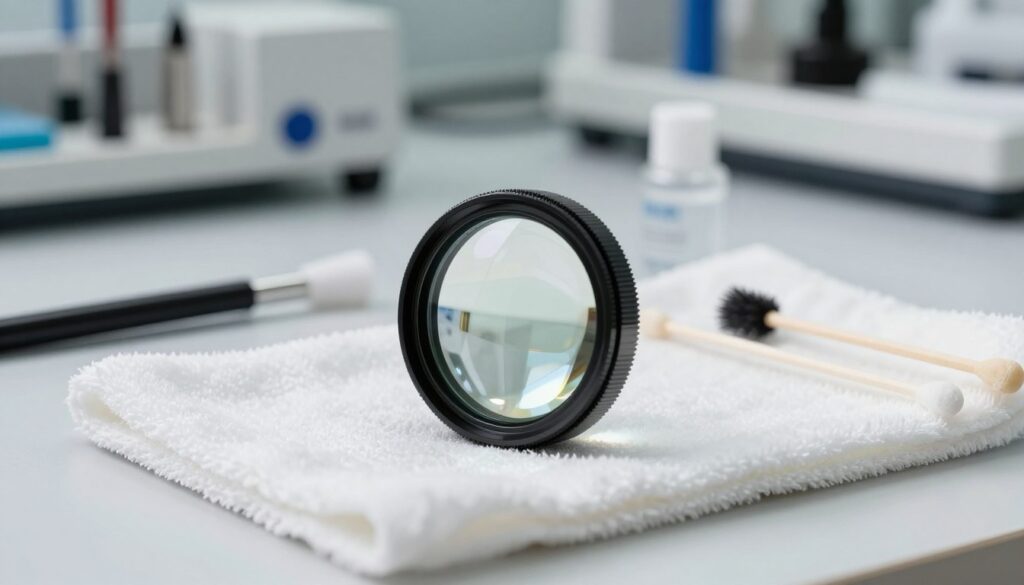
The physical tool used to wipe the lens is just as important as the solvent. I prioritize materials that are soft and lint-free to avoid scratching the sensitive glass surface.
Comparing Microfiber Cloths Versus Lens Swabs
When deciding between tools, I consider the specific geometry of the lens housing. Here is a quick breakdown of the best options:
- Microfiber Cloths: Excellent for large, flat surfaces; ensure they are high-quality and lint-free.
- Lens Swabs: Ideal for reaching into tight corners or recessed lens housings where a cloth cannot fit.
- Foam-Tipped Swabs: These are often preferred for their durability and lack of loose fibers.
Creating a Clean Workspace Environment
One of my top lens cleaning tips is to establish a dust-free zone before you begin. I recommend working in a well-lit area where you can clearly see any particles that might settle on the lens. By keeping your workspace clean, you follow lens maintenance best practices that prevent re-contamination during the cleaning process. Always remember that a controlled environment is the best defense against future optical issues.
How to Clean Diode Laser Lens Without Scratching It
Learning how to clean diode laser lens without scratching it is a vital skill for every laser operator. By following a methodical, low-impact approach, you can restore your optics to their original factory clarity without risking permanent damage.
Step One: Powering Down and Ensuring Safety
Before you begin, you must disconnect the power supply to your laser machine. This prevents accidental firing during the maintenance process, which is essential for your personal safety. Always ensure the machine is completely powered down before touching any internal components.
Step Two: Removing the Lens Housing Safely
Carefully unscrew or detach the lens housing from the laser module. You must handle the housing with extreme caution to prevent accidental drops or misalignment of the delicate internal parts. This step is critical to safely clean laser lens surfaces without interference from the machine frame.
Step Three: Performing a Dry Inspection
Use a clean, pressurized air bulb to blow away loose dust or debris from the lens surface. Never use your breath, as moisture and contaminants can settle on the glass. A thorough dry inspection ensures you do not drag abrasive particles across the lens during the wet cleaning phase.
Step Four: Applying the Cleaning Solution Correctly
Apply a small amount of high-purity isopropyl alcohol or a specialized optical cleaner to your applicator. Never spray the solution directly onto the lens, as excess liquid can seep into the housing and damage sensitive electronics. Using the right amount is key to cleaning non-scratch lens surfaces effectively.
Step Five: Using the Proper Wiping Technique
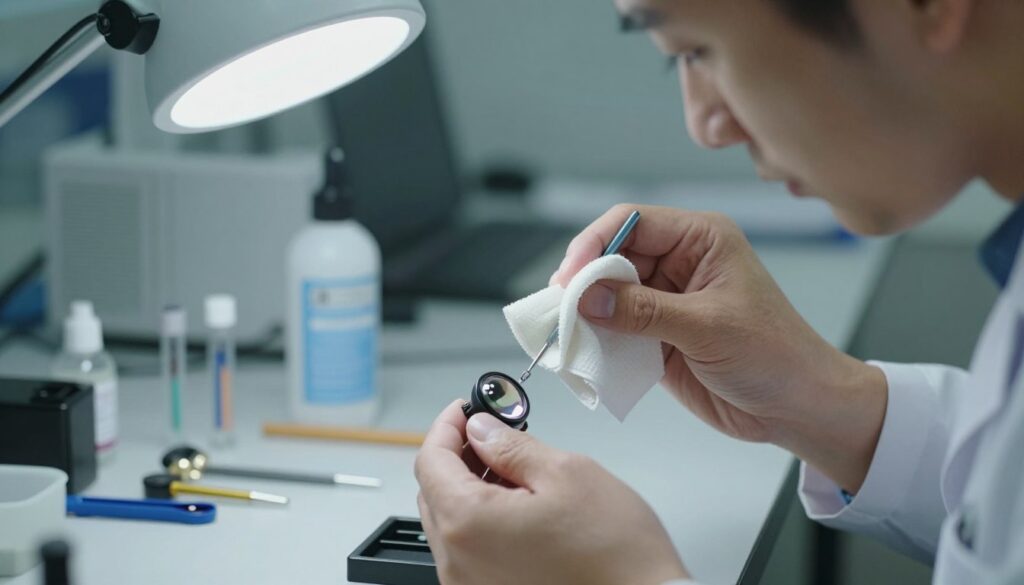
Gently wipe the lens in a circular motion, starting from the center and moving outward toward the edges. Use a fresh, lint-free swab for each pass to avoid re-depositing dirt. This technique ensures that you lift contaminants away from the center of the optical path.
Applying Gentle Pressure to Avoid Surface Damage
You must apply only the lightest pressure when wiping the glass. Excessive force can cause micro-scratches that degrade your beam quality over time. Consistency and patience are your best tools for maintaining a pristine lens surface.
Step Six: Final Inspection and Reinstallation
Once the lens is dry, inspect it under a bright light to ensure no streaks or residue remain. If the surface looks clear, carefully reattach the housing to your laser module. Finally, perform a test fire at low power to confirm that your safely clean laser lens is performing at its peak potential.
Troubleshooting Common Cleaning Mistakes and Risks
Mastering the art of diode laser lens cleaning requires more than just steady hands; it demands a deep understanding of potential pitfalls. Even with the best intentions, I have found that small errors during maintenance can lead to significant equipment damage. By identifying these risks early, you can protect your investment and ensure consistent performance.
Avoiding Common Scratches During the Process
The most frequent mistake I see is the application of too much pressure during the wiping phase. When keeping laser lens scratch-free, you must treat the glass with extreme delicacy. Using a dry cloth or a rough material will almost certainly leave microscopic abrasions that scatter your laser beam.
“Precision is the difference between a tool that lasts for years and one that fails after a single maintenance cycle.”
Dealing with Stubborn Residue and Smoke Stains
Sometimes, removing dirt from laser lens surfaces requires more than a single pass. If you encounter baked-on smoke stains, avoid the urge to scrub harder. Instead, dampen your applicator with a high-purity solvent and let it sit on the residue for a few seconds to soften the buildup.
Patience is your greatest asset here. If the stain does not lift easily, repeat the process with a fresh, clean swab. Never use metal tools or abrasive pads to scrape the surface, as these will permanently ruin the optical coating.
When to Replace the Lens Instead of Cleaning
There comes a point where cleaning is no longer effective. If you notice deep pits, cracks, or a cloudy haze that persists after multiple attempts, the lens has likely reached the end of its life. Continuing to use a damaged lens can cause back-reflections that might overheat and destroy your laser diode module.
Preventative Measures to Reduce Future Lens Contamination
The best way to maintain your optics is to minimize the need for frequent intervention. I recommend the following strategies for keeping laser lens scratch-free:
- Ensure your air assist system is functioning correctly to blow away smoke and debris.
- Use a high-quality fume extraction system to prevent smoke from settling on the lens.
- Perform a quick visual inspection before every project to catch dust buildup early.
- Keep your workspace clean to reduce the amount of airborne particles near the laser.
By following these steps, you will significantly extend the lifespan of your optics. Consistent care is the secret to professional results and long-term reliability in your diode laser lens cleaning routine.
Conclusion
Mastering the art of lens maintenance remains a vital skill for every laser operator who values precision and machine longevity. I find that consistent care directly impacts the quality of every project I undertake.
You should prioritize these lens cleaning tips to protect your equipment. By following a methodical approach, you ensure that your diode laser continues to perform at its peak. My experience shows that small habits lead to significant improvements in output consistency.
The process of cleaning non-scratch lens surfaces requires patience and the right supplies. You preserve the delicate optical coating by avoiding harsh chemicals and rough materials. This careful attention prevents permanent damage to the glass.
I encourage you to adopt a regular schedule for your maintenance tasks. Keeping laser lens scratch-free allows you to focus on your creative work rather than troubleshooting hardware issues. Your commitment to these practices guarantees that your machine stays in excellent condition for years to come.
Share your own experiences with laser maintenance in the community forums. I look forward to hearing how these techniques improve your workflow and project results.