Achieving professional results with your machine often comes down to one critical upgrade. I have found that learning how to connect air assist to a diode laser engraver is the single most effective way to elevate your project quality. This simple addition clears smoke and debris from the cutting path, which prevents unsightly charring on your materials.
By maintaining a steady stream of pressurized gas, you ensure that your beam cuts deeper and cleaner every time. Mastering this installation process is a vital skill for any hobbyist or professional operator looking to push their creative boundaries. I designed this guide to help you implement this change quickly and efficiently.
You will soon notice a significant difference in your final products. Let’s walk through the steps required to optimize your workspace for better precision and cleaner edges.
Key Takeaways
- Air assist significantly reduces charring and smoke buildup during operation.
- Proper airflow allows for deeper, more efficient cuts on wood and acrylic.
- Installing this system protects your lens from harmful debris and dust.
- Consistent pressure leads to more precise and professional engraving results.
- This upgrade is a cost-effective way to extend the life of your equipment.
Understanding the Benefits and Components of Air Assist
Before you begin your diode laser engraver air assist setup, it is crucial to understand how these components work together to improve your results. I have found that managing airflow is the most effective way to elevate the quality of my projects.
By maintaining a constant stream of air, you can effectively clear smoke and debris from the cutting path. This process is vital for maintaining laser power efficiency and ensuring clean edges on your materials.
Why Air Assist is Essential for Diode Lasers
When a laser cuts through wood or acrylic, it creates smoke and charring that can block the beam. An air assist system for laser engraver units pushes this smoke away, allowing the laser to focus its energy directly on the material.
Furthermore, this constant airflow protects your delicate lens from soot buildup. Without this protection, your lens can quickly degrade, leading to a significant loss in cutting power and precision over time.
Key Components of an Air Assist System
Building a reliable laser engraver air assist connection requires specific hardware designed to handle continuous pressure. Each part plays a unique role in the overall performance of your machine.
The Air Compressor and Tubing
The air compressor serves as the heart of the system, providing the necessary pressure to clear the cutting zone. You must use high-quality, flexible tubing that can withstand constant vibration without leaking or kinking.
Nozzle Assemblies and Mounting Brackets
The nozzle assembly directs the airflow precisely at the point of contact between the laser and the material. Sturdy mounting brackets are essential to keep the nozzle aligned, ensuring that the air stream remains consistent during complex movements.
| Feature | Without Air Assist | With Air Assist |
|---|---|---|
| Edge Quality | Charred and uneven | Clean and smooth |
| Lens Life | Shortened by soot | Extended by protection |
| Cutting Depth | Reduced by smoke | Optimized for power |
| Material Safety | Higher fire risk | Lower fire risk |
Preparing Your Workspace and Laser Engraver
Setting up your environment correctly is the first step toward a seamless diode laser engraver air assist installation. I find that a clean, well-lit workspace prevents the loss of small screws and keeps sensitive optical components free from dust. Taking the time to organize your area ensures that you can focus entirely on the technical aspects of the upgrade.
Gathering Necessary Tools and Safety Gear
Before connecting air assist to a laser engraving machine, you should assemble all required tools. Having everything within reach minimizes movement and reduces the risk of accidental damage to your laser head. Always prioritize safety by wearing protective eyewear during the entire process.
| Tool Category | Specific Item | Purpose |
|---|---|---|
| Fastening | Precision Screwdriver Set | Securing mounting brackets |
| Cutting | Utility Knife | Trimming air tubing |
| Safety | Laser Safety Glasses | Eye protection |
| Organization | Magnetic Tray | Holding small hardware |
Inspecting Your Laser Module for Compatibility
Not every laser module is built the same, so I always perform a thorough inspection before starting. You must verify if your specific hardware supports a direct connection or if you need to modify the housing. This step is vital for ensuring the long-term reliability of your setup.
Checking for Existing Air Assist Ports
Many modern modules come with pre-drilled ports designed for air intake. I recommend checking the sides or the top of your laser head for a small threaded hole or a plastic nozzle fitting. If you find one, the process of connecting air assist to a laser engraving machine becomes significantly easier.
Evaluating Mounting Options for Aftermarket Kits
If your module lacks a dedicated port, you will likely need a custom mounting bracket. I suggest evaluating the space around your lens to ensure the nozzle does not obstruct the laser beam path. A proper diode laser engraver air assist installation requires the nozzle to be positioned at the correct angle to maximize airflow efficiency.
How to Connect Air Assist to a Diode Laser Engraver
I will guide you through the precise process of integrating an air assist system into your existing laser setup. Learning how to connect air assist to a diode laser engraver correctly is the best way to ensure your machine operates at peak efficiency. This setup prevents smoke buildup and protects your lens from debris.
Mounting the Air Assist Nozzle to the Laser Head
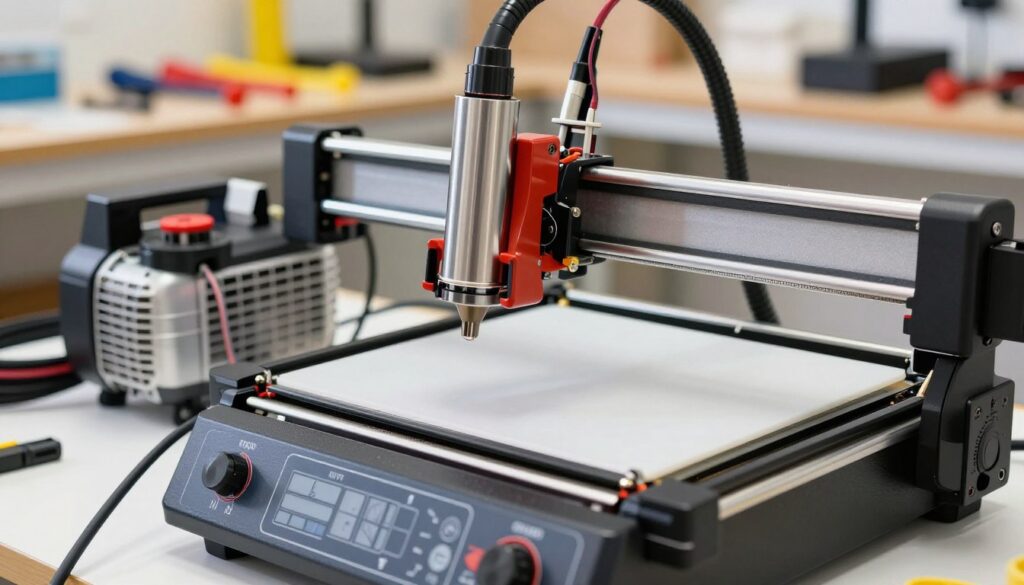
The first step involves attaching the nozzle directly to the laser module. You must ensure the nozzle is perfectly centered with the laser beam to avoid interference. Precision is vital here, as even a slight misalignment can block the beam or cause uneven engraving results.
Routing the Air Tubing Safely
Once the nozzle is secure, you need to manage the air assist hose for laser engraver units carefully. Proper routing prevents the tubing from snagging on the frame during high-speed movements.
Managing Cable Drag and Tension
I recommend using cable ties or drag chains to bundle the tubing with your existing wiring harness. This keeps the path clear and prevents the hose from pulling on the laser head. Consistent tension is necessary to maintain smooth motion across the entire work area.
Securing Tubing to Prevent Kinks
Check that the tubing has enough slack to reach the corners of your workspace without stretching. If the hose bends too sharply, it will restrict airflow and reduce the effectiveness of your system. Use gentle curves rather than tight angles to keep the air flowing freely.
Connecting the Tubing to the Air Compressor
Now, you must link your system to the laser engraver air assist compressor. Ensure the connection is airtight to maintain consistent pressure throughout your project.
Installing Inline Filters and Check Valves
I always install an inline filter to remove moisture and oil from the air supply. A check valve is also essential to prevent backflow, which could damage your compressor. These components act as a critical safety barrier for your hardware.
Adjusting Airflow Pressure Settings
Different materials require specific pressure levels to achieve the best results. Use the table below as a reference for your initial setup.
| Material Type | Recommended Pressure | Primary Benefit |
|---|---|---|
| Thin Plywood | Low (5-10 PSI) | Prevents charring |
| Acrylic Sheets | High (20-30 PSI) | Clears molten debris |
| Hardwood | Medium (15 PSI) | Deepens engraving |
| Leather | Low (5 PSI) | Reduces burn marks |
Testing and Optimizing Your Air Assist System
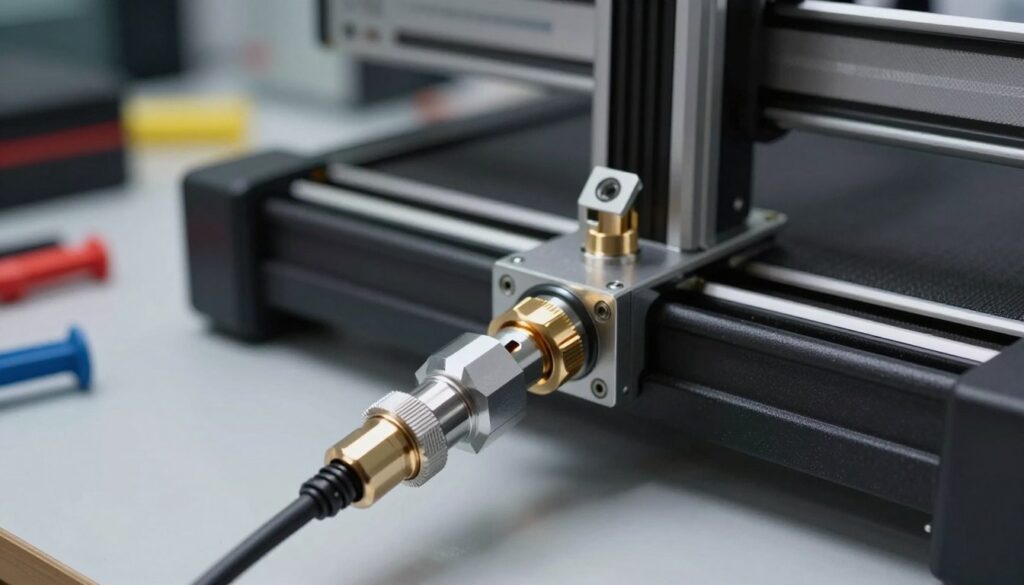
Once the installation is complete, the final phase involves rigorous testing and calibration to ensure your machine operates at peak performance. I always recommend a systematic approach to verify that your diode laser engraver air assist fittings are secure and free from any air leaks. A well-sealed system ensures that the maximum amount of air reaches the focal point, which is vital for clean cuts and sharp engravings.
Performing a Dry Run Test
Before you power on the laser, you must perform a dry run to confirm that the nozzle does not collide with your workpiece. I suggest running your software’s frame command while the laser is off to observe the nozzle path closely. This simple step prevents costly damage to your equipment and ensures the tubing does not snag during complex movements.
“Precision in the setup phase is the difference between a masterpiece and a failed project.”
Adjusting Nozzle Alignment for Precision
Proper alignment is critical for achieving consistent results across your entire work area. You should verify that the air stream is directed exactly at the point where the laser beam hits the material. If the nozzle is slightly off-center, you may notice uneven charring or incomplete cuts on one side of your design.
Fine-Tuning Air Pressure for Different Materials
Different materials react uniquely to airflow, so I find it helpful to maintain a log of successful pressure settings. You can adjust the air pressure using the regulator on your compressor to match the specific density and thickness of your medium. Consistent pressure is the key to maintaining high-quality output throughout your production runs.
Optimizing Airflow for Wood Engraving
When working with wood, you want enough air to clear smoke and debris without cooling the material too much. Excessive air can sometimes cause the laser to struggle with deep engraving, so start with a lower pressure setting. You should aim for a steady, gentle stream that keeps the lens clean while allowing the laser to burn effectively.
Managing Airflow for Acrylic Cutting
Acrylic requires a different approach because it tends to melt and re-fuse if the debris is not cleared immediately. I recommend using higher air pressure to blow away molten material and prevent flare-ups. This technique ensures that your edges remain smooth and transparent, which is essential for professional-grade acrylic projects.
- Check all diode laser engraver air assist fittings for tightness.
- Ensure the tubing has enough slack for full axis travel.
- Test the airflow intensity on scrap material before starting your final piece.
Conclusion
You now possess the knowledge to elevate your workshop capabilities through precise hardware integration. Setting up air assist on a laser engraver represents a major milestone in your journey toward professional-grade results. This upgrade ensures cleaner cuts and deeper engravings on materials like wood, acrylic, and leather.
My experience shows that consistent maintenance of your air system keeps your diode laser running at peak efficiency. You should monitor your airflow regularly to maintain the quality of your output. Proper care protects your lens from debris and smoke damage over time.
I encourage you to experiment with different pressure settings for various projects. Each material reacts differently to airflow, and finding your unique balance will unlock new creative possibilities. Setting up air assist on a laser engraver is a transformative step that secures the longevity of your equipment.
Your commitment to refining your craft will yield impressive results with every project. I look forward to seeing the intricate designs you create with your optimized laser system. Keep pushing the boundaries of what your machine can achieve.