I believe that setting up your workspace correctly is the most important part of owning a machine. When I started my journey, I quickly realized that mastering how to vent a laser engraver out a window safely is critical for any home or professional workshop.
You must prioritize your health by removing toxic fumes and smoke immediately. Relying on simple fans is never enough to protect your lungs from harmful airborne particles produced during the cutting process.
Implementing safe venting practices for laser engraving ensures that your creative environment remains clean and breathable. I designed this guide to help you build an effective exhaust system that keeps you protected from the very beginning of your project.
Key Takeaways
- Proper ventilation is essential for maintaining a healthy breathing environment.
- Exhaust systems prevent the buildup of toxic fumes and smoke.
- Effective setups protect you from dangerous airborne particles.
- Planning your exhaust path is a critical step for workshop safety.
- Professional venting standards ensure long-term equipment performance.
Understanding the Risks of Laser Fumes
When I first started laser engraving, I quickly realized that the smoke produced was far more than just a nuisance. While the creative potential of these machines is immense, the byproduct of vaporizing materials is a cocktail of invisible chemicals and fine dust. Without a robust plan for laser engraver ventilation, you are essentially breathing in the remnants of your projects.
Why Proper Ventilation is Non-Negotiable
Many beginners assume that a simple air purifier or a small desk fan will suffice for their setup. Unfortunately, these devices are rarely capable of handling the high-intensity fumes generated during a long cutting session. Effective laser engraver fume extraction requires a system that moves air directly from the machine to the outside environment.
Relying on internal filtration often leads to a false sense of security. These filters quickly become saturated, allowing toxic gases to recirculate throughout your home or shop. By venting directly out a window, you ensure that hazardous pollutants are permanently removed from your breathing zone rather than just being trapped in a filter.
Identifying Hazardous Byproducts
The process of laser cutting involves thermal degradation, which breaks down materials into dangerous components. Depending on what you are cutting, you may be releasing volatile organic compounds (VOCs), formaldehyde, or even hydrogen cyanide. These substances are not just irritating; they can lead to severe long-term respiratory complications if exposure remains unchecked.
Beyond gases, the machine also produces fine particulate matter that can penetrate deep into your lungs. This dust is often microscopic and invisible to the naked eye, making it particularly insidious. The following table highlights why professional extraction is superior to basic air cleaning methods.
| Feature | Simple Air Filter | Professional Extraction |
|---|---|---|
| Pollutant Removal | Partial capture | Complete removal |
| VOC Handling | Ineffective | Highly effective |
| Maintenance | Frequent replacement | Low maintenance |
| Safety Level | Low | High |
Essential Equipment for Your Ventilation Setup
My experience with various venting solutions for laser engravers has taught me that the right equipment makes all the difference. Building a reliable system requires more than just a fan; it demands components that can handle the intense heat and chemical byproducts generated during operation.
Selecting the Right Inline Duct Fan
The heart of your system is the inline duct fan. You must choose a model that provides enough static pressure to push air through the entire length of your hose. If the fan is too weak, smoke will linger inside the machine, potentially damaging your optics.
I recommend looking for fans with variable speed controls. This allows you to adjust the airflow based on the material you are cutting. Always prioritize high-quality motors that are rated for continuous use to ensure longevity.
Choosing Durable Ducting Materials
When exploring laser cutter ventilation options, never settle for thin or flammable materials. You need ducting that is fire-resistant and capable of withstanding high temperatures. Aluminum foil ducting is a popular choice because it is flexible and holds its shape well under pressure.
Avoid using standard plastic dryer vents, as they can melt or release toxic fumes when exposed to laser heat. Investing in reinforced, heat-rated ducting is a critical safety step that protects your home and your equipment.
Required Hardware for Window Mounting
A professional laser engraver ventilation setup requires secure mounting hardware to keep the exhaust port in place. You will need heavy-duty hose clamps to ensure every connection is airtight. Leaks in your ducting will significantly reduce the efficiency of your entire system.
Consider using custom-cut acrylic or plywood inserts for your window frame. These provide a stable surface to mount your exhaust flange. Proper sealing is essential to prevent outside air from blowing back into your workspace while keeping your setup looking clean and organized.
How to vent a laser engraver out a window safely
If you want to master how to vent a laser engraver out a window safely, you must start by optimizing your physical layout. Proper airflow management prevents harmful particles from lingering in your workspace. I recommend keeping your machine as close to the exit point as possible to maintain high pressure and efficiency.
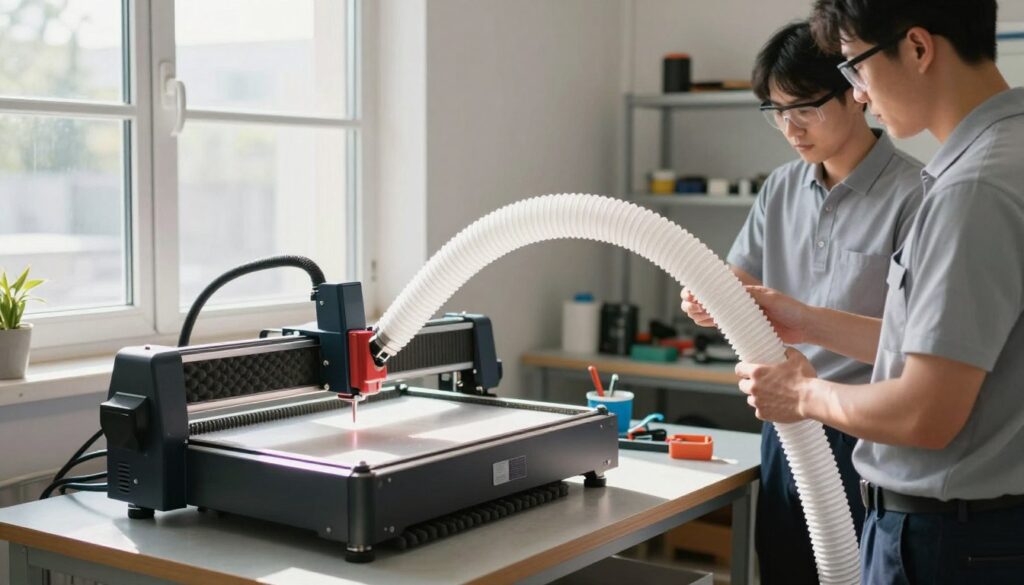
Step One: Positioning Your Laser Engraver Near the Window
The distance between your machine and the window directly impacts the quality of your laser engraver fume extraction. I always suggest placing the unit within three to five feet of the opening. This short distance reduces the workload on your inline fan and prevents potential clogs in the ducting.
Step Two: Connecting the Exhaust Hose to the Machine
Once the machine is in place, you must attach the exhaust hose securely to the rear port. Use a high-quality hose clamp to ensure an airtight seal, which is vital for effective laser engraver fume extraction. If the connection is loose, smoke will leak into your room before it ever reaches the window.
Step Three: Routing the Ducting to the Window Opening
When routing your ducting, try to keep the path as straight as possible. Every bend or kink in the hose creates resistance, which forces your fan to work harder. I find that using smooth-walled rigid ducting for the majority of the run provides the best results for airflow.
Step Four: Securing the Exhaust Port to the Window Frame
Finally, you need to build a stable window exhaust system for laser engraver units that stays in place during operation. Use a custom-cut piece of plywood or acrylic to fill the window gap, ensuring the hose is sealed tightly with weather stripping. This setup prevents outside air from blowing back into your shop while keeping the exhaust path clear.
| Component | Material Type | Efficiency Rating | Durability |
|---|---|---|---|
| Flexible Hose | Aluminum Foil | Moderate | Low |
| Rigid Ducting | Galvanized Steel | High | High |
| Window Insert | Plywood/Acrylic | Excellent | High |
Effective Window Sealing Techniques
Securing your window exhaust for laser engraving machine setup requires more than just placing a hose in an opening; it demands a custom, airtight barrier. Without a proper seal, hazardous fumes can easily circulate back into your room, defeating the purpose of your entire ventilation system.
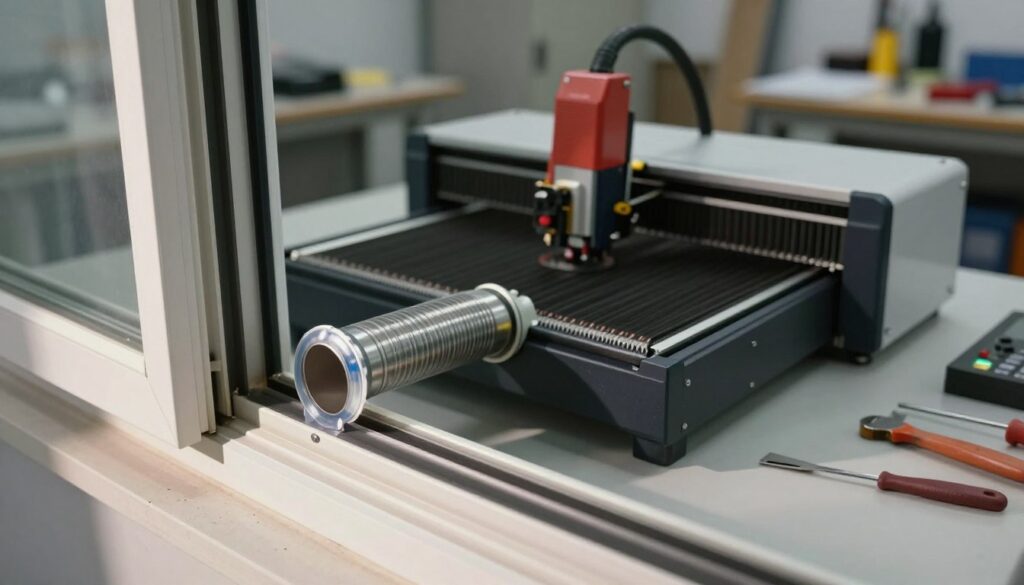
Creating a Custom Window Insert
I recommend building a dedicated insert to replace your window screen during operation. This approach ensures your laser engraver ventilation setup remains stable and professional throughout the day.
Using Acrylic or Plywood Panels
You can easily fabricate a custom panel using either acrylic or plywood. Acrylic is a popular choice because it is transparent and maintains the aesthetic of your workspace, while plywood offers superior durability and is easier to cut with basic hand tools.
Simply measure your window opening precisely and cut the material to fit snugly within the frame. Once cut, use a hole saw to create an opening that matches the diameter of your exhaust hose for a tight, secure fit.
Adding Weather Stripping for an Airtight Seal
Even with a perfectly cut panel, small gaps often remain around the edges. Applying adhesive-backed foam weather stripping is one of the most effective safe venting practices for laser engraving to ensure no air escapes or enters.
This simple addition prevents insects from entering your home and keeps outdoor air from disrupting your machine’s airflow. I suggest applying the stripping to the perimeter of your insert before pressing it firmly into the window frame.
Managing Window Security During Operation
Maintaining home security is a top priority when your window is partially open for ventilation. I always ensure that my window is locked against the insert to prevent it from being opened from the outside.
If your window design does not allow for a standard lock, consider using a wooden dowel or a security bar in the window track. This simple, low-cost solution provides peace of mind while you focus on your creative projects, knowing your workspace remains both safe and secure.
Optimizing Fan Performance and Airflow
Maximizing the efficiency of your laser engraver ventilation is about more than just buying a powerful fan. To achieve professional results, I focus on the physics of air movement to ensure that fumes are removed effectively. Understanding how air travels through your system will help you maintain a safer and cleaner workspace.
Calculating CFM Requirements for Your Laser
The Cubic Feet per Minute (CFM) rating determines how much air your fan can move. I recommend calculating this based on the total volume of your laser cabinet and the frequency of your projects. A general rule is to ensure your fan can exchange the entire volume of air in your room at least once every few minutes.
When evaluating various laser cutter ventilation options, look for a fan that exceeds your calculated minimum. It is always better to have a bit of extra power than to struggle with lingering smoke. You can adjust the airflow using a speed controller if the suction becomes too strong for your specific materials.
Minimizing Bends and Kinks in Ducting
One of the most effective tips for venting a laser engraver is to keep your ducting as straight as possible. Every bend or kink in the hose creates resistance, which forces your fan to work harder and reduces overall airflow. I always try to use rigid metal ducting for long runs to prevent sagging and unnecessary friction.
- Use smooth-walled pipes instead of flexible plastic hoses whenever possible.
- Keep the total length of your ducting under ten feet to maintain high velocity.
- Avoid sharp 90-degree turns; use two 45-degree elbows to create a smoother path.
Managing Negative Pressure in Your Workspace
Managing negative pressure is vital to ensure that air is consistently pulled out of the room. If your room is sealed too tightly, the fan will struggle to pull air through the machine, leading to poor exhaust performance. I suggest cracking a window or door in a different part of the room to allow fresh air to enter.
This simple step creates a steady flow of air that pushes fumes toward your exhaust port. By maintaining this balance, you prevent the recirculation of hazardous particles. Proper airflow management is the key to a professional and safe laser cutting environment.
Maintenance and Troubleshooting Your Exhaust System
I have found that consistent care is the secret to a reliable exhaust setup. When you operate a window exhaust for laser engraving machine, you are dealing with fine particles and sticky residues that accumulate over time. Neglecting these components can lead to reduced efficiency and significant safety risks.
Cleaning Ductwork to Prevent Fire Hazards
The interior of your ducting acts as a trap for soot and resin produced during cutting. These materials are highly flammable and can ignite if a stray spark travels through the hose. I recommend inspecting your ductwork every few weeks to ensure there is no heavy buildup.
If you notice a thick, dark coating inside the hose, it is time for a deep clean. You can often remove flexible ducting and wash it with warm, soapy water. Always ensure the material is completely dry before reinstalling it to prevent mold or electrical shorts.
Checking for Air Leaks in the System
A compromised window exhaust system for laser engraver setups will allow toxic fumes to leak back into your room. I suggest performing a smoke test by placing a small incense stick near the joints while the fan is running. If the smoke is pulled toward a connection point rather than the duct, you have a leak.
Use high-quality aluminum foil tape to seal any gaps you discover. Avoid using standard duct tape, as the adhesive often fails when exposed to the heat and vibrations of the fan. Regularly checking these seals ensures your workspace remains safe and free of harmful vapors.
When to Replace Your Inline Fan
Even the best equipment eventually suffers from fan fatigue. You should listen for grinding noises or a noticeable drop in suction power, which are clear indicators that the motor is failing. If the fan housing becomes excessively hot to the touch, it is time to consider a replacement.
Maintaining your window exhaust system for laser engraver hardware is a simple way to extend the life of your machine. Use the following table to keep track of your maintenance tasks.
| Task | Frequency | Action Required |
|---|---|---|
| Duct Inspection | Monthly | Check for soot buildup |
| Seal Verification | Quarterly | Apply foil tape to leaks |
| Fan Performance | Bi-Annually | Listen for motor noise |
| Full System Wash | Annually | Clean or replace hoses |
Conclusion
Building a reliable exhaust system transforms your workspace into a professional studio. I believe that investing time in proper venting solutions for laser engravers protects your health and your equipment. A well-ventilated room allows you to focus entirely on your creative output.
You now possess the knowledge to manage air quality effectively. Applying these tips for venting a laser engraver ensures that your machine operates at peak efficiency. Consistent airflow prevents the buildup of harmful particles and keeps your lens clean for sharper cuts.
I recommend that you inspect your ducting and fan performance on a monthly basis. Small adjustments to your setup often lead to significant improvements in air safety. Your commitment to these standards makes every project safer for you and your community.
Take pride in the professional setup you have created. A clean, clear workspace is the foundation of every great laser project. Keep refining your process to achieve the best results with your Glowforge or xTool machine.