There is nothing more frustrating than watching a project fail because your machine lost its position mid-job. I have spent countless hours troubleshooting these alignment errors, and I understand the sheer annoyance of ruined materials. When you ask yourself why does my laser engraver skip steps on the x axis, you are likely dealing with a breakdown in mechanical tension or electrical signal integrity.
In this guide, I will walk you through the common failure points that cause these precision issues. My goal is to provide a clear, professional roadmap to help you diagnose and resolve these alignment problems effectively. By following these steps, you can restore your machine’s accuracy and ensure your future projects are completed without errors.
Key Takeaways
- Identify common mechanical causes like loose belts or pulleys.
- Check electrical connections for loose wiring or driver interference.
- Learn how to calibrate your machine for better precision.
- Understand the importance of regular maintenance to prevent future errors.
- Follow a systematic approach to troubleshoot alignment issues quickly.
Understanding Why Does My Laser Engraver Skip Steps on the X Axis
I have spent countless hours analyzing why does my laser engraver skip steps on the x axis to save my materials from being wasted. When a machine loses its position, it usually means the motor is failing to complete the commanded rotation. This discrepancy between the software instructions and the physical movement leads to significant errors in your final output.
Identifying the Symptoms of Step Loss
The most obvious sign of a problem is a shifted engraving where the design appears to jump or double up halfway through the process. You might notice that your lines are no longer crisp or that the laser head seems to struggle during rapid movements. These visual cues are the primary indicators that you need to begin troubleshooting laser engraver skipping steps immediately.
“Precision is not just a goal in manufacturing; it is the foundation upon which all quality craftsmanship is built.”
If your machine produces distorted patterns or fails to return to the home position accurately, the issue is likely persistent. I often look for these patterns early to prevent further damage to my workpieces. Recognizing these symptoms early is the best way to avoid total project failure.
Common Causes of X Axis Mechanical Failure
When I experience a laser engraver skipping steps x axis, I look at both physical resistance and electrical stability. Mechanical binding often occurs when debris accumulates on the rails or when the belt tension is improperly set. These physical obstructions force the stepper motor to work harder than it should, eventually causing it to stall.
Electrical interference can also disrupt the signal sent to the motor drivers. If the wiring is loose or shielded poorly, the motor may receive erratic pulses that cause it to lose its place. By isolating these variables, I can determine if the fault lies in the hardware or the control system.
Inspecting Mechanical Components for Resistance
Resolving laser engraver skipping problems often requires a hands-on approach to the machine’s mechanical components. I find that even minor friction can cause the stepper motor to stall, leading to lost steps during a job. By performing a thorough physical inspection, I can identify and remove the obstacles preventing smooth motion.
Checking Linear Rails and Bearings for Debris
The linear rails are the foundation of your machine’s movement. Over time, dust, smoke residue, and resin buildup accumulate on these tracks. This debris acts like a speed bump for the carriage bearings, forcing the motor to work harder than intended.
I recommend running your finger along the rails to feel for any gritty texture or sticky spots. If the carriage does not glide effortlessly when the power is off, you have likely found the source of your resistance.
Evaluating Lubrication Needs for Smooth Movement
Once the rails are clean, I evaluate the state of the lubrication. Proper lubrication is essential for reducing friction between the metal surfaces. Without it, the bearings can bind, which directly impacts the accuracy of your engravings.
Cleaning the Rail Tracks
To start, I use a lint-free cloth dampened with isopropyl alcohol to wipe down the entire length of the X-axis rail. I make sure to reach into the grooves where debris hides most often. Consistency is key here, as even a small speck of hardened resin can cause the carriage to stutter.
Applying the Correct Lubricant
After the tracks are dry, I apply a thin layer of high-quality synthetic lubricant. I avoid heavy greases that might attract more dust over time. This simple maintenance task is a critical part of my regular laser engraver x axis troubleshooting routine to ensure the machine remains reliable for years to come.
Troubleshooting Laser Engraver Stepper Motor Issues
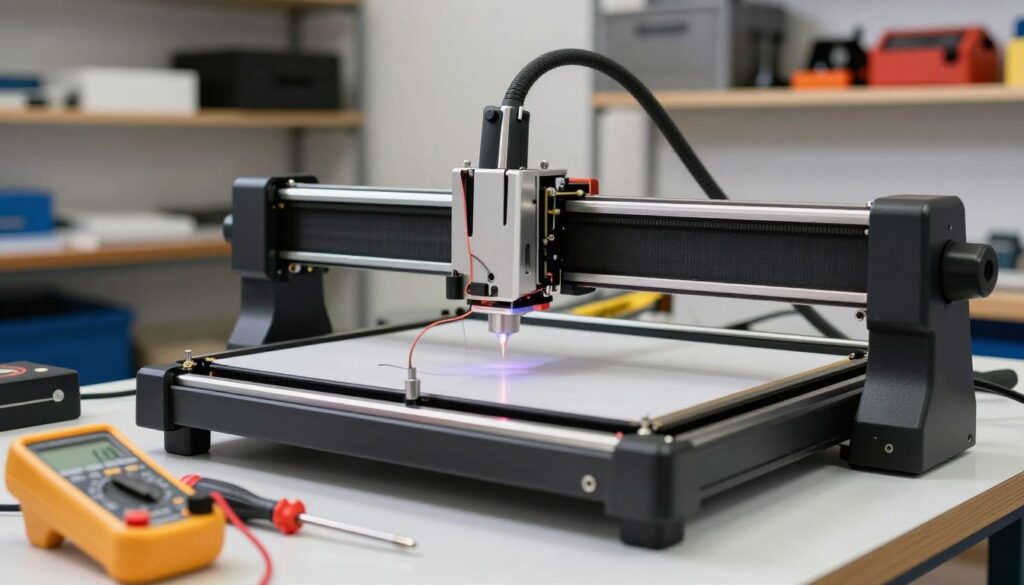
Addressing laser engraver stepper motor issues requires a systematic look at the electrical path from the controller to the motor. When mechanical components are clear, I turn my attention to the electrical side of the machine to ensure stable power delivery. This process is vital when the motor lacks the torque required to complete complex movements.
Testing Motor Wiring and Connections
I start by inspecting the wiring harnesses for loose connections or damaged cables that might cause intermittent signal loss. A single frayed wire can lead to erratic behavior during high-speed operations. I always ensure that every plug is seated firmly into the controller board and the motor housing.
If I suspect a connection issue, I use a multimeter to check for continuity across the cable. Consistent electrical flow is the foundation of precise engraving. If the wiring shows signs of wear, replacing the entire harness is often the safest solution to prevent future failures.
Identifying Overheating in Stepper Drivers
Stepper drivers are prone to heat buildup, which can cause the controller to enter a thermal protection mode. When this happens, the driver may temporarily cut power to the motor, leading to skipped steps. I check the cooling fans on my control board to ensure they are functioning correctly and providing adequate airflow.
“Proper thermal management is the silent hero of long-duration laser engraving projects, ensuring that your hardware remains within safe operating limits.”
Adjusting Vref Settings on the Controller Board
When the motor still lacks torque, I look into troubleshooting laser engraver skipping steps by adjusting the Vref settings. This voltage reference determines how much current the driver sends to the motor. If the Vref is too low, the motor will stall under load; if it is too high, the driver will overheat rapidly.
| Component | Common Issue | Diagnostic Step |
|---|---|---|
| Wiring Harness | Loose Connection | Check continuity with multimeter |
| Stepper Driver | Thermal Shutdown | Verify fan operation and airflow |
| Controller Board | Incorrect Vref | Measure voltage at the potentiometer |
I carefully adjust the potentiometer on the driver while measuring the voltage with a multimeter. I always make these adjustments in tiny increments to avoid damaging the sensitive electronics. By finding the optimal balance, I ensure my machine operates with the necessary power to maintain accuracy throughout every job.
Adjusting Belt Tension and Pulley Alignment
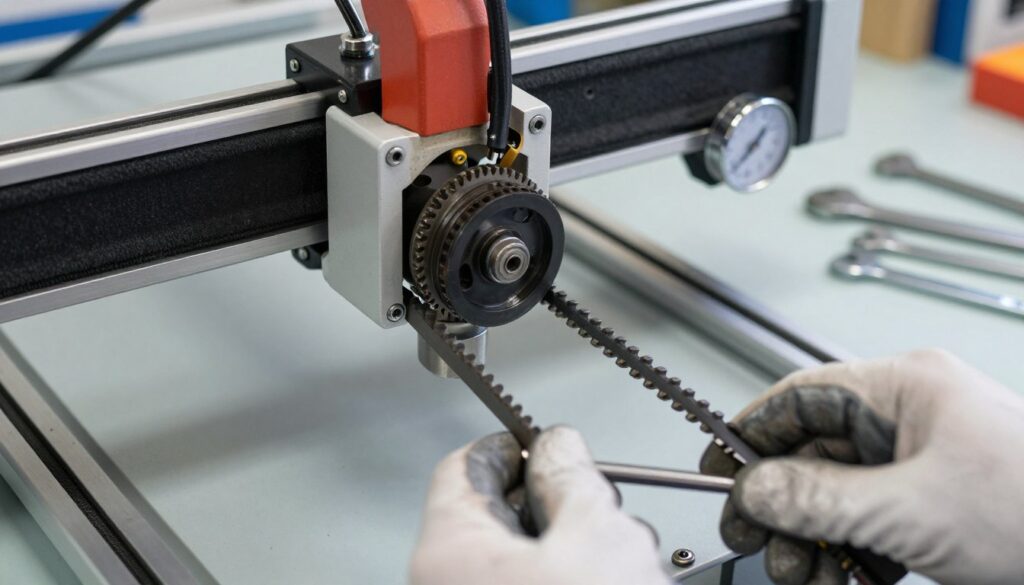
If you notice your laser engraver skipping steps x axis, the belt system is the first place to check. I have found that mechanical slack is a frequent culprit when my machine fails to maintain its position during a complex cut. Performing proper laser engraver x axis troubleshooting ensures that your hardware remains reliable and accurate over time.
Determining the Correct Belt Tension
Finding the perfect balance for your belts is vital for smooth operation. I always aim for a tension that is tight enough to prevent the belt from slipping on the teeth, yet loose enough to avoid putting excessive strain on the motor bearings.
If the belt is too loose, the motor will rotate without moving the carriage effectively. Conversely, an overly tight belt can cause premature wear on your components and lead to motor overheating. Always test the tension by gently plucking the belt; it should have a slight, firm resistance similar to a guitar string.
Aligning Pulleys to Prevent Binding
Even with perfect tension, misaligned pulleys can cause significant issues. I make sure that the belt runs perfectly parallel to the frame of the machine. If the belt is angled, it will rub against the sides of the pulley, creating friction that leads to binding.
This friction often results in the motor losing its grip, which is a common cause for a laser engraver skipping steps x axis. I recommend checking the alignment by rotating the axis by hand while the machine is powered off. You should feel consistent, smooth movement across the entire length of the rail.
Tightening Loose Grub Screws
The pulleys are held in place by small components known as grub screws. Over time, the constant vibration of the machine can cause these screws to loosen, allowing the pulley to slip on the motor shaft.
I make it a habit to inspect these screws regularly as part of my laser engraver x axis troubleshooting routine. If you find a loose screw, tighten it firmly against the flat side of the motor shaft. This simple step prevents the belt from jumping teeth and ensures that your movements remain precise during every job.
Performing Laser Engraver X Axis Calibration
When my hardware is fully optimized, I turn my attention to the firmware settings. This process ensures that the software commands sent from my computer match the physical movement of the gantry. A proper laser engraver x axis calibration is essential for maintaining consistent output quality.
Verifying Steps Per Millimeter in Firmware
I start by checking the firmware configuration to confirm the steps per millimeter value. This setting dictates how many motor pulses are required to move the laser head exactly one millimeter. If this value is incorrect, the machine will consistently over-travel or under-travel during operation.
I use the console window in my control software to query the current configuration. Accuracy here is non-negotiable, as even a minor deviation can lead to distorted designs or recurring alignment errors.
Running Test Patterns to Confirm Accuracy
After verifying the firmware, I run a simple test pattern to confirm physical accuracy. I typically engrave a square of a known size, such as 50mm by 50mm, and measure the result with digital calipers. This step is a highly effective method for fixing x axis skipping on laser engraver units that are otherwise mechanically sound.
If the measured dimensions do not match the design file, I calculate the necessary adjustment ratio. I then update the firmware with the corrected steps per millimeter value to ensure the machine moves exactly as intended.
Fine-Tuning Settings in LightBurn or LaserGRBL
Once the base calibration is set, I perform fine-tuning within my software interface. Both LightBurn and LaserGRBL offer advanced settings to account for minor discrepancies in motor performance or belt elasticity. I adjust the acceleration and maximum speed parameters to prevent the motors from losing torque during rapid movements.
By refining these settings, I ensure that my laser engraver x axis calibration remains stable over long-term use. This final layer of configuration provides the reliability I need for complex, high-precision projects.
Conclusion
Achieving precision in your workshop requires a deep understanding of your machine mechanics. I have outlined the essential steps for diagnosing and repairing motion issues on your laser engraver. By systematically addressing mechanical resistance, electrical stability, and firmware calibration, you are well on your way to resolving laser engraver skipping problems for good.
I hope these practical tips help you in fixing x axis skipping on laser engraver machines so you can return to your creative projects with confidence. Consistent maintenance remains the best strategy for preventing these issues from recurring in the future. Regular inspections of your Ortur, xTool, or Glowforge hardware will keep your production line moving smoothly.
Take a moment to document your specific settings after you finish your calibration. Keeping a log of your belt tension and motor driver temperatures helps you track the health of your equipment over time. Reach out to your local maker community if you encounter unique hardware quirks during your repair process. Your dedication to proper machine care ensures high-quality results on every single project.