When I first started my journey into the world of crafting, I was captivated by the precision of my new machine. However, I quickly realized that the smoke and particles generated during projects were more than just a nuisance. Maintaining a clean, safe workshop environment became my top priority after a few long sessions left me feeling lightheaded.
I learned the hard way that ventilation is not optional. Finding the best desktop air purifier for extraction of laser fumes is a non-negotiable step for any hobbyist working in confined spaces. Without proper filtration, you are breathing in harmful byproducts that compromise your health over time.
My search for the best air purifier for laser engraving led me through many trial-and-error purchases. I want to share my personal experiences to help you avoid the same mistakes. By managing your air quality effectively, you can focus on your creativity while keeping your workspace safe and professional.
Key Takeaways
- Laser engraving produces hazardous particles that require active filtration.
- A dedicated ventilation system is essential for indoor workshops.
- Prioritizing air quality protects your long-term respiratory health.
- Not all filtration units are built to handle heavy smoke output.
- Proper setup ensures a safer and more enjoyable crafting experience.
Why Proper Ventilation is Critical for Laser Engraving
Every time my laser hits a piece of wood, acrylic, or leather, it releases a complex cocktail of harmful substances into my workspace. While the visual smoke might seem like a simple byproduct, it is actually a dense cloud of microscopic debris. Ignoring this reality is a mistake that can lead to severe consequences for my long-term health.
Understanding the Chemical Composition of Laser Smoke
When a laser beam vaporizes material, it breaks down chemical bonds at a molecular level. This process creates volatile organic compounds (VOCs) and fine particulate matter that remain suspended in the air long after the job finishes. These particles are often small enough to bypass standard household air filters.
Different materials produce unique hazards. For instance, burning acrylic releases toxic gases, while treated woods can emit formaldehyde or other chemical binders. Using a high-quality laser fume extractor is the only way to capture these invisible threats before they settle in my lungs.
Health Risks Associated with Unfiltered Laser Emissions
The immediate effects of breathing these emissions are often noticeable as throat irritation, coughing, or watery eyes. Over time, however, the risks become much more severe. Chronic exposure to fine particulates can lead to diminished lung function and other respiratory complications.
Effective laser fume removal is not just a luxury; it is a fundamental requirement for any safe studio. By investing in proper ventilation, I ensure that my creative process does not come at the cost of my physical well-being. Prioritizing clean air allows me to focus on my designs rather than worrying about the hidden dangers of my equipment.
How to Choose the Best Desktop Air Purifier for Extraction of Laser Fumes
Finding the best desktop air purifier for extraction of laser fumes requires careful consideration of technical specifications. I have found that investing in the right hardware is essential for maintaining a safe and productive workshop. By focusing on specific performance metrics, you can ensure your breathing zone remains clear of harmful particles and gases.
Evaluating Filtration Stages: HEPA and Activated Carbon
The most effective systems utilize a multi-stage approach to capture hazardous emissions. A high-quality best air purifier for laser engraving must feature a true HEPA filter to trap microscopic particulate matter generated during the cutting process.
However, HEPA filters alone cannot neutralize the toxic gases produced by vaporized materials. You must ensure your unit includes a thick bed of activated carbon to adsorb chemical odors and volatile organic compounds. This synergy between filtration layers is the hallmark of a professional-grade system.
Determining Required Airflow and CFM Ratings
When selecting a desktop fume extractor, you need to calculate the necessary airflow based on your laser enclosure volume. A general rule of thumb is to ensure the fan can exchange the total air volume of your workspace at least once every minute.
Look for the Cubic Feet per Minute (CFM) rating provided by the manufacturer. If your laser has a large bed, you will need a higher CFM rating to maintain negative pressure and prevent smoke leakage. Always verify that the rated airflow accounts for the resistance caused by the filters themselves.
Assessing Noise Levels for a Desktop Environment
A desktop air cleaner should be powerful enough to handle fumes without creating an unbearable work environment. I prioritize units that operate below 60 decibels, which allows for normal conversation while the machine is running.
High-speed fans often generate significant noise, so look for models with variable speed controls. This feature lets you balance extraction power with acoustic comfort depending on the material you are currently engraving.
| Feature | Entry-Level Unit | Professional System |
|---|---|---|
| Filtration Type | Single-stage HEPA | HEPA + Deep Carbon Bed |
| Airflow (CFM) | 50 – 100 | 150 – 300+ |
| Noise Level | 65+ dB | 45 – 55 dB |
| Filter Life | Short (1-2 months) | Long (6+ months) |
Step-by-Step Setup of My Preferred Extraction System
My personal workflow for installing a ventilation system focuses on efficiency and safety. When you invest in a laser fume extractor, the physical installation determines how effectively it protects your lungs. A well-planned setup ensures that your desktop air purifier for laser cutting operates at its peak potential during every session.
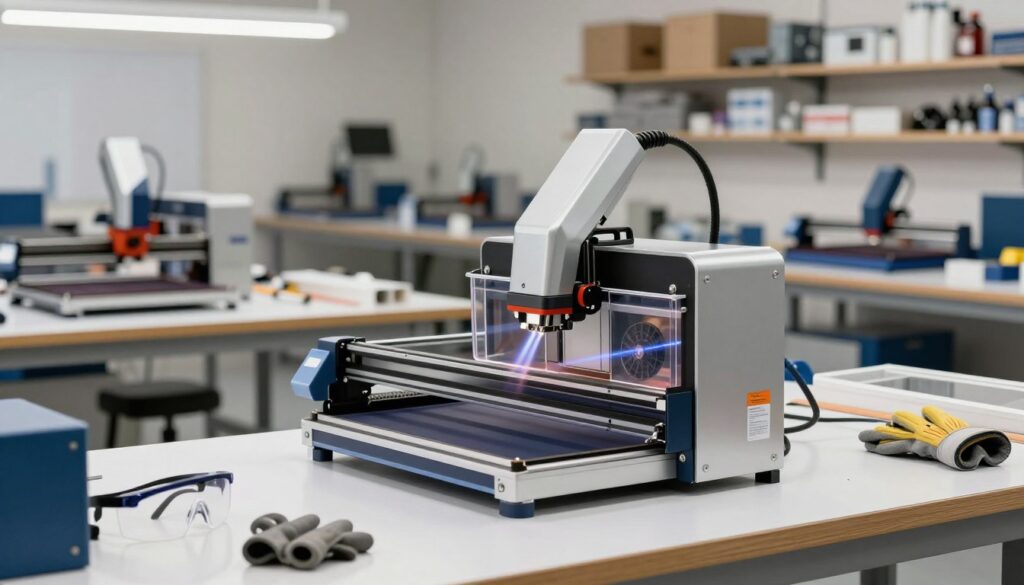
Positioning the Intake Nozzle for Maximum Capture
The most critical factor in laser fume removal is the proximity of the intake nozzle to the laser head. I always position the nozzle within two inches of the cutting point to capture smoke before it spreads. This proactive placement prevents hazardous particles from lingering in your workspace air.
Securing Airtight Connections Between the Laser and Purifier
I prioritize airtight seals to maintain the suction pressure of my laser cutting fume extractor. Any gap in the hose or the connection port causes a significant drop in airflow efficiency. I use high-quality aluminum tape or heavy-duty clamps to ensure that every bit of smoke is directed through the filtration media.
“Effective ventilation is not just about the equipment you buy, but how you integrate it into your daily workflow to minimize exposure.”
Calibrating Fan Speed Based on Material Type
Adjusting the fan speed is essential for managing different levels of smoke production. I find that a consistent, moderate flow works for most tasks, but specific materials require manual adjustments to keep the air clean.
Adjusting for Wood and Acrylic Cutting
When I work with wood or acrylic, the volume of smoke increases rapidly. I set my desktop air purifier for laser cutting to a high-speed setting to handle the heavy particulate load. This ensures that the laser fume removal process remains effective even during long, deep cuts.
Managing Settings for Engraving Metals
Engraving metals typically produces less smoke than organic materials, but it often involves fine metallic dust. I prefer a lower, steady fan speed for these projects to prevent the filter from clogging prematurely. This balanced approach extends the life of your laser cutting fume extractor while maintaining a safe environment.
| Material Type | Smoke Density | Recommended Fan Speed |
|---|---|---|
| Acrylic | High | Maximum |
| Hardwood | Medium-High | High |
| Coated Metal | Low | Low-Medium |
| Plywood | Medium | Medium |
Essential Maintenance Practices for Optimal Air Quality
I have found that consistent care for my extraction unit prevents many common operational headaches. Maintaining your equipment is just as important as the initial purchase, as clogged filters can drastically reduce the effectiveness of your system. Whether you use a desktop air purifier for laser cutting or an air purifier for 3D printing, these habits ensure long-term reliability.
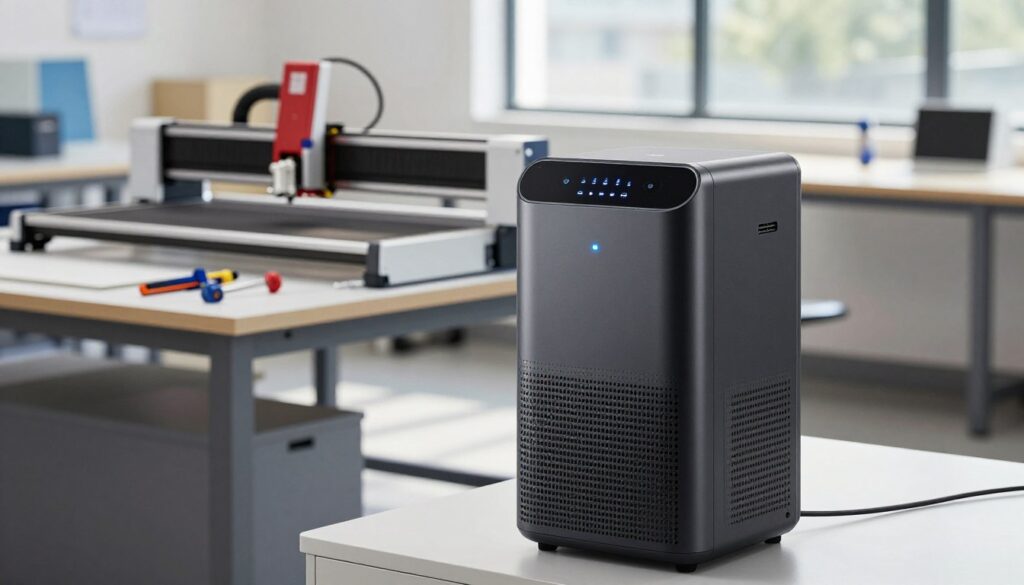
Monitoring Filter Saturation Indicators
Most modern units feature digital sensors that track airflow resistance. When the internal fan struggles to pull air through the system, the saturation indicator will trigger a warning light. I recommend checking this display before every major project to avoid sudden performance drops.
If your desktop air cleaner lacks a digital sensor, you should monitor the exhaust flow manually. A noticeable decrease in suction power at the nozzle is a clear sign that your filters are reaching their capacity. Ignoring these signals can lead to motor strain and poor air quality in your workspace.
Cleaning the Pre-Filter to Extend HEPA Life
The pre-filter acts as the first line of defense against large dust particles and debris. By vacuuming or washing this layer regularly, you prevent the expensive HEPA filter from clogging prematurely. I make it a point to inspect this layer every ten hours of operation to keep my desktop air purifier for laser cutting running efficiently.
Replacing Activated Carbon Pellets
While HEPA filters capture particulates, activated carbon is essential for neutralizing harmful chemical fumes. Over time, these pellets become saturated and lose their ability to absorb odors. When you notice a lingering smell despite a clean pre-filter, it is time to replace the carbon media to maintain a safe desktop air cleaner environment.
| Component | Maintenance Action | Frequency |
|---|---|---|
| Pre-Filter | Vacuum or Wash | Every 10-20 Hours |
| HEPA Filter | Full Replacement | Every 3-6 Months |
| Carbon Pellets | Full Replacement | Every 2-4 Months |
| Intake Hose | Clear Debris | Monthly |
Following this schedule will protect your investment and keep your workspace safe. Proper maintenance is the best way to ensure your air purifier for 3D printing or laser work remains effective for years to come.
Troubleshooting Common Fume Extraction Issues
I have found that addressing minor technical glitches early prevents major downtime in my workshop. Even the most robust systems require periodic attention to maintain peak efficiency. By learning to spot the early warning signs of failure, you can keep your environment safe and productive.
Identifying Causes of Persistent Odors
If you notice lingering smells despite having a desktop fume extractor running, the first culprit is usually a saturated filter. Activated carbon has a finite capacity to adsorb volatile organic compounds before it becomes ineffective. Always check your filter life indicators if your unit includes them, or perform a manual inspection of the carbon pellets.
Another common cause for odors is a breach in the seal of your ducting. Even a small gap can allow unfiltered air to bypass the filtration media entirely. I recommend inspecting all hose connections and gaskets to ensure they remain airtight during operation.
Resolving Airflow Restrictions in the Hose
A sudden drop in suction power often points to a physical blockage within the extraction hose. Over time, particulate matter can accumulate inside the tubing, especially if you are using an air purifier for 3D printing that handles fine resin dust. I suggest disconnecting the hose periodically to check for visible debris or clogs.
Sharp bends or kinks in the flexible ducting can also severely restrict airflow. Ensure your hose path is as straight as possible to minimize resistance. Proper hose management is essential for maintaining the high static pressure required for effective smoke removal.
Addressing Motor Performance Degradation
When your laser cutting fume extractor begins to sound louder than usual or fails to reach its top fan speed, the motor may be struggling. Dust buildup on the fan blades can cause an imbalance, leading to increased vibration and premature wear. I make it a habit to gently vacuum the intake area to prevent dust from reaching the internal motor components.
If the motor feels sluggish or emits an unusual heat, it might be nearing the end of its service life. Always verify that your power supply is stable, as voltage fluctuations can mimic motor failure. Consistent monitoring of these performance metrics ensures that your equipment remains a reliable asset in your creative process.
Conclusion
Mastering laser engraving requires more than just technical skill with machines like the xTool S1 or Glowforge Pro. It demands a commitment to air quality and personal safety. Proper ventilation serves as the backbone of a professional workspace.
I view high-quality extraction equipment as a vital investment rather than an optional accessory. Reliable filtration protects your lungs from harmful particulates while keeping your equipment running at peak performance. You gain peace of mind knowing your creative process remains safe for everyone in your home or studio.
Consistent maintenance habits turn a complex setup into a seamless part of your daily workflow. Small adjustments to your filter schedule prevent long-term damage to your laser optics and internal components. You control the air you breathe by staying proactive with your system checks.
I encourage you to evaluate your current setup against the standards shared here. Reach out to fellow makers in online forums to discuss your specific extraction challenges. Your dedication to a clean environment fosters better results and a more sustainable craft for years to come.