I understand the deep frustration that hits when a project fails because your machine fails to penetrate the material. It feels like a major setback when you expect a clean edge but end up with an incomplete job. Many operators face this exact dilemma during their daily production cycles.
When you ask yourself why is my laser cutter not cutting all the way through, you likely have a mechanical or software issue. Common culprits include dirty optics, misaligned mirrors, or incorrect power settings in your design file. Identifying these variables early saves significant time and prevents wasted materials.
My goal here is to provide a clear roadmap for diagnosing your equipment effectively. By following these steps, you can restore optimal performance and ensure consistent output for every project. Whether you are a hobbyist or a professional, mastering these troubleshooting techniques will keep your workflow running smoothly.
Key Takeaways
- Clean your lens and mirrors regularly to maintain beam intensity.
- Verify that your focal length matches the material thickness precisely.
- Check your software settings for power, speed, and frequency adjustments.
- Inspect the air assist system to ensure debris does not block the beam.
- Perform a test grid to calibrate your machine for different material types.
Understanding why is my laser cutter not cutting all the way through
When my machine stops cutting through materials, I know it is time to investigate the underlying hardware performance. It is common to feel discouraged when a project fails, but systematic diagnostics can usually pinpoint the issue quickly. Understanding why is my laser cutter not cutting all the way through is the first step toward restoring your machine to its full operational capacity.
Common symptoms of incomplete cuts
I often see specific signs that indicate the laser beam is losing its intensity before it reaches the material. One of the most frequent indicators is partial penetration, where the top layer of the material is marked but the bottom remains untouched. You might also notice charred or discolored edges, which suggest that the beam is not moving through the material with enough speed or focus to create a clean cut.
Another symptom involves inconsistent results across the work bed. If the machine cuts perfectly in one corner but fails in another, the issue is likely related to alignment rather than total power loss. Recognizing these patterns early helps me narrow down the potential culprits before I start taking the machine apart.
Identifying the root cause of power loss
Effective laser cutter troubleshooting requires me to distinguish between simple maintenance needs and more complex electrical failures. Often, the problem is as simple as a dirty lens or a misaligned mirror that scatters the beam’s energy. These issues are easily resolved with routine cleaning and calibration, which I recommend performing regularly to maintain optimal cutting depth.
However, if the optics are clean and the focus is correct, the issue might stem from the laser tube itself. Over time, gas-based tubes naturally degrade, leading to a noticeable drop in output power. By monitoring the milliamp (mA) readings on my control panel, I can determine if the tube is nearing the end of its lifespan or if there is a deeper electrical fault within the power supply.
Inspecting and cleaning the optical path
If you find your laser cutter not cutting properly, the first place to look is the optical assembly. Over time, microscopic dust and smoke residue accumulate on the glass surfaces. This buildup scatters the laser beam, significantly reducing the energy density required to penetrate your material.
Cleaning the laser lens and mirrors
Maintaining clean optics is a vital habit for any operator. When the beam path is obstructed, the laser loses power before it even touches the workpiece. I recommend using only high-quality lens tissue and specialized cleaning solutions to avoid scratching the delicate coatings on your optics.
Step-by-step lens maintenance
To clean your lens safely, start by removing it from the laser head assembly. Use a gentle air blower to remove loose particles before applying any liquid. Always use a circular motion with a lint-free cloth to prevent streaks. Once the lens is dry and clear, inspect it under a bright light to ensure no residue remains.
Mirror alignment verification
Even a perfectly clean lens will fail if the beam is not hitting the center of the mirror. If your laser engraver not cutting all the way through, the beam might be clipping the edge of the nozzle or mirror housing. I perform a “paper test” by placing a piece of thermal paper at each mirror station to verify the beam’s center point. If the mark is off-center, adjust the mirror screws until the beam hits the target consistently.
Checking for debris in the air assist nozzle
The air assist nozzle serves as a protective barrier between your lens and the cutting process. If this nozzle becomes clogged with soot or small debris, it creates turbulence that pushes smoke back toward the lens. This obstruction is a common reason for a laser engraver not cutting all the way through, as it forces the laser to burn through a cloud of smoke instead of the material.
| Component | Maintenance Frequency | Impact on Cutting |
|---|---|---|
| Focus Lens | Daily | High (Beam Clarity) |
| Mirrors | Weekly | Medium (Beam Path) |
| Air Nozzle | Daily | High (Smoke Clearing) |
| Gantry Rails | Monthly | Low (Mechanical) |
By keeping these components free of obstructions, you ensure that your machine maintains its factory-rated power. Regular inspections prevent the frustration of wasted materials and failed projects.
Verifying focus and material settings
If you notice your laser cutter not cutting deep enough, the culprit is often hidden in your software settings or lens distance. Achieving a clean, through-cut requires more than just high power; it demands precise calibration of your focal length. When the beam is not at its smallest, most intense point, the energy disperses, leading to poor results.
Calibrating the focal length
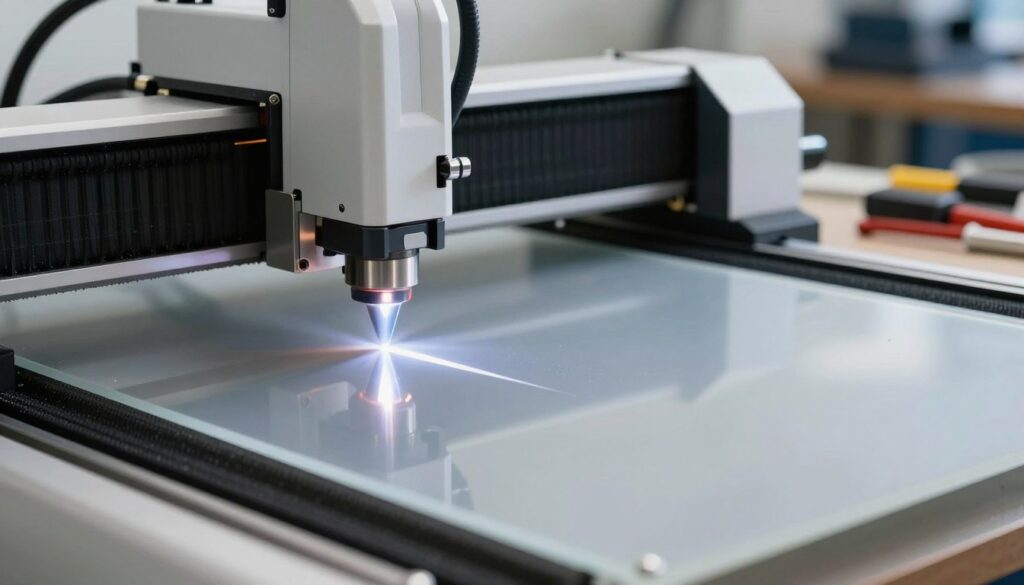
The focal length is the distance between the lens and the surface of your material. If this distance is incorrect, the laser beam will be wider than intended, reducing its cutting efficiency significantly.
Using a focus tool for precision
I always recommend using a physical focus tool or a gauge provided by the manufacturer to set this distance accurately. Simply place the tool on your material and adjust the bed height until the nozzle just touches the top of the gauge. This simple step ensures that the beam converges exactly at the surface, which is vital when your laser cutter won’t cut through material.
Optimizing speed and power parameters
Once your focus is perfect, you must look at your software parameters. Many users assume that maximum power is the only way to slice through thick stock, but this often leads to charred edges or fire hazards.
Adjusting settings for specific material thickness
You should always test your settings on a scrap piece of the same material. Thicker materials require slower speeds to allow the beam enough time to vaporize the substrate completely.
The impact of pass counts on deep cuts
If you find that your laser cutter won’t cut through material in one go, do not simply crank the power to the limit. Instead, I suggest using multiple shallow passes. This method keeps the material cooler and produces a much cleaner edge quality than a single, high-power pass.
| Material Type | Thickness (mm) | Power (%) | Speed (mm/s) |
|---|---|---|---|
| Acrylic | 3.0 | 85 | 10 |
| Birch Plywood | 3.0 | 90 | 8 |
| MDF | 6.0 | 95 | 5 |
| Cardboard | 2.0 | 60 | 25 |
By balancing these variables, you can resolve issues where your laser cutter not cutting deep enough becomes a thing of the past. Consistency in your workflow is the key to professional results.
Checking mechanical alignment and laser health
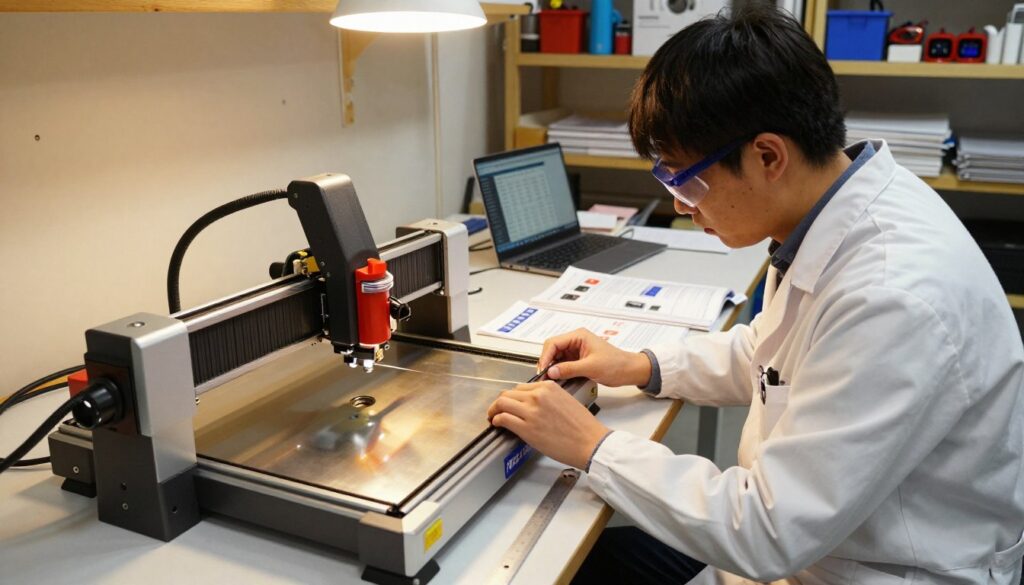
Advanced laser cutter troubleshooting requires a closer look at the internal components that drive your machine’s precision. When basic maintenance fails to restore performance, you must investigate the core mechanical and electrical systems. These deeper laser cutting problems often stem from hardware fatigue or misalignment that develops over time.
Testing the laser tube output
The laser tube is the heart of your machine, and its output naturally degrades after thousands of hours of operation. I recommend using a digital power meter to verify that the actual wattage matches your software settings. If the output is significantly lower than expected, the tube may be reaching the end of its lifespan.
Identifying signs of a dying CO2 tube
You can often spot a failing tube by observing the beam quality and the machine’s behavior during operation. A dying tube typically exhibits a faint or unstable beam, even at high power settings. Consistent power loss is the most reliable indicator that a replacement is necessary to maintain production quality.
“Regular maintenance of the laser source is the single most important factor in ensuring the longevity and accuracy of any industrial laser system.”
Ensuring the gantry is level
An uneven gantry is a common culprit for inconsistent cutting depths across your work bed. If the laser head is not perfectly parallel to the material surface, the focal point will shift as the head moves. I suggest using a precision level or a set of calibration blocks to verify that your gantry is square to the frame.
Troubleshooting belt tension and motor issues
If your cuts appear jagged or distorted, the issue likely involves the motion system. Loose belts can cause the laser head to skip steps, leading to inaccurate paths during complex designs. You should check the tension on all axes and ensure that the stepper motors are not overheating or missing pulses.
| Component | Common Symptom | Action Required |
|---|---|---|
| Laser Tube | Fading power | Replace tube |
| Gantry | Uneven depth | Re-level frame |
| Drive Belts | Jagged edges | Adjust tension |
| Stepper Motor | Skipped steps | Check wiring |
By systematically addressing these mechanical factors, you can resolve even the most stubborn laser cutting problems. Keeping your machine in top shape ensures that your laser cutter troubleshooting efforts lead to long-term reliability and professional results.
Conclusion
Restoring your machine to peak performance requires a commitment to consistent care. I find that viewing equipment maintenance as a routine habit rather than a chore transforms the quality of my finished products.
You can rely on this laser cutter troubleshooting guide to navigate common technical hurdles with confidence. By addressing optical clarity and mechanical precision, you protect your investment in brands like Epilog or Trotec.
I encourage you to implement these laser cutter troubleshooting tips during every project setup. Small adjustments to your focal length or power settings often yield significant improvements in edge quality and cutting depth.
Proactive habits reduce unexpected downtime and keep your production schedule on track. Consistent attention to your machine ensures that every cut remains clean and accurate for years to come.
What specific challenges have you encountered with your laser system lately? Share your experiences to help our community grow and refine these technical practices together.