When I first started my journey with small-scale fabrication, I quickly realized that the standard base included with most machines was insufficient. Achieving clean cuts and precise engravings requires a stable, ventilated surface. That is why finding the best honeycomb working table for desktop diode lasers became a top priority in my workshop.
Upgrading your standard base is a critical step for anyone serious about improving their output quality. A proper platform allows smoke to escape efficiently, which prevents unsightly burn marks on the underside of your materials.
In this guide, I share my personal experience with the equipment I rely on daily. By the end of this article, you will understand how to select and maintain the right gear to achieve professional-grade results on your machine.
Key Takeaways
- Upgrading your laser base significantly improves cutting precision.
- Proper ventilation prevents unwanted burn marks on your projects.
- A stable surface is essential for consistent engraving results.
- Regular maintenance of your platform extends the life of your equipment.
- Choosing the right material for your base ensures better airflow.
Why a Honeycomb Bed is Essential for Diode Laser Projects
When I first started with diode lasers, I quickly realized that the surface I used mattered just as much as the machine itself. A high-quality laser engraving bed is the single most effective way to upgrade your desktop setup. It provides a stable foundation that prevents the common issues many hobbyists face during their initial projects.
One of the primary benefits of this equipment is the prevention of back-reflection. Without a proper grid, the laser beam hits the solid base and bounces back, which can leave unsightly burn marks on the underside of your materials. By using a dedicated laser etching table, you ensure that the beam passes through the material cleanly without damaging the surface below.
Effective airflow is another critical advantage that this setup provides. The open honeycomb structure allows smoke and debris to escape efficiently during the cutting process. This prevents the buildup of soot, which often stains the edges of wood or acrylic projects. Clean, crisp edges are much easier to achieve when your workspace is properly ventilated.
Ultimately, adding this accessory transforms a basic machine into a professional workstation for laser engraving. I have found that it significantly reduces the need for post-processing cleanup. By minimizing charring and ensuring consistent results, this simple upgrade allows me to focus on the creative aspects of my work rather than troubleshooting hardware limitations.
Selecting the Best Honeycomb Working Table for Desktop Diode Lasers
Choosing the best honeycomb working table for desktop diode lasers requires a careful balance of material quality and structural design. I have found that the right foundation significantly impacts the precision of every cut and the longevity of my equipment. Investing in a high-quality surface ensures that your projects remain stable while protecting your workspace from stray laser energy.
Key Material Considerations for Durability
When I evaluate a laser cutting table, I prioritize materials that can withstand intense heat without warping. Aluminum and galvanized steel are my top choices because they offer excellent thermal resistance. These materials prevent the grid from deforming during long cutting sessions, which keeps your material perfectly flat.
A sturdy frame is equally important to ensure the structure remains rigid over time. I always look for heavy-duty construction that resists oxidation, as this keeps the surface clean and free of debris. Choosing a durable material is the most effective way to protect your investment.
| Material Type | Heat Resistance | Durability | Weight |
|---|---|---|---|
| Aluminum | High | Excellent | Lightweight |
| Galvanized Steel | Very High | Superior | Heavy |
| Stainless Steel | Moderate | Good | Medium |
Sizing Your Platform for Popular Desktop Models like xTool or Atomstack
Matching the dimensions of your platform to your machine is a critical step for success. Many desktop laser machine accessories are designed with standard sizes, such as 400x400mm, to fit popular frames like those from xTool or Atomstack. I recommend measuring your laser’s active cutting area before making a purchase to ensure a perfect fit.
If your platform is too small, you will struggle to secure larger materials effectively. Conversely, an oversized bed might interfere with the movement of the laser module or the machine’s frame. Always verify the compatibility of the mounting hardware to ensure the grid stays securely in place during operation.
Evaluating Airflow and Smoke Extraction Capabilities
The design of the honeycomb platform for laser cutter units plays a vital role in performance. I specifically look for an open-cell structure that allows air to circulate freely beneath the material. This airflow is essential for reducing charring on the underside of your projects and preventing fire hazards.
Effective smoke extraction is the primary factor in maintaining a clean diode laser cutting table. By allowing smoke to escape through the grid, you minimize the buildup of resin and soot on your workpieces. This simple design feature leads to cleaner edges and a much more professional finish on every project I complete.
Preparing Your Workspace and Laser Machine for Installation
I have found that the secret to professional results lies in how you prepare your laser machine work surface. Before you introduce new hardware, you must ensure the area is free from any obstructions that could compromise your project quality. Taking these small steps early on creates a reliable workstation for laser engraving that will serve you well for years.
Clearing the Laser Bed Surface
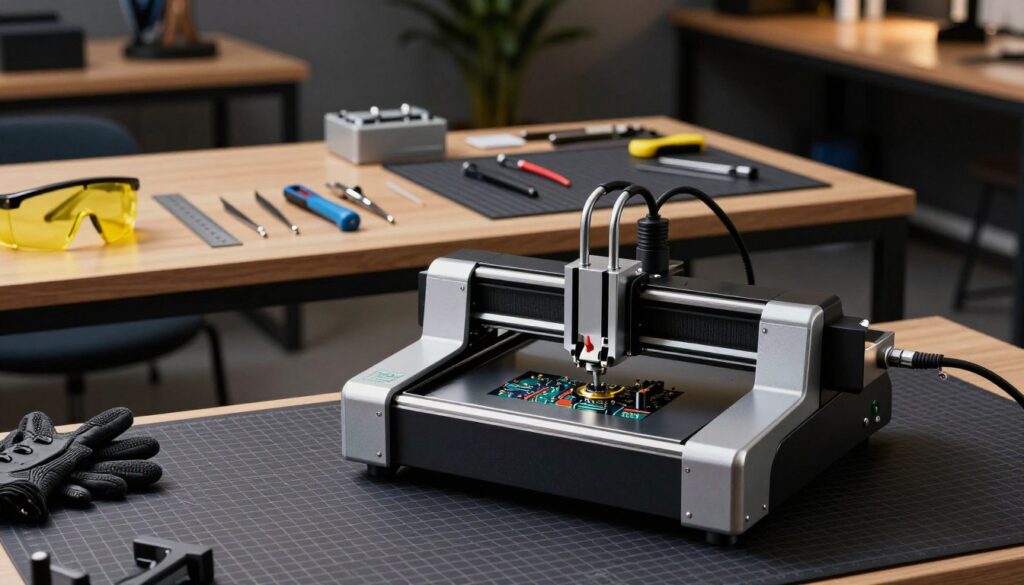
Before installing your new grid, you must ensure the base is completely clear of any previous debris or uneven mounting hardware. I always recommend using a vacuum or a soft brush to remove small bits of wood or acrylic left behind from past cuts. A perfectly flat base is essential for maintaining consistent focus across your entire material.
If your machine has existing risers or clamps, check that they do not interfere with the footprint of your new honeycomb panel. You want a clean, stable foundation to prevent any wobbling during high-speed engraving. This simple preparation step is vital when upgrading your desktop laser machine accessories.
Aligning the Laser Module with the Honeycomb Grid
I always take the time to carefully align the laser module with the honeycomb grid to ensure that the beam hits the center of the cells. This is a common oversight when setting up new equipment, but it is critical for safety. By creating a level setup, you prevent the laser from clipping the metal edges, which would otherwise cause unwanted reflections and damage to your laser etching table.
Proper alignment also ensures that smoke extraction works efficiently by allowing air to flow through the cells beneath your material. When the beam is centered, you achieve cleaner cuts and significantly reduce charring on the underside of your workpieces. Use the following table to verify your setup status before starting your first burn.
| Preparation Task | Status Check | Required Action |
|---|---|---|
| Surface Debris | Clear | Vacuum base |
| Grid Leveling | Stable | Adjust feet |
| Beam Centering | Aligned | Calibrate module |
| Reflector Check | Safe | Verify clearance |
Step-by-Step Guide to Setting Up Your Honeycomb Platform
I find that taking the time to install my equipment correctly saves me hours of frustration later. A well-prepared laser machine work surface acts as the foundation for every successful project I undertake. By following these precise steps, you ensure that your hardware remains stable and safe during operation.
Securing the Honeycomb Panel to the Base
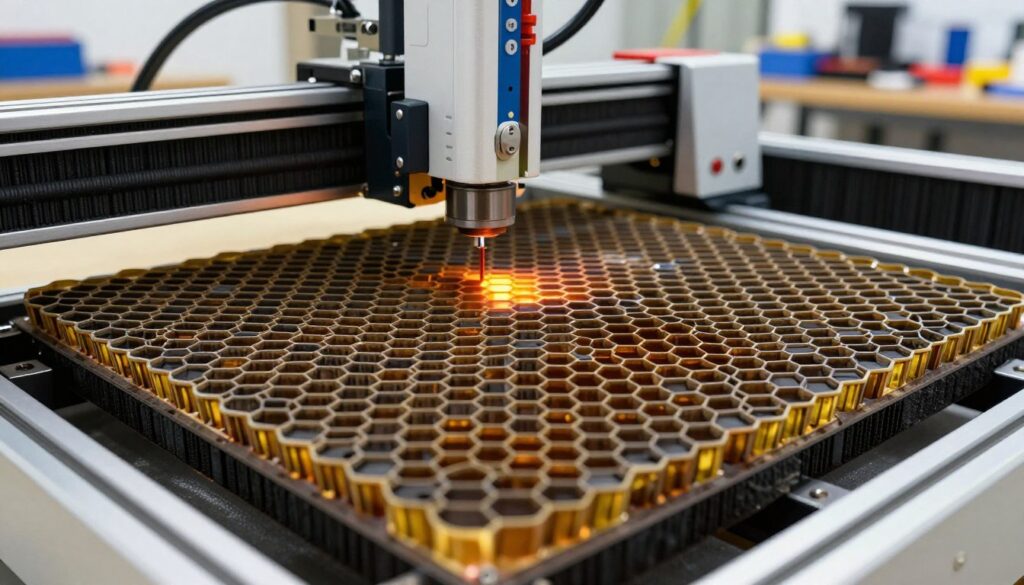
Once the platform is positioned, I secure the panel to the base using the provided magnets or heavy-duty clamps. This step is crucial to prevent any shifting during high-speed engraving. A stable laser engraving bed ensures that your designs remain crisp and perfectly aligned from start to finish.
Positioning the Aluminum Protective Plate
Placing an aluminum protective plate underneath the honeycomb grid for laser cutting is a non-negotiable step. This plate acts as a vital barrier to protect your desk or workbench from stray laser beams that pass through the material. I always double-check that the plate covers the entire cutting area before I begin.
Calibrating the Z-Axis Height for Optimal Focus
Next, I calibrate the Z-axis height to ensure the focal point is perfectly set on the material surface. Achieving the correct distance is essential for clean cuts and deep engravings. If the focus is off, the laser will struggle to penetrate the material effectively, leading to wasted supplies.
Testing the Laser Beam Clearance
Finally, I perform a quick test to verify the laser beam clearance across the entire honeycomb platform for laser cutter. I manually move the laser module to ensure it does not snag on any part of the grid. This final check provides the peace of mind that my machine is ready for a smooth, uninterrupted workflow.
Pro Tips for Maintaining Your Laser Cutting Table
A well-kept workspace is the foundation of every successful project I undertake with my diode laser. Consistent care ensures that my equipment remains precise and reliable over many years of operation.
Cleaning Resin and Debris from the Grid
When I work with wood or acrylic, resin buildup is inevitable. I regularly clean the grid with a stiff wire brush to remove sticky residue that can block airflow and cause dangerous flare-ups during a cut.
Clear ventilation is vital for a clean edge. If the cells of your honeycomb grid for laser cutting become clogged, smoke will linger and potentially stain your material or damage the laser lens.
Preventing Surface Oxidation and Rust
Many materials release acidic vapors during the cutting process, which can accelerate corrosion on metal surfaces. To combat this, I apply a light coat of anti-rust spray to my laser cutting table after deep cleaning sessions.
“The longevity of your tools is directly proportional to the effort you invest in their daily maintenance and protection.”
This simple habit prevents oxidation and keeps the metal surface smooth. It ensures that my diode laser cutting table remains a safe and efficient tool for every project I tackle.
Managing Small Parts During Cutting
One of the biggest challenges in laser work is keeping small, lightweight pieces from shifting or falling through the grid. I find that using a honeycomb grid for laser cutting makes this task much easier.
I rely on strong magnets to hold down thin materials firmly against the surface. This keeps the workpiece flat and prevents it from moving, which is essential for maintaining high accuracy on my laser cutting table.
| Maintenance Task | Frequency | Tool Required |
|---|---|---|
| Brush Grid | Every 5-10 hours | Stiff Wire Brush |
| Apply Anti-Rust | Monthly | Anti-Rust Spray |
| Check Alignment | Weekly | Leveling Tool |
| Vacuum Debris | After each session | Shop Vacuum |
Conclusion
Upgrading to a high-quality honeycomb working table represents a major shift in how you approach desktop diode laser projects. This simple addition transforms your workspace into a professional-grade studio capable of clean cuts and precise engravings.
I find that consistent maintenance of your equipment leads to better longevity for your laser machine. By keeping your grid clear of debris and protecting the base, you ensure that every project meets your high standards for quality.
My experience with brands like xTool and Atomstack shows that the right accessories make a massive difference in output. You now possess the knowledge to calibrate your setup for optimal focus and airflow.
I encourage you to experiment with different materials and settings to push your creative boundaries. Your journey into laser crafting is just beginning, and I look forward to seeing the unique designs you bring to life. Share your progress with the community to inspire others who are just starting their own path toward mastery.