Managing smoke and harmful fumes remains a constant struggle when operating machinery in a home workshop. I often found my creative space clouded by thick, acrid air after just a few minutes of operation. This persistent issue forced me to investigate whether upgrading my ventilation system could provide a cleaner, safer environment.
I needed to determine if a specialized ventilation device would truly solve these air quality problems. My goal was to move beyond basic stock setups and find a professional solution that keeps my lungs healthy while I work on intricate projects.
This guide explores my personal experience with these hardware upgrades. I will outline the critical importance of proper airflow, ensuring you understand that effective smoke removal acts as a fundamental component of machine safety. By the end, you will know if this investment provides the performance boost your shop requires.
Key Takeaways
- Proper ventilation significantly reduces health risks associated with airborne particulates.
- Stock ventilation systems often fail to clear smoke effectively during long sessions.
- Upgrading to a high-performance blower improves overall air quality in enclosed spaces.
- Consistent airflow helps maintain lens clarity and prevents residue buildup on materials.
- Safety should always remain the top priority when choosing workshop equipment.
Understanding the Importance of Inline Exhaust Fan Ventilation
I quickly realized that the stock ventilation included with my laser cutter was barely scratching the surface of what I needed. While these machines are impressive, the included exhaust components are often an afterthought for the manufacturer. Achieving a truly safe workspace requires a deeper look at how we manage the air we breathe while working.
Why Standard Laser Ventilation Often Falls Short
Most entry-level laser cutters come equipped with small, low-powered axial fans. These fans struggle to overcome the resistance created by long lengths of ducting or tight bends. Consequently, smoke and debris often linger inside the cabinet, which can ruin your material and degrade the machine’s internal components.
The limitations of stock fans become obvious during long cutting sessions. They lack the static pressure required to push air through filters or out of a window effectively. Relying on these weak systems often leads to poor cut quality and a lingering smell of burnt material in your shop.
“Effective ventilation is not just a luxury for laser operators; it is a fundamental requirement for maintaining a safe and healthy environment when working with synthetic materials.”
The Role of Airflow in Removing Toxic Fumes and Particulates
The importance of inline exhaust fan systems lies in their ability to maintain consistent negative pressure. By pulling air away from the cutting bed, these fans ensure that hazardous byproducts do not settle on your optics or enter your lungs. This process is vital when you are cutting materials like acrylic or wood, which release microscopic particulates.
Choosing a high-quality inline exhaust fan for laser cutting changes the entire dynamic of your workflow. It ensures that toxic fumes are evacuated rapidly, keeping your workspace clean and safe. The following table highlights why upgrading your system is a smart move for any serious maker.
| Feature | Stock Fan | Inline Exhaust Fan |
|---|---|---|
| Airflow Capacity | Low (Limited CFM) | High (Adjustable CFM) |
| Static Pressure | Minimal | Strong |
| Noise Level | High/Harsh | Moderate/Quiet |
| Durability | Short Lifespan | Long-term Reliability |
Understanding the importance of inline exhaust fan technology helps you prioritize your health. By investing in a robust inline exhaust fan for laser cutting, you are taking a proactive step toward professional-grade safety. Proper airflow is the difference between a hobbyist setup and a truly efficient, high-performance workshop.
Evaluating the Benefits of Inline Exhaust Fan Systems
If you are serious about laser cutting, understanding the inline exhaust fan advantages is a critical step toward professional results. I have found that moving away from stock ventilation systems completely transforms the daily experience of operating a laser cutter. These systems provide the consistent, high-volume airflow necessary to maintain a clean and safe environment.
Improved Air Quality and Safety in Your Workshop
The primary benefits of inline exhaust fan setups involve the immediate removal of hazardous fumes and microscopic particulates. Laser cutting materials like acrylic or wood releases volatile organic compounds that can be harmful if inhaled over time. By installing a high-powered fan, I ensure that these toxins are vented outside rather than lingering in my breathing zone.
This creates a significantly healthier workspace for me and anyone else in the room. Proper ventilation is not just a luxury; it is a fundamental safety requirement for any indoor laser setup. You will notice the difference in air clarity almost immediately after the first cut.
Extending the Lifespan of Your Laser Optics
One of the most overlooked issues in laser cutting is the accumulation of resinous smoke on delicate mirrors and lenses. When smoke is not extracted efficiently, it settles on these components, causing them to degrade much faster than normal. This buildup forces the laser to work harder and can lead to permanent damage if left uncleaned.
By utilizing a robust exhaust system, I keep the internal chamber clear of debris during the entire cutting process. This prevents residue from settling on the optics, which saves me time on maintenance and money on replacement parts. Protecting your investment is a major advantage of upgrading your airflow.
Reducing Odor and Smoke Accumulation
We all know that laser cutting can leave behind strong, lingering odors that permeate furniture, clothing, and walls. These smells are often a sign that your current ventilation is failing to move air effectively. An inline fan provides the necessary pressure to pull smoke out of the machine before it has a chance to escape into the room.
This results in a much more professional and pleasant workspace environment. I no longer worry about the smell of burnt wood or plastic sticking to my clothes after a long session. Investing in better airflow is truly the best way to maintain a clean, odor-free shop.
Comparing Inline Exhaust Fans vs Other Ventilation Methods
Navigating the market for laser cutting ventilation solutions can feel overwhelming due to the sheer number of options available. I have found that choosing the right setup depends heavily on your specific workshop layout and the volume of materials you process. Understanding the technical differences between these systems is the first step toward a safer workspace.
Inline Fans vs Built-in Stock Fans
Most entry-level laser cutters come with a small, built-in stock fan. While these fans are convenient, they often lack the static pressure required to pull smoke through long lengths of ducting. I quickly realized that these stock units struggle to keep up with heavy cutting tasks, leading to lingering odors and potential resin buildup on my optics.
In contrast, an inline exhaust fan is designed to handle high-resistance environments. By installing a dedicated inline unit, I significantly improved the airflow in my shop. This upgrade ensures that fumes are extracted efficiently, even when the ducting needs to navigate tight corners or long distances.
Inline Fans vs Portable Air Filtration Units
Portable air filtration units are another popular choice, especially for those who cannot vent directly outside. These systems use complex filter stages to scrub the air before recirculating it back into the room. However, they are often significantly more expensive to maintain due to the recurring cost of replacement filters.
When analyzing the inline exhaust fan vs other ventilation methods, I found that inline fans offer a more direct solution for those with access to an exterior window or wall. While portable units provide flexibility, they rarely match the raw extraction power of a high-quality inline fan system. For most professional setups, direct venting remains the gold standard for safety.
Efficiency and Noise Level Considerations
Efficiency is not just about power; it is also about the noise levels generated during operation. High-static pressure inline fans can be loud, but they often allow for lower speed settings that balance performance with comfort. I have found that using a speed controller helps me maintain a quiet environment without sacrificing the necessary airflow.
| Ventilation Type | Extraction Power | Maintenance Cost | Noise Level |
|---|---|---|---|
| Stock Fan | Low | Minimal | Moderate |
| Inline Fan | High | Low | Variable |
| Portable Filter | Moderate | High | High |
Ultimately, the choice between these laser cutting ventilation solutions comes down to your specific needs. If you prioritize long-term savings and raw power, an inline exhaust fan is usually the superior choice. If you are limited by your building’s infrastructure, you may need to weigh the costs of portable filtration carefully.
My experience with the inline exhaust fan vs other ventilation methods has shown me that proper planning saves time and money. Investing in the right hardware early on prevents the frustration of dealing with smoke and poor air quality later. Always consider your workspace constraints before making a final decision.
Determining if an Inline Exhaust Fan is Worth It for Laser Cutting
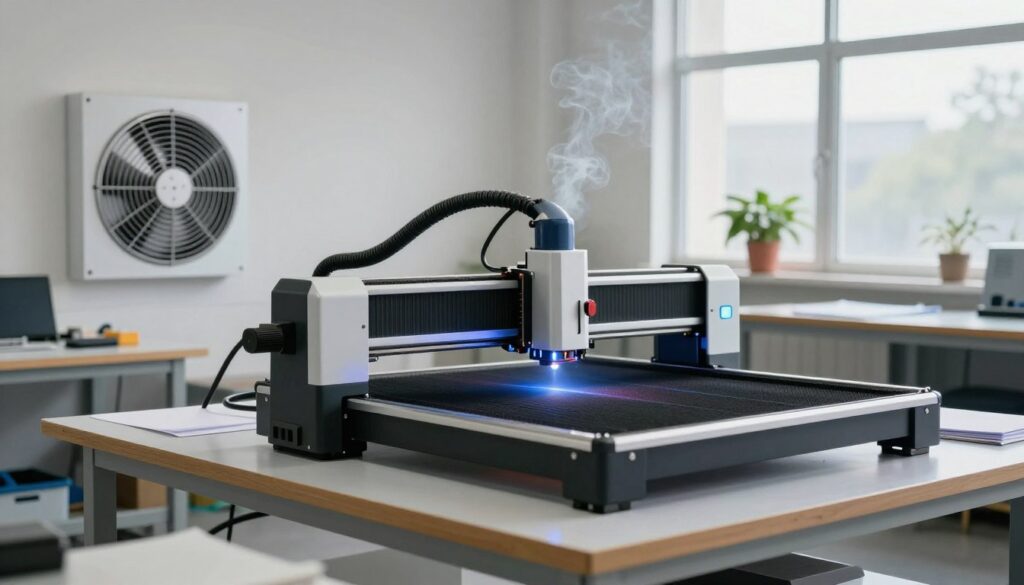
Evaluating your workshop needs is the first step in determining if an inline exhaust fan is worth it for laser cutting. While the stock fans included with many machines provide basic airflow, they often struggle to keep up with the demands of frequent or complex projects. Deciding on an upgrade requires a clear understanding of your personal workflow and the environment where you operate your laser.
Assessing Your Specific Laser Cutting Volume
The frequency of your laser usage is the most critical factor in this decision. If you only run your machine once or twice a month for small, simple engravings, the stock ventilation might suffice. However, if you find yourself cutting thick materials like acrylic or wood on a daily basis, your machine is likely struggling to clear smoke and debris effectively.
High-volume users often notice that poor ventilation leads to charring on the edges of their materials. If you are constantly cleaning your lens or dealing with lingering odors in your home or shop, your current setup is likely inadequate. Consistent, heavy use demands a more robust solution to maintain both air quality and cut precision.
Analyzing the Cost-to-Benefit Ratio for Hobbyists vs Professionals
For the professional, the question of whether an inline exhaust fan is worth it for laser cutting is usually answered by the need for efficiency and safety. Professionals must minimize downtime caused by cleaning optics and ensure a safe environment for employees or clients. The cost of a high-quality fan is easily offset by the increased productivity and reduced maintenance time.
Hobbyists, on the other hand, must weigh the financial investment against their personal comfort. While the initial price tag might seem high, the long-term benefits of a cleaner workspace and a longer-lasting laser tube are significant. You are essentially paying for peace of mind and a more enjoyable creative process.
My Personal Experience with Upgrading My Ventilation
When I first started, I relied solely on the small fan that came with my laser. I quickly realized that the smoke buildup was not only affecting my health but also ruining the finish of my projects. After installing a dedicated inline fan, the difference was immediate and quite dramatic.
The most noticeable improvement was the clarity of my cuts and the lack of that persistent, burnt smell in my studio. I no longer have to worry about smoke staining my materials or clouding my optics during long jobs. Investing in this upgrade was one of the best decisions I made for my workshop, as it allowed me to focus entirely on my designs rather than managing poor airflow.
Selecting the Best Inline Exhaust Fan for Your Laser Setup
Choosing the best inline exhaust fan for laser cutting requires a careful look at technical performance metrics. While many hobbyists focus solely on price, the true value lies in how well the unit handles the specific demands of your ventilation ducting. I have found that understanding these core specifications prevents common issues like smoke buildup and poor air quality.
Key Specifications to Look For: CFM and Static Pressure
When shopping for an inline exhaust fan for laser cutting, you must prioritize two main ratings: Cubic Feet per Minute (CFM) and static pressure. CFM measures the total volume of air the fan moves, which is essential for clearing smoke quickly. However, static pressure is arguably more important for laser setups because it determines the fan’s ability to push air through long, winding ducts or carbon filters.
A high CFM rating is useless if the fan lacks the static pressure to overcome the resistance of your exhaust hose. I always recommend looking for a fan that maintains high performance even when connected to several feet of flexible ducting. Reliability and efficiency depend on finding a balance between these two numbers.
Reviewing Top Contenders: AC Infinity CLOUDLINE Series
In my experience, the AC Infinity CLOUDLINE series stands out as a top-tier choice for serious makers. These units are known for their whisper-quiet operation and advanced digital controllers. The ability to adjust fan speeds based on real-time temperature or humidity readings makes them incredibly versatile for different cutting projects.
The build quality is exceptional, featuring a durable steel housing that resists vibration. If you value precision and long-term performance, these units consistently rank at the top of most inline exhaust fan reviews.
Reviewing Top Contenders: VIVOSUN Inline Duct Fan
The VIVOSUN inline duct fan is a fantastic alternative for those who need a cost-effective solution without sacrificing too much power. It provides a straightforward, no-nonsense approach to ventilation that works well for standard laser setups. While it may lack some of the advanced automation found in premium models, it delivers consistent airflow for most hobbyist applications.
I have found that the VIVOSUN unit is easy to install and maintain, making it a great entry point for beginners. It offers a solid cost-to-benefit ratio for users who want reliable smoke extraction on a tighter budget.
| Feature | AC Infinity CLOUDLINE | VIVOSUN Inline Fan |
|---|---|---|
| Noise Level | Very Low | Moderate |
| Control System | Digital/Smart | Manual/Basic |
| Build Quality | Premium Steel | Standard Plastic/Metal |
| Best For | Professional Use | Hobbyist Projects |
Step-by-Step Installation Guide for Your Laser Exhaust System
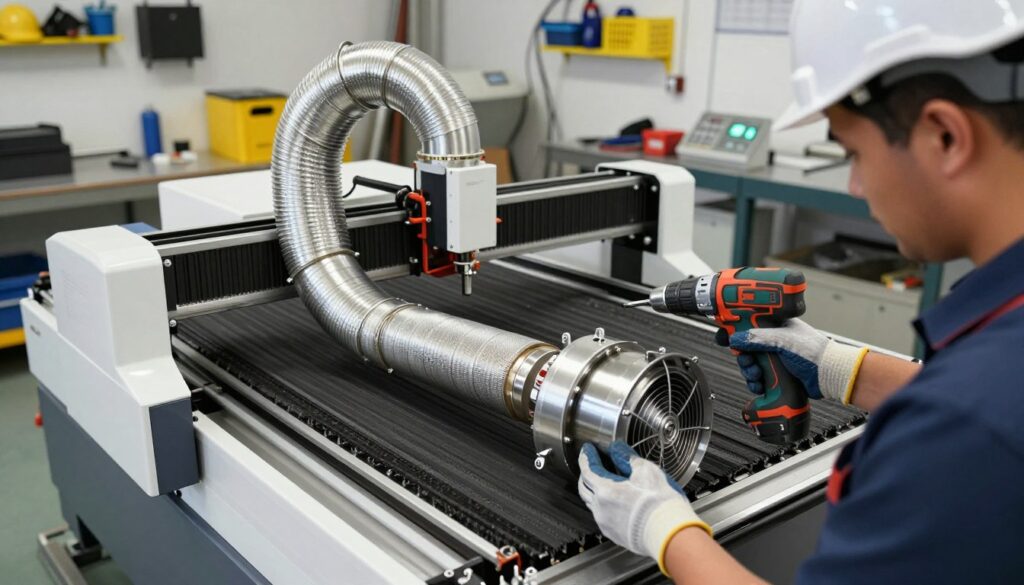
I have found that a methodical approach to installing your exhaust fan makes the entire process much easier. By following a structured plan, you ensure that your ventilation system operates at peak performance while keeping your workspace free of harmful fumes.
Gathering Necessary Tools and Ducting Materials
Before you begin, you must collect all the essential components to create a durable path for exhaust. Having everything ready prevents unnecessary delays and helps you maintain a clean, professional installation.
You will typically need the following items for a successful setup:
- High-quality flexible or rigid ducting (aluminum is preferred for heat resistance).
- Heavy-duty hose clamps to secure the ducting to the fan and laser.
- Foil HVAC tape for creating an airtight seal at every connection point.
- A drill or screwdriver for mounting the fan bracket to a wall or ceiling.
- A wire cutter or utility knife for trimming ducting to the exact length needed.
Positioning the Fan for Maximum Efficiency
The placement of your fan is critical for maintaining strong airflow. I recommend keeping the fan as close to the laser cutter as possible to reduce the length of the intake ducting.
Minimizing bends and turns in your ductwork is equally important. Every sharp corner creates backpressure, which forces the fan to work harder and reduces the total volume of air removed from the machine.
Securing Connections and Ensuring an Airtight Seal
Once the fan is positioned, you must ensure that every connection is completely sealed. Even small leaks can allow smoke and odors to escape into your workshop, defeating the purpose of the upgrade.
Use your foil tape to wrap every joint where the ducting meets the fan or the laser exhaust port. Tightening your hose clamps firmly over these connections provides the structural integrity needed to prevent the ducting from vibrating loose during operation.
Safety Warnings During Installation
Your safety remains the top priority throughout this process. Always disconnect the power supply to your laser cutter and the exhaust fan before you begin any work on the ventilation path.
Ensure that your workspace is well-ventilated while you are working, especially if you are cleaning or modifying existing ducting that may contain residual dust. Finally, never force the fan into a position that puts excessive strain on the laser’s exhaust port, as this could cause structural damage to your machine.
Maintenance Tips for Optimal Airflow and Longevity
I have found that a consistent cleaning schedule significantly extends the life of my laser cutting equipment. When you invest in a high-quality inline fan, you want to ensure it remains efficient for years. Proper care prevents common issues like motor strain and reduced suction power.
Cleaning Fan Blades to Prevent Resin Buildup
Laser cutting often produces sticky resin and fine particulates that settle on fan blades over time. If left unchecked, this buildup creates an uneven weight distribution, which can lead to excessive vibration and motor failure. I recommend cleaning your blades every few months, depending on your usage volume.
To clean them safely, always disconnect the power supply first. Use a mild degreaser and a soft cloth to gently wipe away the residue. Avoid using harsh chemicals that might damage the plastic or metal components of the fan housing.
“Routine maintenance is not just about cleanliness; it is the primary defense against mechanical fatigue and system inefficiency in any ventilation setup.”
Inspecting Ducting for Clogs and Leaks
Your ducting is just as important as the fan itself when it comes to moving air. Over time, dust and debris can accumulate inside the tubes, creating significant clogs that restrict airflow. I make it a habit to inspect my ducting runs for any signs of sagging or disconnection.
You should look for the following during your inspection:
- Airtight seals: Ensure all joints are secured with high-quality foil tape.
- Obstructions: Check for debris buildup at bends or corners.
- Structural integrity: Look for tears or punctures in flexible ducting.
Monitoring Fan Performance Over Time
Staying aware of how your fan sounds and performs is a great way to catch problems early. A healthy fan should run with a consistent, smooth hum. If you notice a sudden change in pitch or an increase in noise, it is usually a sign that something needs attention.
I track my system’s performance by observing how quickly smoke clears from the laser bed after a cut. If the clearing time increases, I know it is time to perform a deep clean or check for leaks. Consistent monitoring ensures that your workshop remains a safe and productive environment for all your projects.
Conclusion
Upgrading your laser cutting setup with a dedicated inline exhaust fan represents a smart commitment to your craft. I have found that prioritizing air quality transforms the entire creative process. You gain peace of mind knowing your workspace remains free from harmful particulates.
Reliable ventilation protects your equipment investment over the long term. Brands like AC Infinity and VIVOSUN provide the necessary power to keep your optics clean and your projects precise. Consistent airflow prevents the buildup of resin and smoke that often ruins delicate laser work.
Take a moment to evaluate your current setup and identify where improvements can occur. A small change in your exhaust strategy yields significant results for your health and your output quality. I encourage you to prioritize these upgrades to ensure your laser cutting remains a safe and productive endeavor for years to come.